
ttezza051 - Minecraft Skins & Skin History
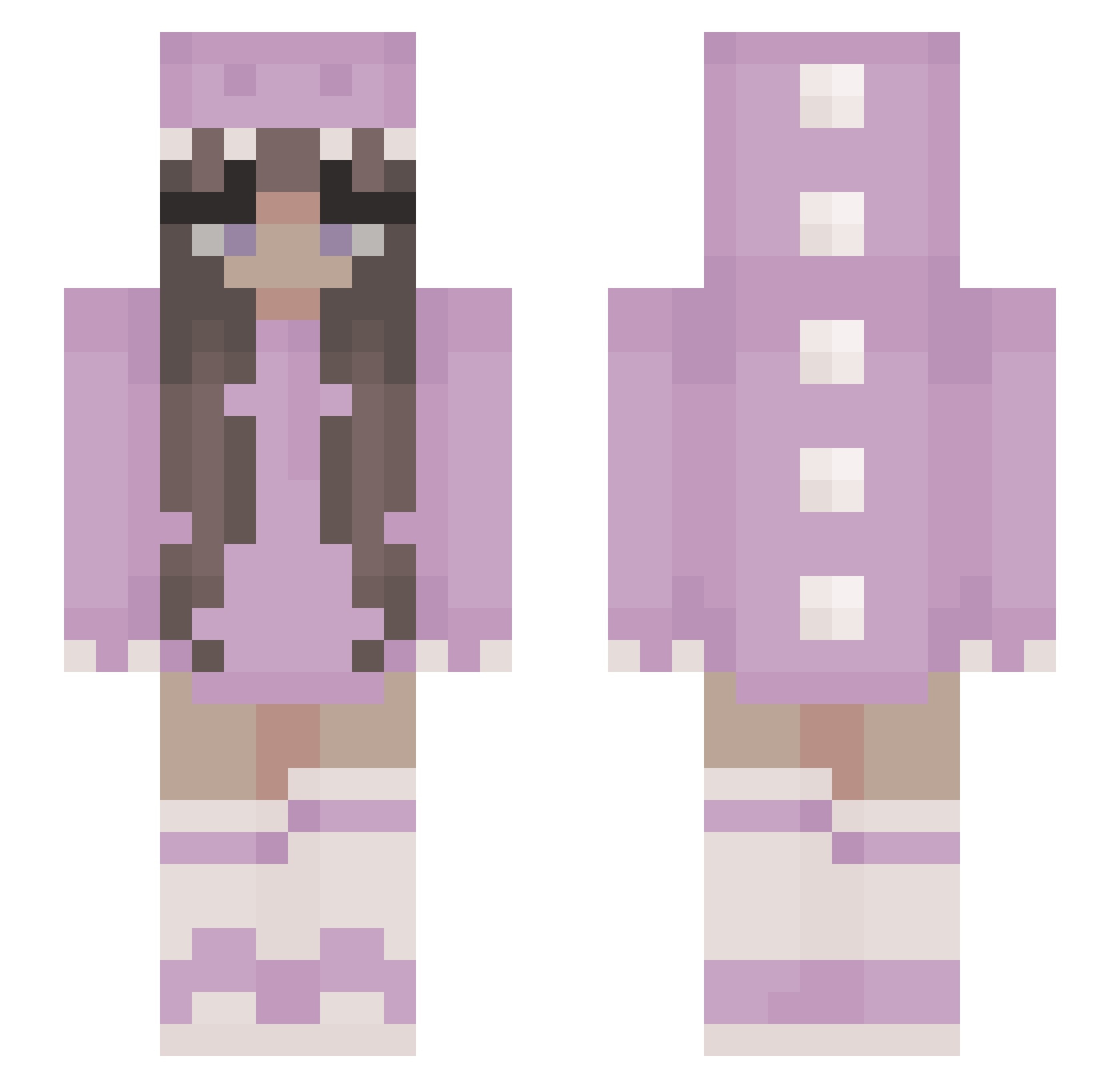
Current Minecraft skin of the player ttezza051, loaded from the official Mojang API. Rotate the 3D model with your mouse or finger, then download the skin as a PNG file and use it in Minecraft: Bedrock Edition or Java Edition for free. When ttezza051 changes their skin, this page updates automatically and the old skin stays in the history below.
Other players with this skin (347)
ttezza051 was the 262nd player we have seen with this skin, first spotted on 02.10.2026. The same skin was seen on these players. Open a nickname to see their current skin and skin history.
 PerraRosa TinkNZ Kawarii Elisa_Unicorn AquaAlexi xXGengsterXx_Yt tanna437 SuperAuguste Hana0110 festis11 weqiubewqibuewqu SupImHoly Sophia1329 Lia_004 Furere beertje13 Mrsnataliaa _Lucc__ JoannaMCGamer DaniellaGrande Sophiehase AliciaCCC LxrenaSxphie zombieh8ter mvndahy chloechew Kingauss ttvwoodtable Neandy StrawberryCow01 Sleepyhead3072 FireKitty1809 Tessa_ster stellanutella_ XpL29 Fatangamer89 deadbydawn_ Aquarelle29 DaddyMandy Youn8C0rn Alejandracraft12 R1zkq Voxatide CutieCat0801 kuteas1313 MamaLama13 Batista635 EmilyMcIntyre21 LouKater Watti775 Ilariaptor Ambigramm Find_Eri suimin9 MayNelly Aurore__ 084k SpiderMan272 svndme NotPlameDe
More Kigurumi Minecraft skins
How to install the ttezza051 skin
- Press the Download button above to save the skin as a PNG file.
- Minecraft: Bedrock Edition (PE): open the Dressing Room from the main menu (or tap your character → Edit Character), go to Classic Skins → Owned, press the + (new skin) button, choose the downloaded PNG and pick the Slim (Alex) model. Works on PC and mobile; consoles cannot import custom skins.
- Minecraft: Java Edition: open the Minecraft Launcher, go to the Skins tab, click New Skin, load the PNG, pick the Slim (Alex) model and press Save & Use. You can also upload it at minecraft.net → Profile → Change Skin.
The skin does not show up after import - what should I do?
Restart Minecraft and open the Dressing Room again - imported skins sometimes appear only after a restart. Also make sure you selected the imported skin and picked the Slim (Alex) model.
Which model should I choose, Classic or Slim?
This skin is designed for the Slim (Alex) model. If you pick the wrong model, the arms of the skin will look stretched or squeezed.
Is the skin of ttezza051 free to download?
Yes. Press Download, save the PNG file and use it in Minecraft: Bedrock Edition or Java Edition - no payment or registration needed. The skin also works on multiplayer servers and Realms.
More skins
Looking for more? Go back to all Minecraft skins and check the top skins of the week, month and all time, or find any player's skin by nickname.