
tsurugi_sama - Minecraft Skins & Skin History
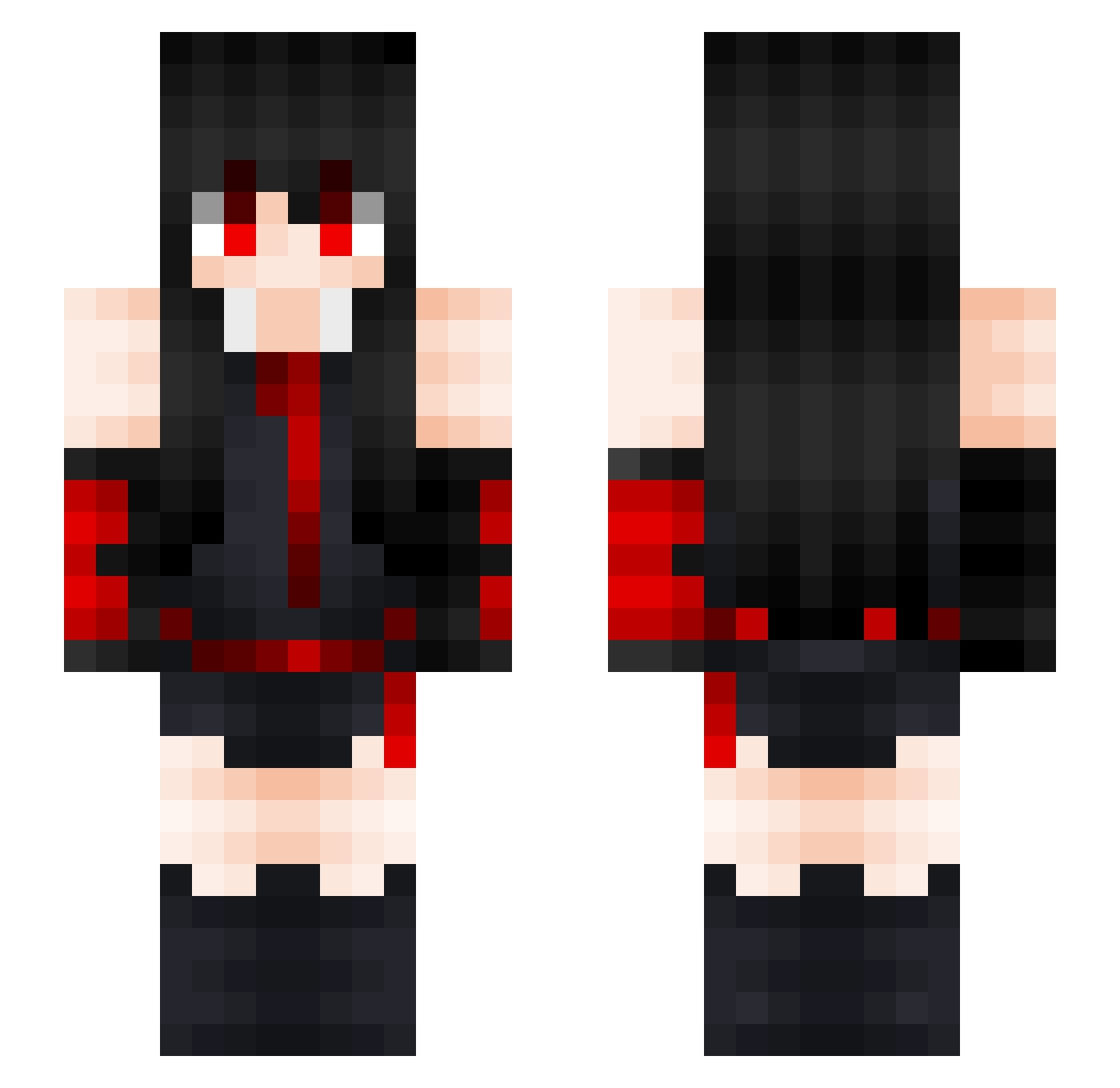
Current Minecraft skin of the player tsurugi_sama, loaded from the official Mojang API. Rotate the 3D model with your mouse or finger, then download the skin as a PNG file and use it in Minecraft: Bedrock Edition or Java Edition for free. When tsurugi_sama changes their skin, this page updates automatically and the old skin stays in the history below.
Other players with this skin (162)
tsurugi_sama was the 52nd player we have seen with this skin, first spotted on 02.09.2026. The same skin was seen on these players. Open a nickname to see their current skin and skin history.
 totap0 Nangyai Marmaze sion03 adel_ae Akame7019 _luf black5ky stepanhic905 HxroOG IrisDeMort LokSin SSGBrian Trap_Akuma Denizcagla Reon435 Alxtix241 Blizzilein grobi1 LxrsXD Nizzy_ 3EP0 afloyyy Achlys939 xXTntloaderXx TsukiNova kourin_sama hieu007 bobisgood1 CNGFMplz spartanto eaglenoah moon3310 korokona167 gaylover43 TGIPRO sliccy4 SomeCrazyB chenxiAS Kayiu1484 BabyBiber shadowking260901 100m Amelkagoral xXpro_snipesXx Dreamhunting Bozydaar Zi1ar wolkiewicz Yoyyosi misacat112 SullivanArts AkameZFR AFatCat Artemisja487 MysteriousSeal ezxul e_girl_xGodz Koumela rukia24
More Akame Minecraft skins
How to install the tsurugi_sama skin
- Press the Download button above to save the skin as a PNG file.
- Minecraft: Bedrock Edition (PE): open the Dressing Room from the main menu (or tap your character → Edit Character), go to Classic Skins → Owned, press the + (new skin) button, choose the downloaded PNG and pick the Slim (Alex) model. Works on PC and mobile; consoles cannot import custom skins.
- Minecraft: Java Edition: open the Minecraft Launcher, go to the Skins tab, click New Skin, load the PNG, pick the Slim (Alex) model and press Save & Use. You can also upload it at minecraft.net → Profile → Change Skin.
The skin does not show up after import - what should I do?
Restart Minecraft and open the Dressing Room again - imported skins sometimes appear only after a restart. Also make sure you selected the imported skin and picked the Slim (Alex) model.
Which model should I choose, Classic or Slim?
This skin is designed for the Slim (Alex) model. If you pick the wrong model, the arms of the skin will look stretched or squeezed.
Is the skin of tsurugi_sama free to download?
Yes. Press Download, save the PNG file and use it in Minecraft: Bedrock Edition or Java Edition - no payment or registration needed. The skin also works on multiplayer servers and Realms.
More skins
Looking for more? Go back to all Minecraft skins and check the top skins of the week, month and all time, or find any player's skin by nickname.