
trawka12345ibat - Minecraft Skins & Skin History
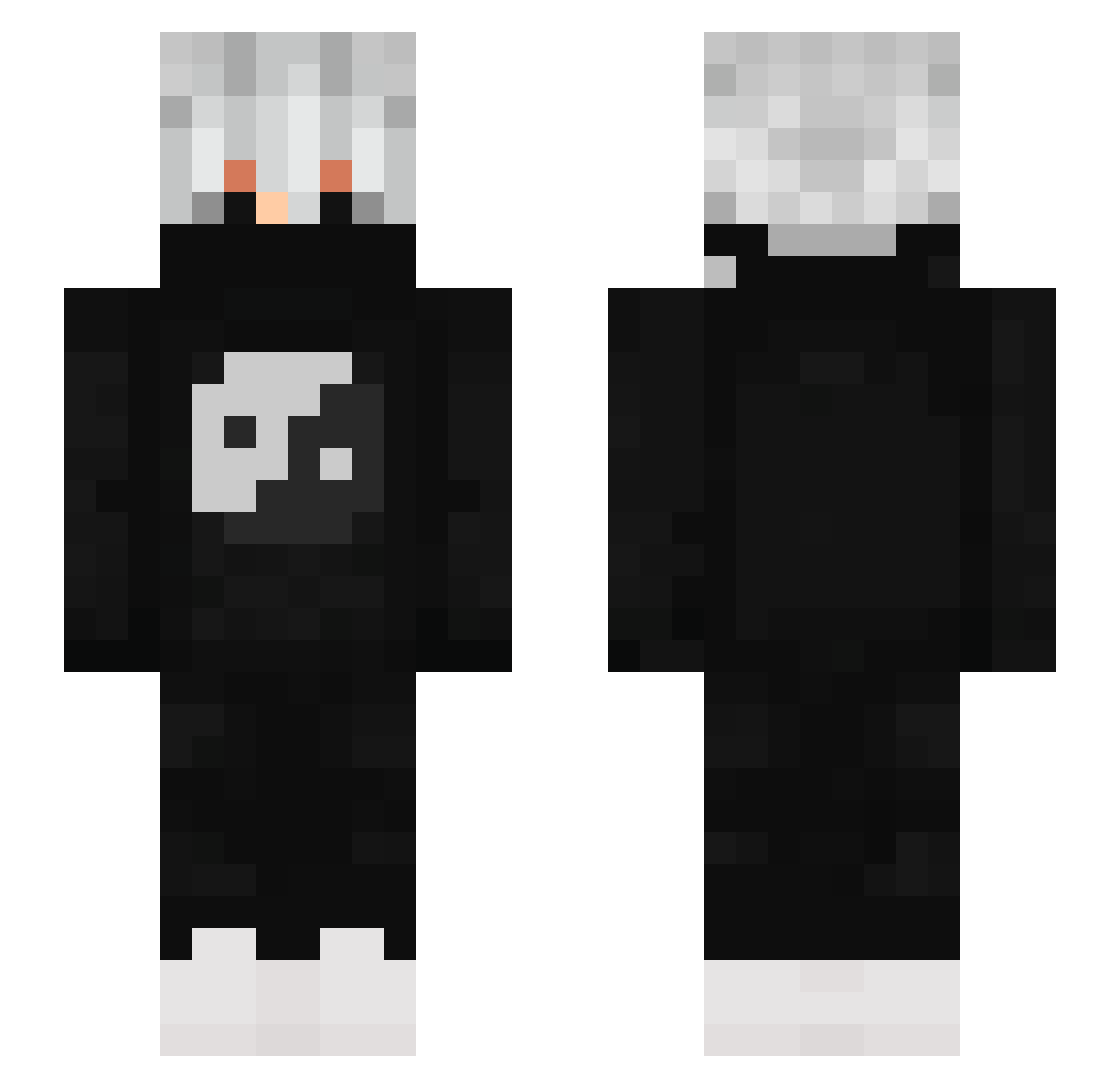
Current Minecraft skin of the player trawka12345ibat, loaded from the official Mojang API. Rotate the 3D model with your mouse or finger, then download the skin as a PNG file and use it in Minecraft: Bedrock Edition or Java Edition for free. When trawka12345ibat changes their skin, this page updates automatically and the old skin stays in the history below.
Other players with this skin (815)
trawka12345ibat was the 679th player we have seen with this skin, first spotted on 16.10.2026. The same skin was seen on these players. Open a nickname to see their current skin and skin history.
 KimSchindler ___________raven Nzac01 Yungee_ PlutoTipz Smiling_cookie Huusoo lolho berserk434 DIGX_69 RedFox4500 radiradman RW911 DulifyyxYT RedFelcon willy0725 GamerE16 Yasuo42Ahh Bgsd EgoKF NOT_DARSHAN moransb Grondd Lucas123865 Efar1on LuluSocaFofo DarennClientUsar xWayzeex DarkNova0_0 smilodon9 AbzAaVv h3n2i Wiltraax gOtLoSeR Bmert1SH Polus2010 Lyrix330 zoomcruz Rauzike Crateron 39oomyy Emmittsito Lolsose Slaiziy OboBar Its_LordN kauejuniorXdd EveDiecrobat OpeOnLunar Lzyn_ chiefirrr Dead__Plays Botondhun8242 LarryFox lolgeta147R 1matie1 FARLOX07 Jooooooooo2011 sarayama3 NovakFG
More Yin Yang Minecraft skins
How to install the trawka12345ibat skin
- Press the Download button above to save the skin as a PNG file.
- Minecraft: Bedrock Edition (PE): open the Dressing Room from the main menu (or tap your character → Edit Character), go to Classic Skins → Owned, press the + (new skin) button, choose the downloaded PNG and pick the Slim (Alex) model. Works on PC and mobile; consoles cannot import custom skins.
- Minecraft: Java Edition: open the Minecraft Launcher, go to the Skins tab, click New Skin, load the PNG, pick the Slim (Alex) model and press Save & Use. You can also upload it at minecraft.net → Profile → Change Skin.
The skin does not show up after import - what should I do?
Restart Minecraft and open the Dressing Room again - imported skins sometimes appear only after a restart. Also make sure you selected the imported skin and picked the Slim (Alex) model.
Which model should I choose, Classic or Slim?
This skin is designed for the Slim (Alex) model. If you pick the wrong model, the arms of the skin will look stretched or squeezed.
Is the skin of trawka12345ibat free to download?
Yes. Press Download, save the PNG file and use it in Minecraft: Bedrock Edition or Java Edition - no payment or registration needed. The skin also works on multiplayer servers and Realms.
More skins
Looking for more? Go back to all Minecraft skins and check the top skins of the week, month and all time, or find any player's skin by nickname.