
tomjman3 - Minecraft Skins & Skin History
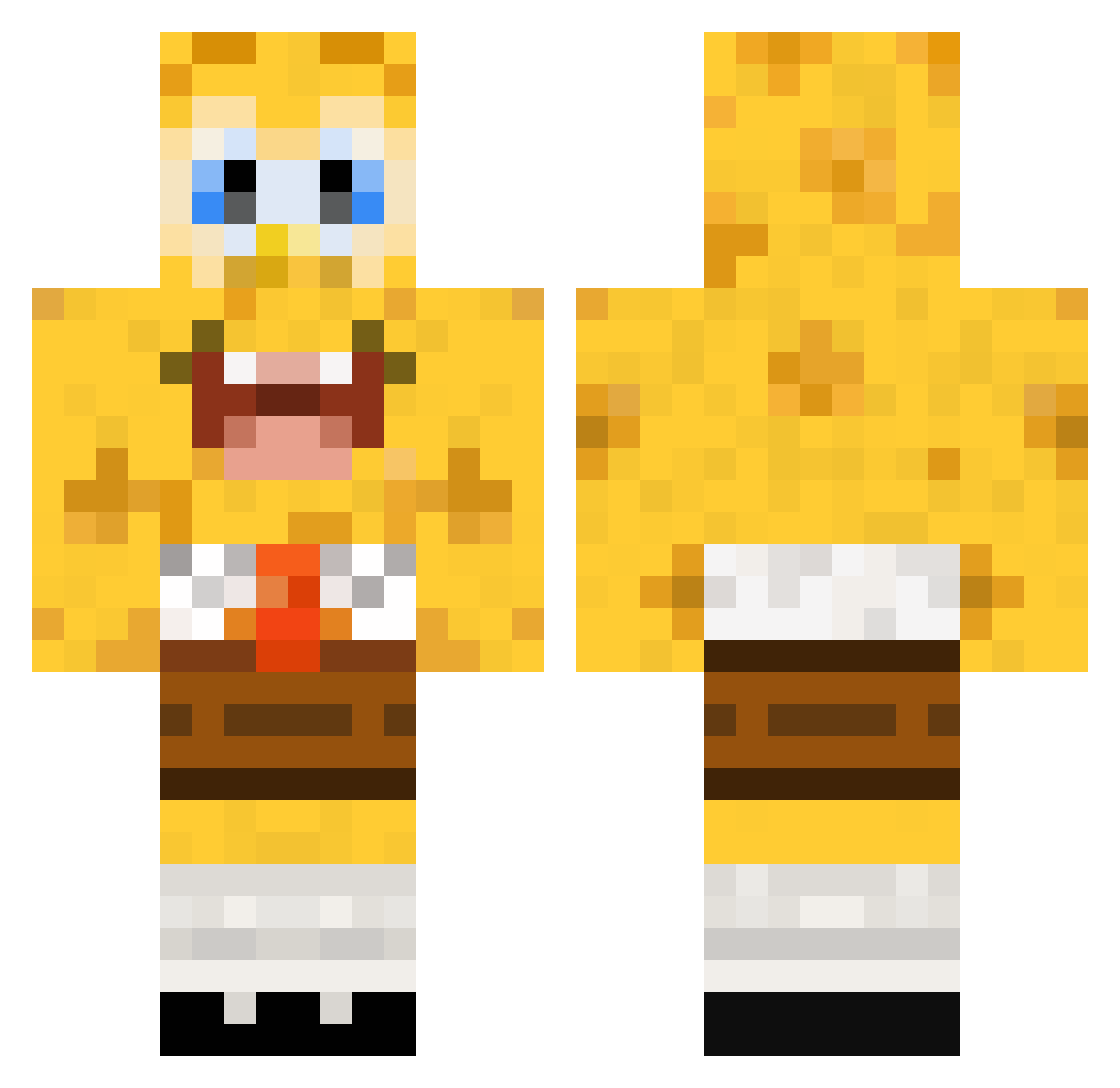
Current Minecraft skin of the player tomjman3, loaded from the official Mojang API. Rotate the 3D model with your mouse or finger, then download the skin as a PNG file and use it in Minecraft: Bedrock Edition or Java Edition for free. When tomjman3 changes their skin, this page updates automatically and the old skin stays in the history below.
Other players with this skin (538)
tomjman3 was the 525th player we have seen with this skin, first spotted on 16.11.2026. The same skin was seen on these players. Open a nickname to see their current skin and skin history.
 UrbanMud sondrehockey Chasex97 DoomAngust Burninflames abaker42 Nick1287 FCler lmq10 TicTacT123 rood13 joostm7 AmazingCeasar Jtrig GurraN95 HenBotBeepBoop Aj_100 AceGames23 mat66380 Jonttozz cyPat ChloCraft Boblus Chiancey Smithius sill1003 Pillilow simsen11 axelprokill m0nkz Nopro_Sebi josimho minecraft_jakob1 Morux doller2 alaynarose GAMERDUDE700 Smaap excaljnur badboys0091 Civxx CaramelCortez lugggga axelh92 Augner gombero LargeGoose Natedog023 Tilman99 pedrojop matmolle LilJibs jewcuid blondieeve CFizz kai07015 timthorus SKROVINNY fuzzyhobo96 Jannold97
More Cartoon Minecraft skins
How to install the tomjman3 skin
- Press the Download button above to save the skin as a PNG file.
- Minecraft: Bedrock Edition (PE): open the Dressing Room from the main menu (or tap your character → Edit Character), go to Classic Skins → Owned, press the + (new skin) button, choose the downloaded PNG and pick the Classic (Steve) model. Works on PC and mobile; consoles cannot import custom skins.
- Minecraft: Java Edition: open the Minecraft Launcher, go to the Skins tab, click New Skin, load the PNG, pick the Classic (Steve) model and press Save & Use. You can also upload it at minecraft.net → Profile → Change Skin.
The skin does not show up after import - what should I do?
Restart Minecraft and open the Dressing Room again - imported skins sometimes appear only after a restart. Also make sure you selected the imported skin and picked the Classic (Steve) model.
Which model should I choose, Classic or Slim?
This skin is designed for the Classic (Steve) model. If you pick the wrong model, the arms of the skin will look stretched or squeezed.
Is the skin of tomjman3 free to download?
Yes. Press Download, save the PNG file and use it in Minecraft: Bedrock Edition or Java Edition - no payment or registration needed. The skin also works on multiplayer servers and Realms.
More skins
Looking for more? Go back to all Minecraft skins and check the top skins of the week, month and all time, or find any player's skin by nickname.