
tomatojenkins327 - Minecraft Skins & Skin History
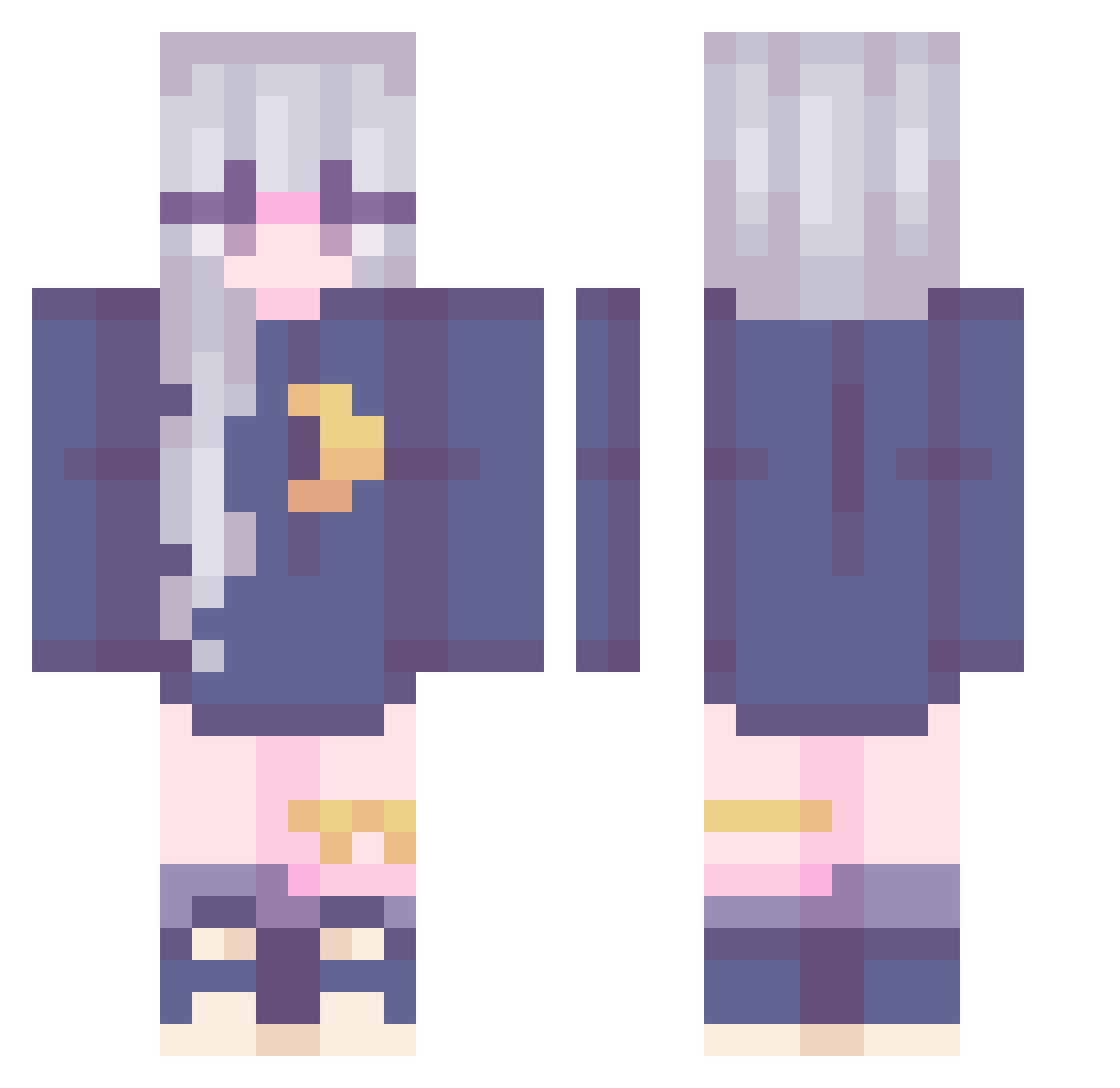
Current Minecraft skin of the player tomatojenkins327, loaded from the official Mojang API. Rotate the 3D model with your mouse or finger, then download the skin as a PNG file and use it in Minecraft: Bedrock Edition or Java Edition for free. When tomatojenkins327 changes their skin, this page updates automatically and the old skin stays in the history below.
Other players with this skin (240)
tomatojenkins327 was the 98th player we have seen with this skin, first spotted on 08.09.2026. The same skin was seen on these players. Open a nickname to see their current skin and skin history.
 REX1320 LunaN0x suneyo125 FaZePain notTmam MariPosha Accenting ancientalliens Redredred21 YuChen_23 woownww Suiyur Ori_opsi nic_otine Lunation Evenous Martixxs mellque Sunset_Sparkles frmy ELockz WowRetqrd BKLPP Fifees miglit Berets sweetenercloud oFujiwara IneedBubbleGum BeA1oneTH Camilloux_ Kerito_ RubberBarrel AkiPendragon Y_Flowers Pandachuuu Lelinha_Pandora minseo2144 Ben_Jessie Varxzu ThePaleRose22 xLibelle StarConstruction legendofarianna LEE_DAWN Copiitooo Maikopii Allen180 BriPotato SakurajimaMai02 Ririchat yuno27 Little_Nana iw1 TieHwan1004 Tinylia kke25 minkydew ToveSvensson mayaplaysthegame
More Moon Minecraft skins
How to install the tomatojenkins327 skin
- Press the Download button above to save the skin as a PNG file.
- Minecraft: Bedrock Edition (PE): open the Dressing Room from the main menu (or tap your character → Edit Character), go to Classic Skins → Owned, press the + (new skin) button, choose the downloaded PNG and pick the Classic (Steve) model. Works on PC and mobile; consoles cannot import custom skins.
- Minecraft: Java Edition: open the Minecraft Launcher, go to the Skins tab, click New Skin, load the PNG, pick the Classic (Steve) model and press Save & Use. You can also upload it at minecraft.net → Profile → Change Skin.
The skin does not show up after import - what should I do?
Restart Minecraft and open the Dressing Room again - imported skins sometimes appear only after a restart. Also make sure you selected the imported skin and picked the Classic (Steve) model.
Which model should I choose, Classic or Slim?
This skin is designed for the Classic (Steve) model. If you pick the wrong model, the arms of the skin will look stretched or squeezed.
Is the skin of tomatojenkins327 free to download?
Yes. Press Download, save the PNG file and use it in Minecraft: Bedrock Edition or Java Edition - no payment or registration needed. The skin also works on multiplayer servers and Realms.
More skins
Looking for more? Go back to all Minecraft skins and check the top skins of the week, month and all time, or find any player's skin by nickname.