
togepeche - Minecraft Skins & Skin History
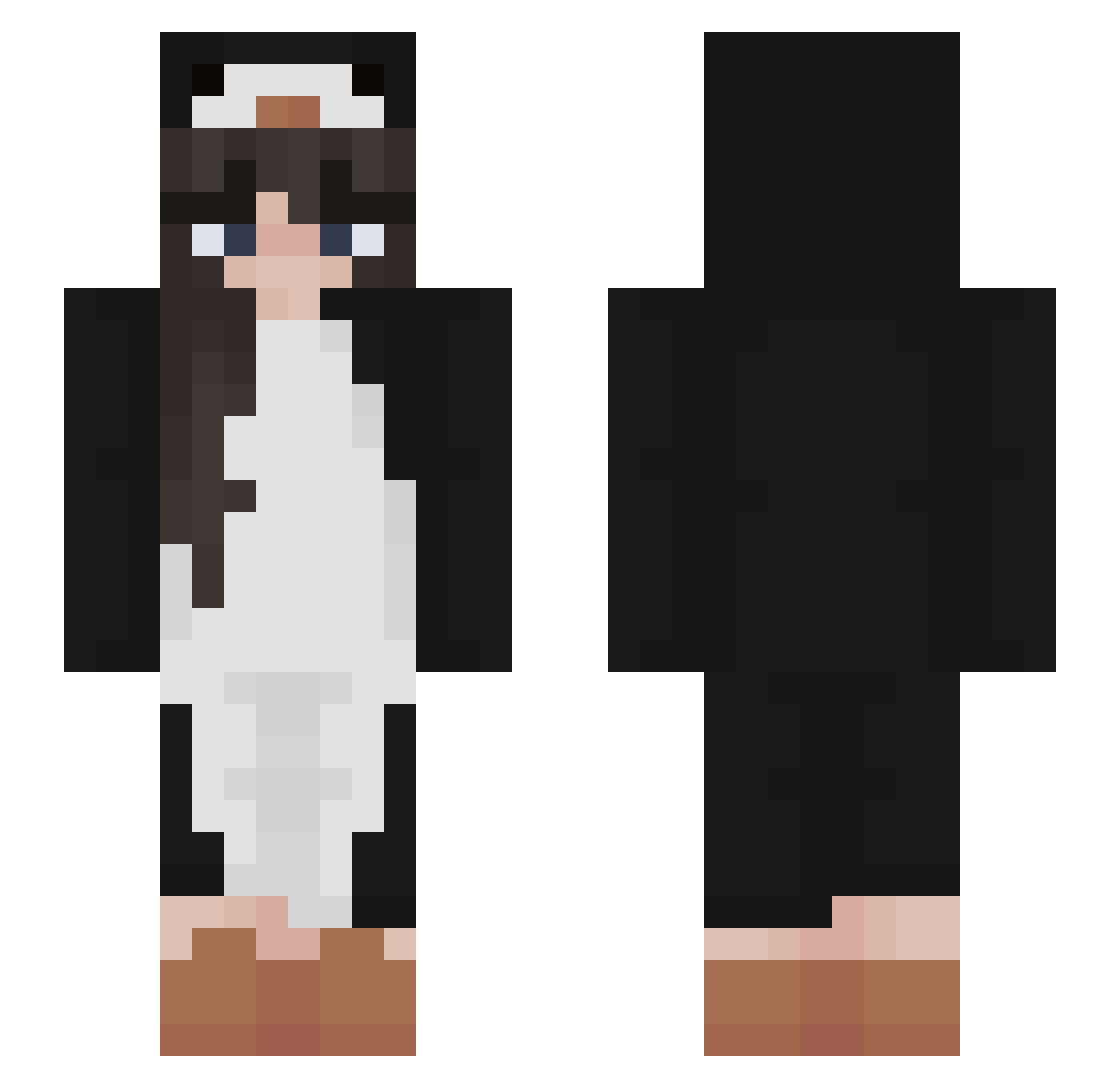
Current Minecraft skin of the player togepeche, loaded from the official Mojang API. Rotate the 3D model with your mouse or finger, then download the skin as a PNG file and use it in Minecraft: Bedrock Edition or Java Edition for free. When togepeche changes their skin, this page updates automatically and the old skin stays in the history below.
Other players with this skin (503)
togepeche was the 61st player we have seen with this skin, first spotted on 07.08.2026. The same skin was seen on these players. Open a nickname to see their current skin and skin history.
 ljegou Vxim _seoa_ tonypie_ DanielaC11 honeymilkie lionturtel jade1x _ise_ Thebeangamr minminmin3 2jess Zuzik2261 GankMC Apri_Cot vassywos emalu179 vybrist Xelia__ NeveBlu RaeSlae23 yv9WasTaken DectorKung PopTartBubbles _NiftySwifty Shxzu67 Cami0701 molovi55 Celia86 xreta ItzAlyssaMarie Lvciiix arinco99 Serahkiin S0ra0721 shiv3 E_Boy_Josh andreparcon ughemelie Valkevie xvixenn13 Ktthatzme krepwifhat NoixNut Bahoi_HADEEEEE5 Maouiouioui AmiFahmy dodamhiru modifiedheart Luverboo lizzie_bee McBatmanDK DearYumi Yaeni1025 garmy93 vicky_12 ana_tedutu btl4747 KatzenVideos KinnaD2
More Animal Onesie Minecraft skins
See all 2225 Animal Onesie skins
How to install the togepeche skin
- Press the Download button above to save the skin as a PNG file.
- Minecraft: Bedrock Edition (PE): open the Dressing Room from the main menu (or tap your character → Edit Character), go to Classic Skins → Owned, press the + (new skin) button, choose the downloaded PNG and pick the Slim (Alex) model. Works on PC and mobile; consoles cannot import custom skins.
- Minecraft: Java Edition: open the Minecraft Launcher, go to the Skins tab, click New Skin, load the PNG, pick the Slim (Alex) model and press Save & Use. You can also upload it at minecraft.net → Profile → Change Skin.
The skin does not show up after import - what should I do?
Restart Minecraft and open the Dressing Room again - imported skins sometimes appear only after a restart. Also make sure you selected the imported skin and picked the Slim (Alex) model.
Which model should I choose, Classic or Slim?
This skin is designed for the Slim (Alex) model. If you pick the wrong model, the arms of the skin will look stretched or squeezed.
Is the skin of togepeche free to download?
Yes. Press Download, save the PNG file and use it in Minecraft: Bedrock Edition or Java Edition - no payment or registration needed. The skin also works on multiplayer servers and Realms.
More skins
Looking for more? Go back to all Minecraft skins and check the top skins of the week, month and all time, or find any player's skin by nickname.