
tigathepug - Minecraft Skins & Skin History
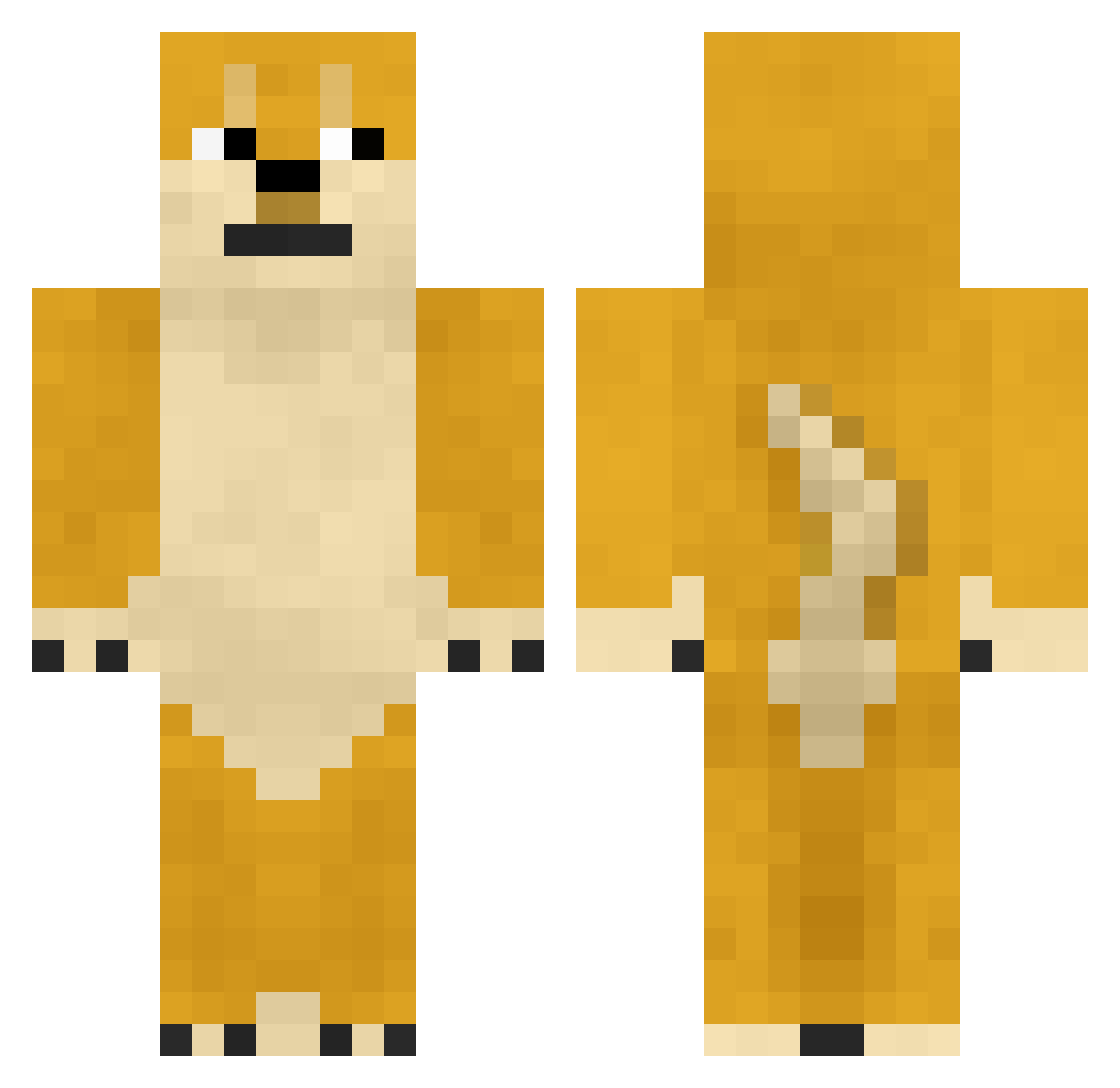
Current Minecraft skin of the player tigathepug, loaded from the official Mojang API. Rotate the 3D model with your mouse or finger, then download the skin as a PNG file and use it in Minecraft: Bedrock Edition or Java Edition for free. When tigathepug changes their skin, this page updates automatically and the old skin stays in the history below.
Other players with this skin (748)
tigathepug was the 474th player we have seen with this skin, first spotted on 02.10.2026. The same skin was seen on these players. Open a nickname to see their current skin and skin history.
 silly_muffin_123 Saleem3034 jerpastromi Golden_bone Gumbiiiii anpan0118 TeenBuddha HPni321 songxuanyu Commander_Wang Shiroi114 Samoticc L_xiy Shmotz_ xuxiaohui BroMaggi m0nesyg zize170 loadingaaaa p7888 yibaihaha22 MaoZI114514 Xiaobujian China_H boss3132 Xing7788 superpawlo9009 Ziertai YAN_J MineCat__ DPAKSYXGHPAf5aie jacobwang2518 Player_Danny law_666 Hadam RVD16999 YoonJinsol TKderKING Pinkmano XiaoMiao_Cute MCguoguojun sooMineeo MCNACHT piaomohei Tyrionhalf1212 TACO_PD gre3edy Cui_chan komutan1 101coolguy Jonbbi Fuyu3L_ Gilbertify TheSummerDay6 AkonGJ Black_Zerker shenfage meteoropic jbiub JavaWu
More Shiba Inu Minecraft skins
How to install the tigathepug skin
- Press the Download button above to save the skin as a PNG file.
- Minecraft: Bedrock Edition (PE): open the Dressing Room from the main menu (or tap your character → Edit Character), go to Classic Skins → Owned, press the + (new skin) button, choose the downloaded PNG and pick the Classic (Steve) model. Works on PC and mobile; consoles cannot import custom skins.
- Minecraft: Java Edition: open the Minecraft Launcher, go to the Skins tab, click New Skin, load the PNG, pick the Classic (Steve) model and press Save & Use. You can also upload it at minecraft.net → Profile → Change Skin.
The skin does not show up after import - what should I do?
Restart Minecraft and open the Dressing Room again - imported skins sometimes appear only after a restart. Also make sure you selected the imported skin and picked the Classic (Steve) model.
Which model should I choose, Classic or Slim?
This skin is designed for the Classic (Steve) model. If you pick the wrong model, the arms of the skin will look stretched or squeezed.
Is the skin of tigathepug free to download?
Yes. Press Download, save the PNG file and use it in Minecraft: Bedrock Edition or Java Edition - no payment or registration needed. The skin also works on multiplayer servers and Realms.
More skins
Looking for more? Go back to all Minecraft skins and check the top skins of the week, month and all time, or find any player's skin by nickname.