
threshers - Minecraft Skins & Skin History
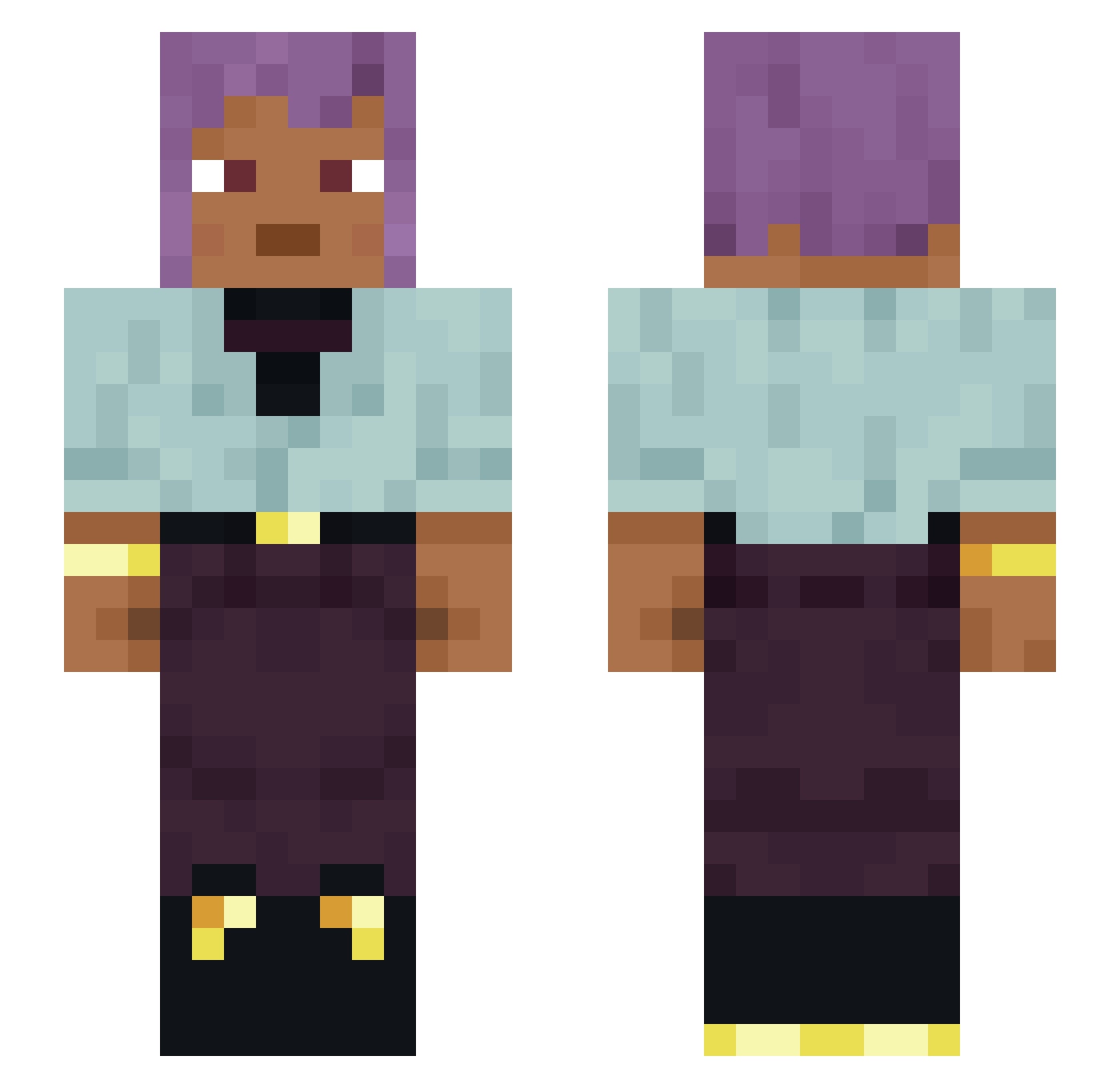
Current Minecraft skin of the player threshers, loaded from the official Mojang API. Rotate the 3D model with your mouse or finger, then download the skin as a PNG file and use it in Minecraft: Bedrock Edition or Java Edition for free. When threshers changes their skin, this page updates automatically and the old skin stays in the history below.
Other players with this skin (1124)
threshers was the 449th player we have seen with this skin, first spotted on 01.09.2026. The same skin was seen on these players. Open a nickname to see their current skin and skin history.
 ChrisTotem Unaccessible AleGar bobman777
 DYHXL CheckIt_Blee PiccoloJhony Protostar khoumf verbrecherisch Glory06111 Sawtooth Dissatisfying
 RatnusZ bluey4 Chad_Steve Bluga Scarves Damnified jukkio
 pirincefixit Phytotoxin jawarbzishard RoMe_1984 shinobu2460 Quinladen Hee Mumblebee Gorst Sick_Bastard Sammba Kvinter HopHead Apodeixis Oblivionate Eversiege Nonnegative scuffer RudyTaSwath Fierd RandomColor Pisyle4ka Lifesaver Fabejean Manaos0108 unperfect culminative Droidaka sub7even Reckla HATI_REMO Anicho BlackHoopz Srial Noachian SlesherOP Kepray IntraCranial Tuptekk_ Eigil123
How to install the threshers skin
- Press the Download button above to save the skin as a PNG file.
- Minecraft: Bedrock Edition (PE): open the Dressing Room from the main menu (or tap your character → Edit Character), go to Classic Skins → Owned, press the + (new skin) button, choose the downloaded PNG and pick the Slim (Alex) model. Works on PC and mobile; consoles cannot import custom skins.
- Minecraft: Java Edition: open the Minecraft Launcher, go to the Skins tab, click New Skin, load the PNG, pick the Slim (Alex) model and press Save & Use. You can also upload it at minecraft.net → Profile → Change Skin.
The skin does not show up after import - what should I do?
Restart Minecraft and open the Dressing Room again - imported skins sometimes appear only after a restart. Also make sure you selected the imported skin and picked the Slim (Alex) model.
Which model should I choose, Classic or Slim?
This skin is designed for the Slim (Alex) model. If you pick the wrong model, the arms of the skin will look stretched or squeezed.
Is the skin of threshers free to download?
Yes. Press Download, save the PNG file and use it in Minecraft: Bedrock Edition or Java Edition - no payment or registration needed. The skin also works on multiplayer servers and Realms.
More skins
Looking for more? Go back to all Minecraft skins and check the top skins of the week, month and all time, or find any player's skin by nickname.