
theonlyluminous - Minecraft Skins & Skin History
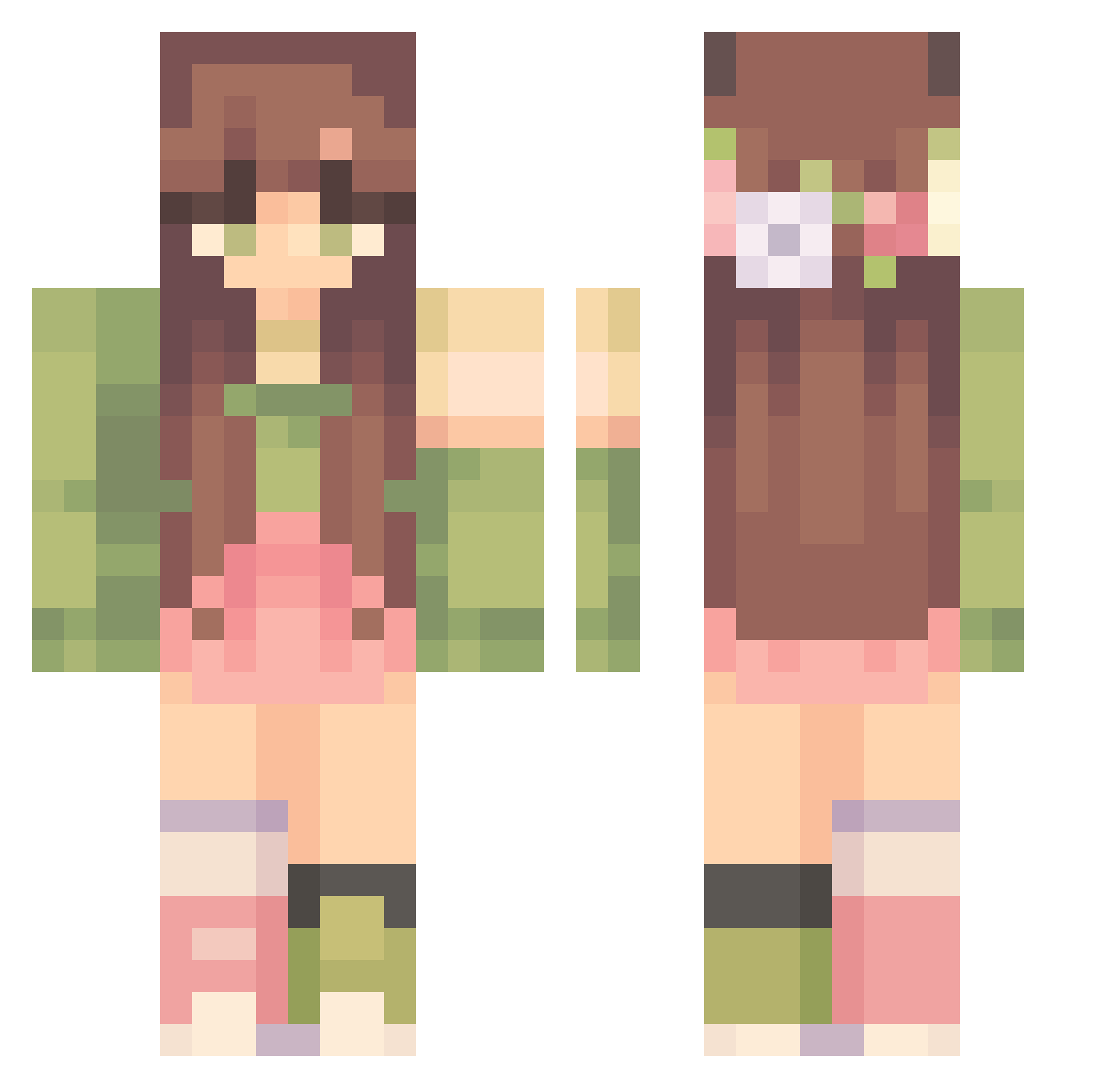
Current Minecraft skin of the player theonlyluminous, loaded from the official Mojang API. Rotate the 3D model with your mouse or finger, then download the skin as a PNG file and use it in Minecraft: Bedrock Edition or Java Edition for free. When theonlyluminous changes their skin, this page updates automatically and the old skin stays in the history below.
Other players with this skin (303)
theonlyluminous was the 235th player we have seen with this skin, first spotted on 06.10.2026. The same skin was seen on these players. Open a nickname to see their current skin and skin history.
 Cele19 AnnaBeenana TeufelDemy Lydiafawn Jet3404 vanilorqc ashley582545 Fernch brandy1204 Silcobaby Ventren15 SavSkut Curtainss_ Ebonytrix kiascottt noemmanocrime MinecraftSlay meowmariel Ollokain Wisteria2k6 RuAn_7 san_tou_shen_mao Lottiksh Sympathi xuedi bahaarr Wynaa26 emhumpz viaexi kinghvlle RoseyBloom wildflowersabi Nadnamie ppasta_ n0stxlgiaa Gretaaab Staaa8 Minasomnia kOoKeth UntamedSkittlez Silbereule Denaee LillyofStars hayhay8103 Cyaoak306 Klqn_ Swagggirl69 Azarhya AloeMoonflwr _stellaaa Sinsaja 2066AutumnLeaves Franziskarr1212 ameeelia13 BrightnessBTW Haileyj1 Retrozito Blue_Lilly1 Kaygirl1144 spooktopia
More Flower Crown Minecraft skins
See all 3225 Flower Crown skins
How to install the theonlyluminous skin
- Press the Download button above to save the skin as a PNG file.
- Minecraft: Bedrock Edition (PE): open the Dressing Room from the main menu (or tap your character → Edit Character), go to Classic Skins → Owned, press the + (new skin) button, choose the downloaded PNG and pick the Classic (Steve) model. Works on PC and mobile; consoles cannot import custom skins.
- Minecraft: Java Edition: open the Minecraft Launcher, go to the Skins tab, click New Skin, load the PNG, pick the Classic (Steve) model and press Save & Use. You can also upload it at minecraft.net → Profile → Change Skin.
The skin does not show up after import - what should I do?
Restart Minecraft and open the Dressing Room again - imported skins sometimes appear only after a restart. Also make sure you selected the imported skin and picked the Classic (Steve) model.
Which model should I choose, Classic or Slim?
This skin is designed for the Classic (Steve) model. If you pick the wrong model, the arms of the skin will look stretched or squeezed.
Is the skin of theonlyluminous free to download?
Yes. Press Download, save the PNG file and use it in Minecraft: Bedrock Edition or Java Edition - no payment or registration needed. The skin also works on multiplayer servers and Realms.
More skins
Looking for more? Go back to all Minecraft skins and check the top skins of the week, month and all time, or find any player's skin by nickname.