
2066AutumnLeaves - Minecraft Skins & Skin History
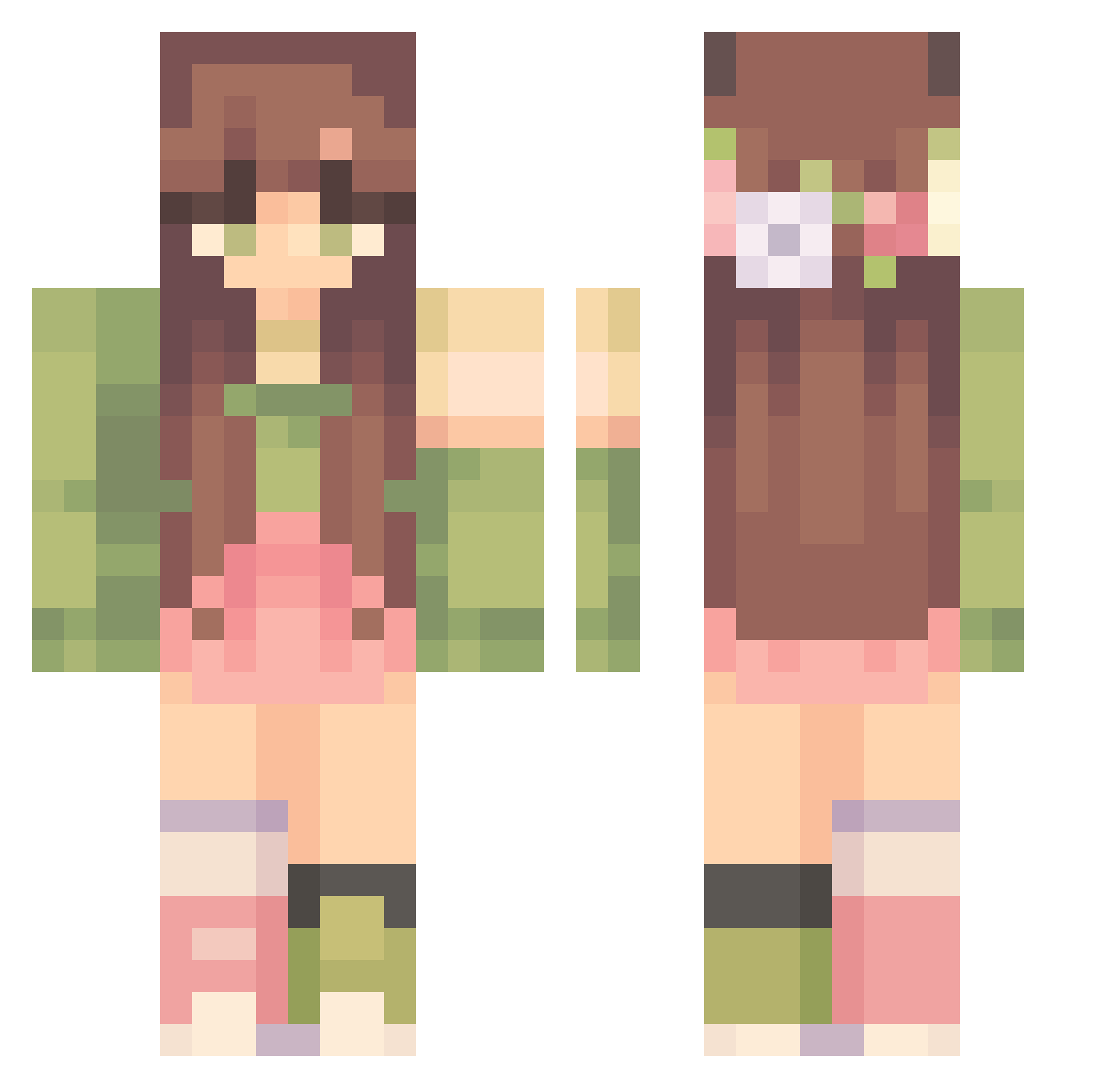
Current Minecraft skin of the player 2066AutumnLeaves, loaded from the official Mojang API. Rotate the 3D model with your mouse or finger, then download the skin as a PNG file and use it in Minecraft: Bedrock Edition or Java Edition for free. When 2066AutumnLeaves changes their skin, this page updates automatically and the old skin stays in the history below.
Other players with this skin (302)
2066AutumnLeaves was the 264th player we have seen with this skin, first spotted on 15.10.2026. The same skin was seen on these players. Open a nickname to see their current skin and skin history.
 Sinsaja Azarhya BrightnessBTW Cyaoak306 Haileyj1 Blue_Lilly1 Kaygirl1144 b3achdog Denaee rainvvy honig62 yolsee Caffeinefreak85 JoelDaWhale keku19 avrillavagknee kOoKeth H_Paula ssydbee Minasomnia ssss_svv jasminetae flaccidbutterfly Mazurekk Gretaaab n0stxlgiaa princessSelah10 ppasta_ Nadnamie wildflowersabi RoseyBloom YayaLove21618 QueenAna6969 mae_belle viaexi emhumpz siglbakk Wynaa26 xuedi Sympathi soapyfrogs RuAn_7 s0pii MinecraftSlay Jmcfo kiascottt Curtainss_ Ventren15 gratche_ HhazzelL StopOrpheus7053 Silcobaby Arianitax brandy1204 Fernch ashley582545 Skraalan maiyahgee sippinsoup Lydiafawn
More Flower Crown Minecraft skins
See all 3224 Flower Crown skins
How to install the 2066AutumnLeaves skin
- Press the Download button above to save the skin as a PNG file.
- Minecraft: Bedrock Edition (PE): open the Dressing Room from the main menu (or tap your character → Edit Character), go to Classic Skins → Owned, press the + (new skin) button, choose the downloaded PNG and pick the Classic (Steve) model. Works on PC and mobile; consoles cannot import custom skins.
- Minecraft: Java Edition: open the Minecraft Launcher, go to the Skins tab, click New Skin, load the PNG, pick the Classic (Steve) model and press Save & Use. You can also upload it at minecraft.net → Profile → Change Skin.
The skin does not show up after import - what should I do?
Restart Minecraft and open the Dressing Room again - imported skins sometimes appear only after a restart. Also make sure you selected the imported skin and picked the Classic (Steve) model.
Which model should I choose, Classic or Slim?
This skin is designed for the Classic (Steve) model. If you pick the wrong model, the arms of the skin will look stretched or squeezed.
Is the skin of 2066AutumnLeaves free to download?
Yes. Press Download, save the PNG file and use it in Minecraft: Bedrock Edition or Java Edition - no payment or registration needed. The skin also works on multiplayer servers and Realms.
More skins
Looking for more? Go back to all Minecraft skins and check the top skins of the week, month and all time, or find any player's skin by nickname.