
thekann - Minecraft Skins & Skin History
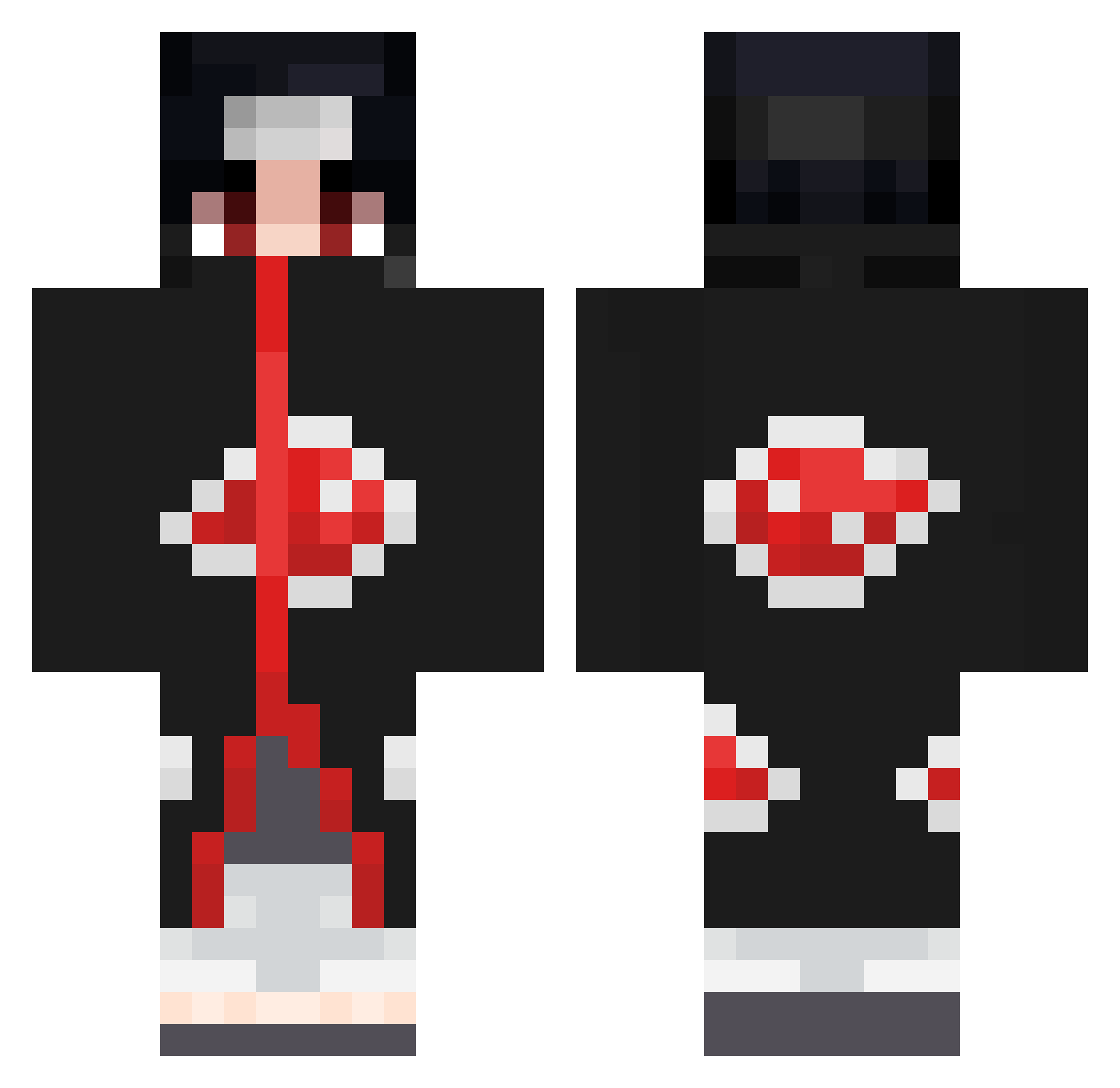
Current Minecraft skin of the player thekann, loaded from the official Mojang API. Rotate the 3D model with your mouse or finger, then download the skin as a PNG file and use it in Minecraft: Bedrock Edition or Java Edition for free. When thekann changes their skin, this page updates automatically and the old skin stays in the history below.
Other players with this skin (638)
thekann was the 84th player we have seen with this skin, first spotted on 07.08.2026. The same skin was seen on these players. Open a nickname to see their current skin and skin history.
 RikudouSenZ Florrrian Nakamath Ahmed_IIV UndeadN Milotauro99 VandiFlay fxris08 Carlost27 abosaud2 strollfree LaMaSaCuAtA696 Yujirooo thesusspect valprx420 Bln777 jorge8aomar FeroDersim RunnerChic Deidara_Madara Scarsif15 SnowW_zw PixeIzz__ WisePatriot Shrekisgreat69 Ragnar066 zxnatas M0NTANA23 Ottible 0111_ StrawEasy _K0N1_ GucciGuwop PumaDAce56 sosukeaizenn Brunzkopf Jemanyle Evanwb50 Nelof97 yuuma_itachi ProtosS__ Elasesino2000 Zodiac2102 Loydeee iiEvyy JarsMachine loganlopes03 lautaroalvarez Spankytop PVP_HVH xde3cl4ch vveronika TheShogun31 Warsay Joca17 SAGOPA_KAJMER1 Shawty76 BustenCider Juliodelsol Not_you2
More Itachi Uchiha Minecraft skins
See all 308 Itachi Uchiha skins
How to install the thekann skin
- Press the Download button above to save the skin as a PNG file.
- Minecraft: Bedrock Edition (PE): open the Dressing Room from the main menu (or tap your character → Edit Character), go to Classic Skins → Owned, press the + (new skin) button, choose the downloaded PNG and pick the Classic (Steve) model. Works on PC and mobile; consoles cannot import custom skins.
- Minecraft: Java Edition: open the Minecraft Launcher, go to the Skins tab, click New Skin, load the PNG, pick the Classic (Steve) model and press Save & Use. You can also upload it at minecraft.net → Profile → Change Skin.
The skin does not show up after import - what should I do?
Restart Minecraft and open the Dressing Room again - imported skins sometimes appear only after a restart. Also make sure you selected the imported skin and picked the Classic (Steve) model.
Which model should I choose, Classic or Slim?
This skin is designed for the Classic (Steve) model. If you pick the wrong model, the arms of the skin will look stretched or squeezed.
Is the skin of thekann free to download?
Yes. Press Download, save the PNG file and use it in Minecraft: Bedrock Edition or Java Edition - no payment or registration needed. The skin also works on multiplayer servers and Realms.
More skins
Looking for more? Go back to all Minecraft skins and check the top skins of the week, month and all time, or find any player's skin by nickname.