
theironreeve - Minecraft Skins & Skin History
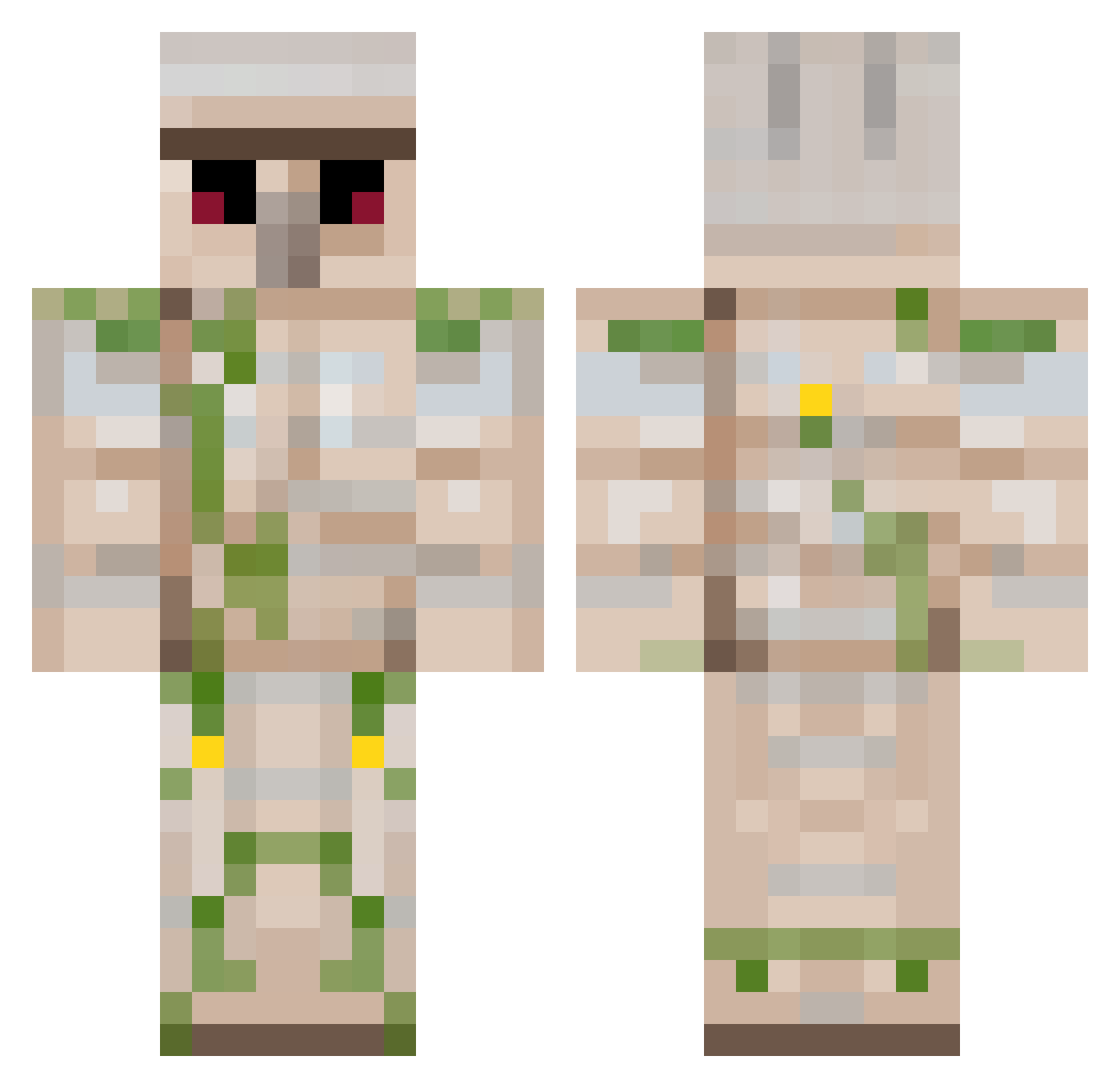
Current Minecraft skin of the player theironreeve, loaded from the official Mojang API. Rotate the 3D model with your mouse or finger, then download the skin as a PNG file and use it in Minecraft: Bedrock Edition or Java Edition for free. When theironreeve changes their skin, this page updates automatically and the old skin stays in the history below.
Other players with this skin (222)
theironreeve was the 136th player we have seen with this skin, first spotted on 28.09.2026. The same skin was seen on these players. Open a nickname to see their current skin and skin history.
 squiddy123456 DominickTehGamer _RainzyAFK19 wolfseth coolisy anselm_ Creeperbut14 Woooodzie flyingbananaboy scottmt2021 AsteiIind Dannoisepic GaMe_FreaK97 bizaro tib2003 I_love_chicken dr4g0nb0y999 Hansedavion187 Roadrunner7671 teppo525 Huminamah xxsnickyxx raidar007 Remonttisamuel Elephant12 camilo2104 Deadspce voldemortpoo Hellotoyou871 antonjohansson72 Little_Elephants Robot8A kalsongmax NicklasBalder SideProject 64Block NA433N Benaiah2320 0whpeter Exumas sports102 BiggRobbHD Korttimies RoyalKing7 xXPong_LenisXx SpawnClaim chunky_child tough1010 LPjaAP PotatoNurfyBot TMD_Wesseltjuuhh LTE2 Kennardinbound Robbie429 sullivanjbh Knockbach1 mrGravelman Jayman3041 BubbleFly TheRuKey
More Iron Golem Minecraft skins
How to install the theironreeve skin
- Press the Download button above to save the skin as a PNG file.
- Minecraft: Bedrock Edition (PE): open the Dressing Room from the main menu (or tap your character → Edit Character), go to Classic Skins → Owned, press the + (new skin) button, choose the downloaded PNG and pick the Classic (Steve) model. Works on PC and mobile; consoles cannot import custom skins.
- Minecraft: Java Edition: open the Minecraft Launcher, go to the Skins tab, click New Skin, load the PNG, pick the Classic (Steve) model and press Save & Use. You can also upload it at minecraft.net → Profile → Change Skin.
The skin does not show up after import - what should I do?
Restart Minecraft and open the Dressing Room again - imported skins sometimes appear only after a restart. Also make sure you selected the imported skin and picked the Classic (Steve) model.
Which model should I choose, Classic or Slim?
This skin is designed for the Classic (Steve) model. If you pick the wrong model, the arms of the skin will look stretched or squeezed.
Is the skin of theironreeve free to download?
Yes. Press Download, save the PNG file and use it in Minecraft: Bedrock Edition or Java Edition - no payment or registration needed. The skin also works on multiplayer servers and Realms.
More skins
Looking for more? Go back to all Minecraft skins and check the top skins of the week, month and all time, or find any player's skin by nickname.