
thebeststanley - Minecraft Skins & Skin History
Current Minecraft skin of the player thebeststanley, loaded from the official Mojang API. Rotate the 3D model with your mouse or finger, then download the skin as a PNG file and use it in Minecraft: Bedrock Edition or Java Edition for free. When thebeststanley changes their skin, this page updates automatically and the old skin stays in the history below.
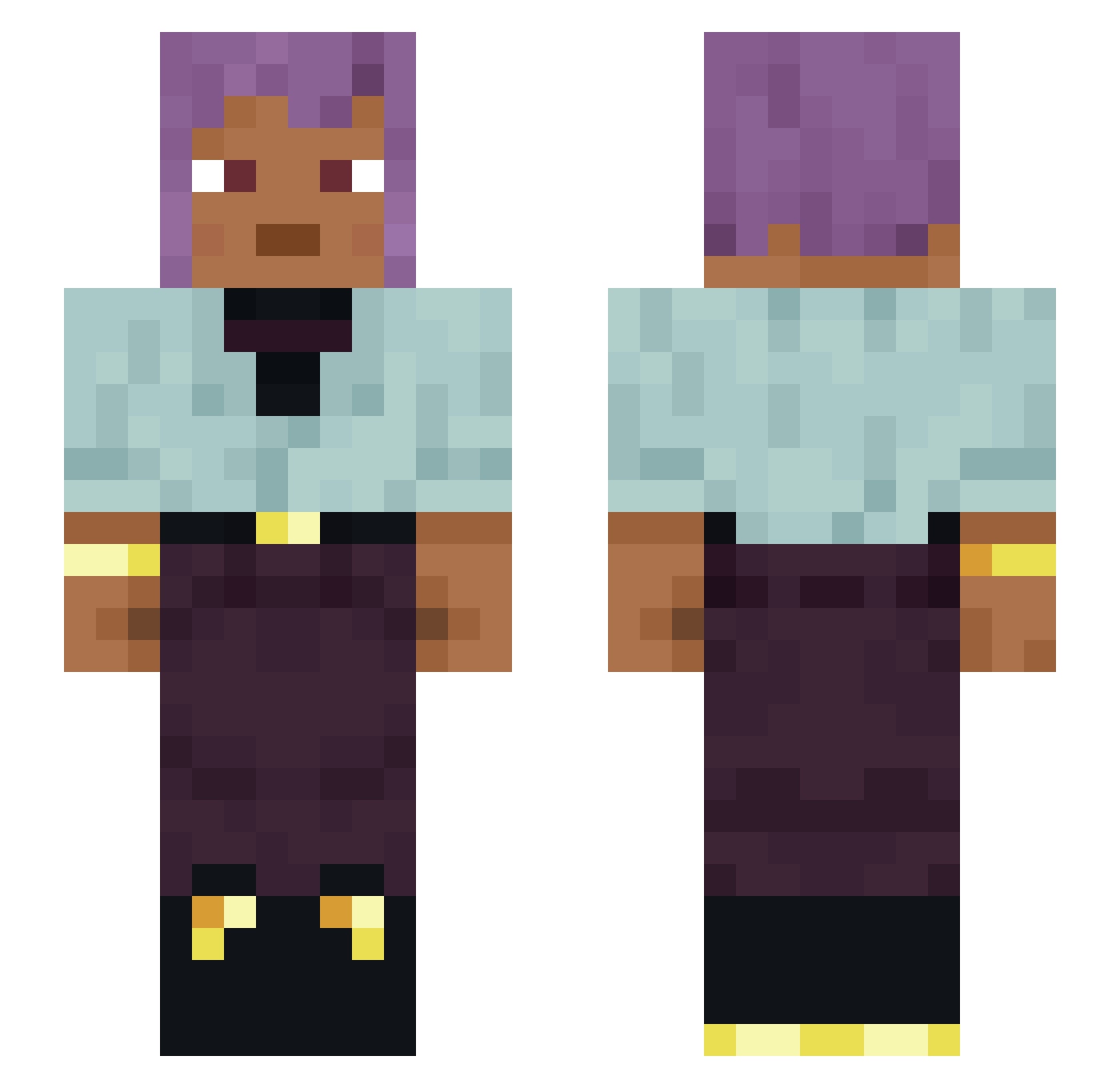
Other players with this skin (1337)
thebeststanley was the 859th player we have seen with this skin, first spotted on 05.10.2026. The same skin was seen on these players. Open a nickname to see their current skin and skin history.
 PJ2 Maelgs Daredevil2712 ImVeru Dizzeeee westopher Vugor Really Bere hu_borg caelanzz bascule Frybb JaxAcer Trundler Violanegr0s RubyMasterOp Josh8319 EvernoonTV Cephalate Davey_ Delmana15 oDoodleGirl Carbide feambmiao GearWheels UNDERDECK J0K3_Sm IngeMouws PureProjected R3DxYT leonardoF4884 Akene stopship r0kni grrAnita Amaris1314 Geraff MaximOchka228 ARCTICMONKEEZz 5wanson One_Name tynf Diacetyl Batuizim__ FreakyHexa annoyingbrakura Taobao_cat GendNashaSemya _Emma_Y_ Lukewarmish Madds123 VwpCharlie madnesses Wojk shaynna GeheEinenRauchen _ortie The_Turik_Nane mzar3h
How to install the thebeststanley skin
- Press the Download button above to save the skin as a PNG file.
- Minecraft: Bedrock Edition (PE): open the Dressing Room from the main menu (or tap your character → Edit Character), go to Classic Skins → Owned, press the + (new skin) button, choose the downloaded PNG and pick the Slim (Alex) model. Works on PC and mobile; consoles cannot import custom skins.
- Minecraft: Java Edition: open the Minecraft Launcher, go to the Skins tab, click New Skin, load the PNG, pick the Slim (Alex) model and press Save & Use. You can also upload it at minecraft.net → Profile → Change Skin.
The skin does not show up after import - what should I do?
Restart Minecraft and open the Dressing Room again - imported skins sometimes appear only after a restart. Also make sure you selected the imported skin and picked the Slim (Alex) model.
Which model should I choose, Classic or Slim?
This skin is designed for the Slim (Alex) model. If you pick the wrong model, the arms of the skin will look stretched or squeezed.
Is the skin of thebeststanley free to download?
Yes. Press Download, save the PNG file and use it in Minecraft: Bedrock Edition or Java Edition - no payment or registration needed. The skin also works on multiplayer servers and Realms.
More skins
Looking for more? Go back to all Minecraft skins and check the top skins of the week, month and all time, or find any player's skin by nickname.