
thebeast8766 - Minecraft Skins & Skin History
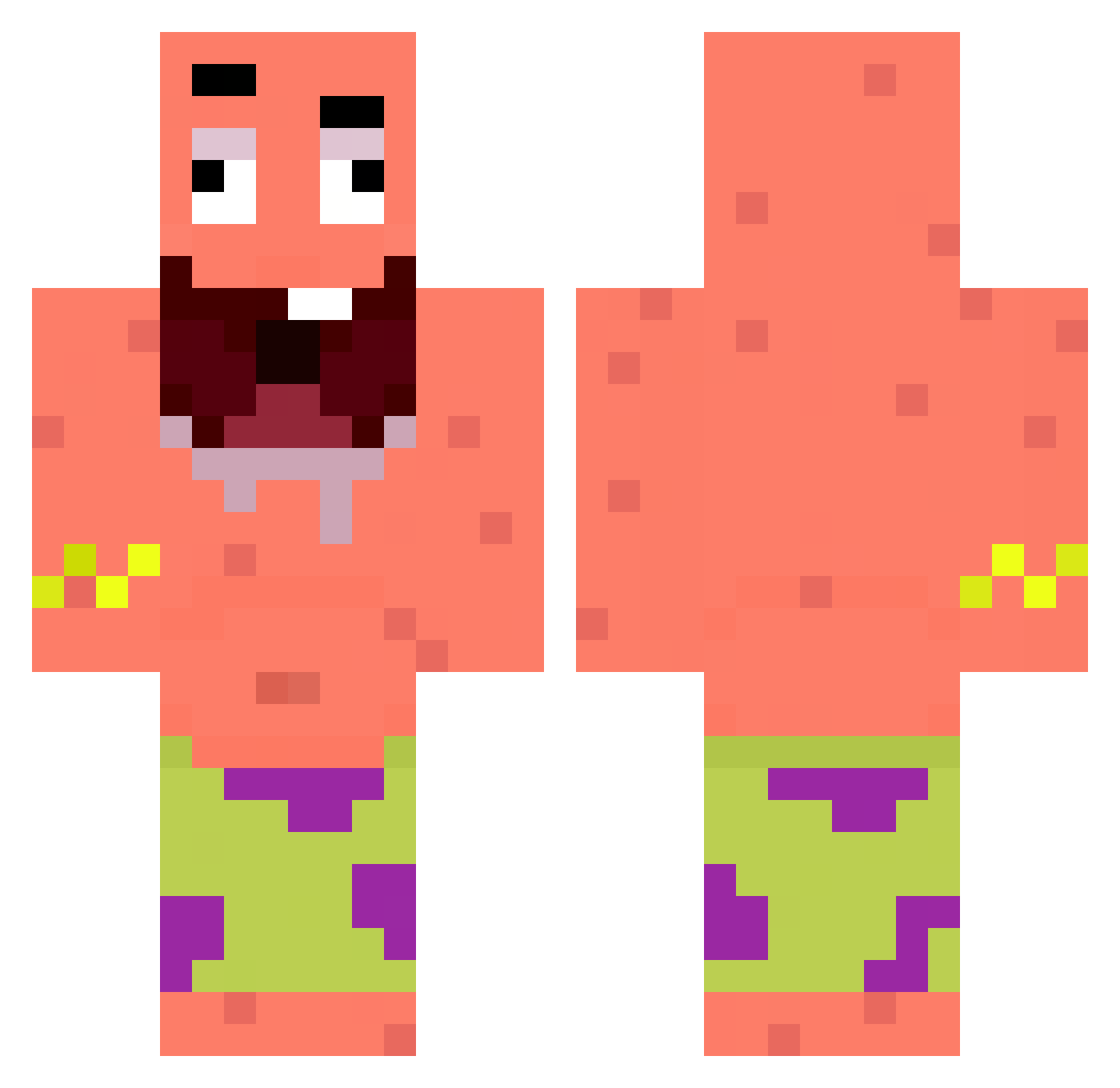
Current Minecraft skin of the player thebeast8766, loaded from the official Mojang API. Rotate the 3D model with your mouse or finger, then download the skin as a PNG file and use it in Minecraft: Bedrock Edition or Java Edition for free. When thebeast8766 changes their skin, this page updates automatically and the old skin stays in the history below.
Other players with this skin (295)
thebeast8766 was the 217th player we have seen with this skin, first spotted on 09.10.2026. The same skin was seen on these players. Open a nickname to see their current skin and skin history.
 Sledziu96 stoneez O_cean chopi22 Ergysramada jaeyoung213w1 novagenz123 Comotanmucha752 Xag3ntX ostr1y Louis24g LuciusPicus lkxu vanilla0216 Mocko180 FatFromThe6 kylexrdd Veyss_ rodrilegend10 free_kox_6 JziinL DabotCubo Baloonhydra134 nevralgyya JokicGOAT rxpq bigwaha nexioms 0Twizzy kefnde TacherSofiia Amazing0327 ProExpert2006 yh0903 lvcidxx Lord_Oakey Varixo01 ornitorrinnco ckirnetwork KarelHabsbursky Ryou104 LGBTFAN420LOL6_7 EstebanGB 0MotoMoto0 yohaXDD senden00 vicris107 KindYoungSoul lam0ula212 BlackStar1445 Creeper3N1K rrooot Eliolito tearseverywhere jh8116 Nobuuuuuuuuuuu Frytka1581 Weyene jeyaiwhy jrmme
More Patrick Star Minecraft skins
See all 612 Patrick Star skins
How to install the thebeast8766 skin
- Press the Download button above to save the skin as a PNG file.
- Minecraft: Bedrock Edition (PE): open the Dressing Room from the main menu (or tap your character → Edit Character), go to Classic Skins → Owned, press the + (new skin) button, choose the downloaded PNG and pick the Classic (Steve) model. Works on PC and mobile; consoles cannot import custom skins.
- Minecraft: Java Edition: open the Minecraft Launcher, go to the Skins tab, click New Skin, load the PNG, pick the Classic (Steve) model and press Save & Use. You can also upload it at minecraft.net → Profile → Change Skin.
The skin does not show up after import - what should I do?
Restart Minecraft and open the Dressing Room again - imported skins sometimes appear only after a restart. Also make sure you selected the imported skin and picked the Classic (Steve) model.
Which model should I choose, Classic or Slim?
This skin is designed for the Classic (Steve) model. If you pick the wrong model, the arms of the skin will look stretched or squeezed.
Is the skin of thebeast8766 free to download?
Yes. Press Download, save the PNG file and use it in Minecraft: Bedrock Edition or Java Edition - no payment or registration needed. The skin also works on multiplayer servers and Realms.
More skins
Looking for more? Go back to all Minecraft skins and check the top skins of the week, month and all time, or find any player's skin by nickname.