
the_warmaster87 - Minecraft Skins & Skin History
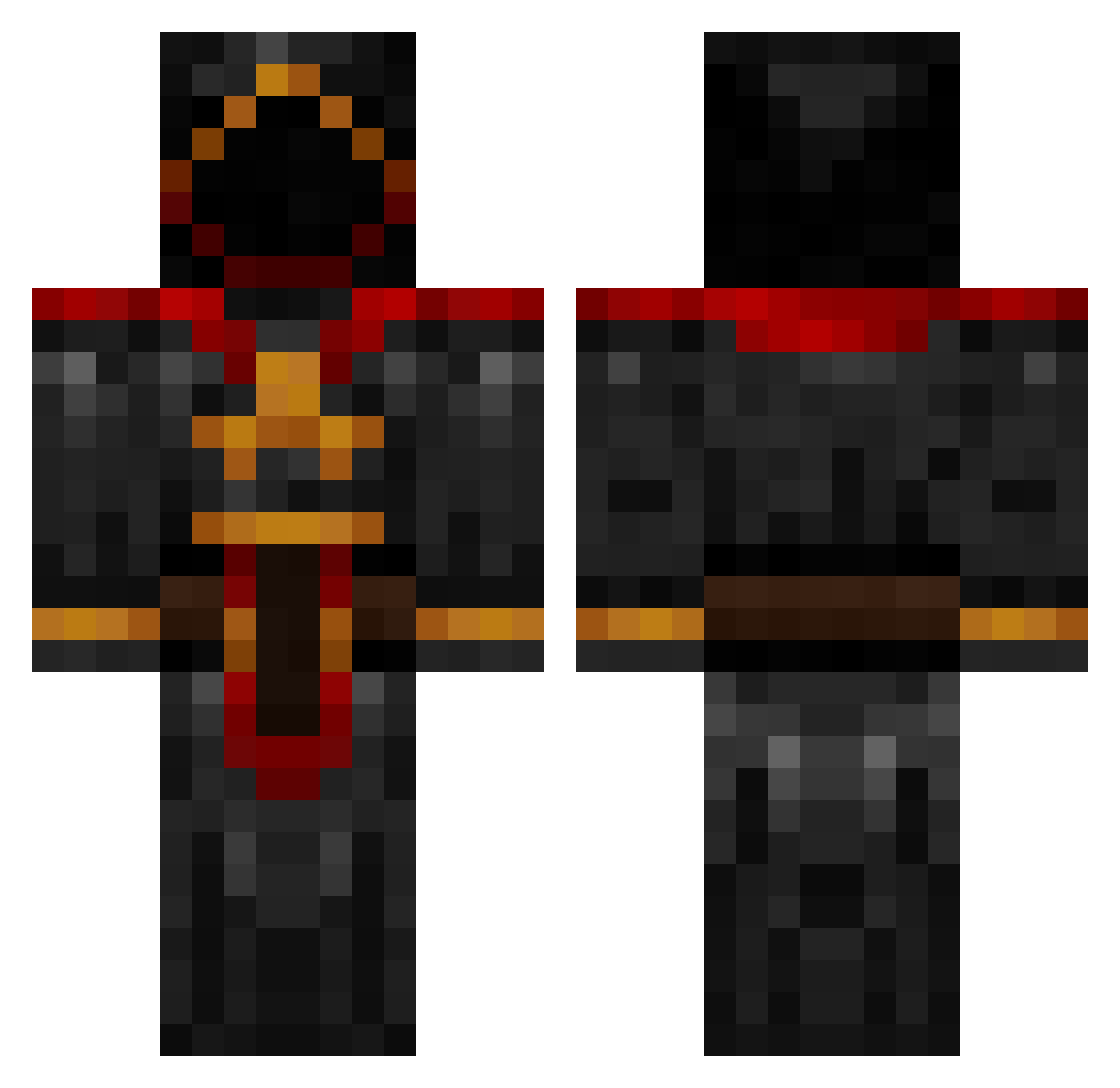
Current Minecraft skin of the player the_warmaster87, loaded from the official Mojang API. Rotate the 3D model with your mouse or finger, then download the skin as a PNG file and use it in Minecraft: Bedrock Edition or Java Edition for free. When the_warmaster87 changes their skin, this page updates automatically and the old skin stays in the history below.
Other players with this skin (1092)
the_warmaster87 was the 1088th player we have seen with this skin, first spotted on 19.11.2026. The same skin was seen on these players. Open a nickname to see their current skin and skin history.
 chris259 Sardrardge Maurizor Sacredpower Setharial charliehente Omnishinzui morrigan_123 HxCLegends PeterTheCrafter Qilner HarryPotter1610 mgame2 Melker21 Jotunbjorn Toksicon bigmc70 masterofmod japseye666 blackassassin32 Gifted_Bladez makoxi poofypuf 100606 NyxSaint Lunti Renagade13 TeeHcee cuinhellcat Solnak Tst6 CrazzyFlame itzzjaguar blade1869 Flawwless MasterWizard580 dryqueener Zakad001 HellbourneMarine sSlayish dave001 ryanskidmore Prakkak_Televas Silverthornn ezp119 ReflectionMan Jonas2002Z simon10oo Tacodevil Deadrow trikol Landonian17 FelicitySauce TheCaptainSwag Donutsfordays Rium_ randybob Arkanier sorcexi BattleCrow6
More Cultist Minecraft skins
How to install the the_warmaster87 skin
- Press the Download button above to save the skin as a PNG file.
- Minecraft: Bedrock Edition (PE): open the Dressing Room from the main menu (or tap your character → Edit Character), go to Classic Skins → Owned, press the + (new skin) button, choose the downloaded PNG and pick the Classic (Steve) model. Works on PC and mobile; consoles cannot import custom skins.
- Minecraft: Java Edition: open the Minecraft Launcher, go to the Skins tab, click New Skin, load the PNG, pick the Classic (Steve) model and press Save & Use. You can also upload it at minecraft.net → Profile → Change Skin.
The skin does not show up after import - what should I do?
Restart Minecraft and open the Dressing Room again - imported skins sometimes appear only after a restart. Also make sure you selected the imported skin and picked the Classic (Steve) model.
Which model should I choose, Classic or Slim?
This skin is designed for the Classic (Steve) model. If you pick the wrong model, the arms of the skin will look stretched or squeezed.
Is the skin of the_warmaster87 free to download?
Yes. Press Download, save the PNG file and use it in Minecraft: Bedrock Edition or Java Edition - no payment or registration needed. The skin also works on multiplayer servers and Realms.
More skins
Looking for more? Go back to all Minecraft skins and check the top skins of the week, month and all time, or find any player's skin by nickname.