
teniher - Minecraft Skins & Skin History
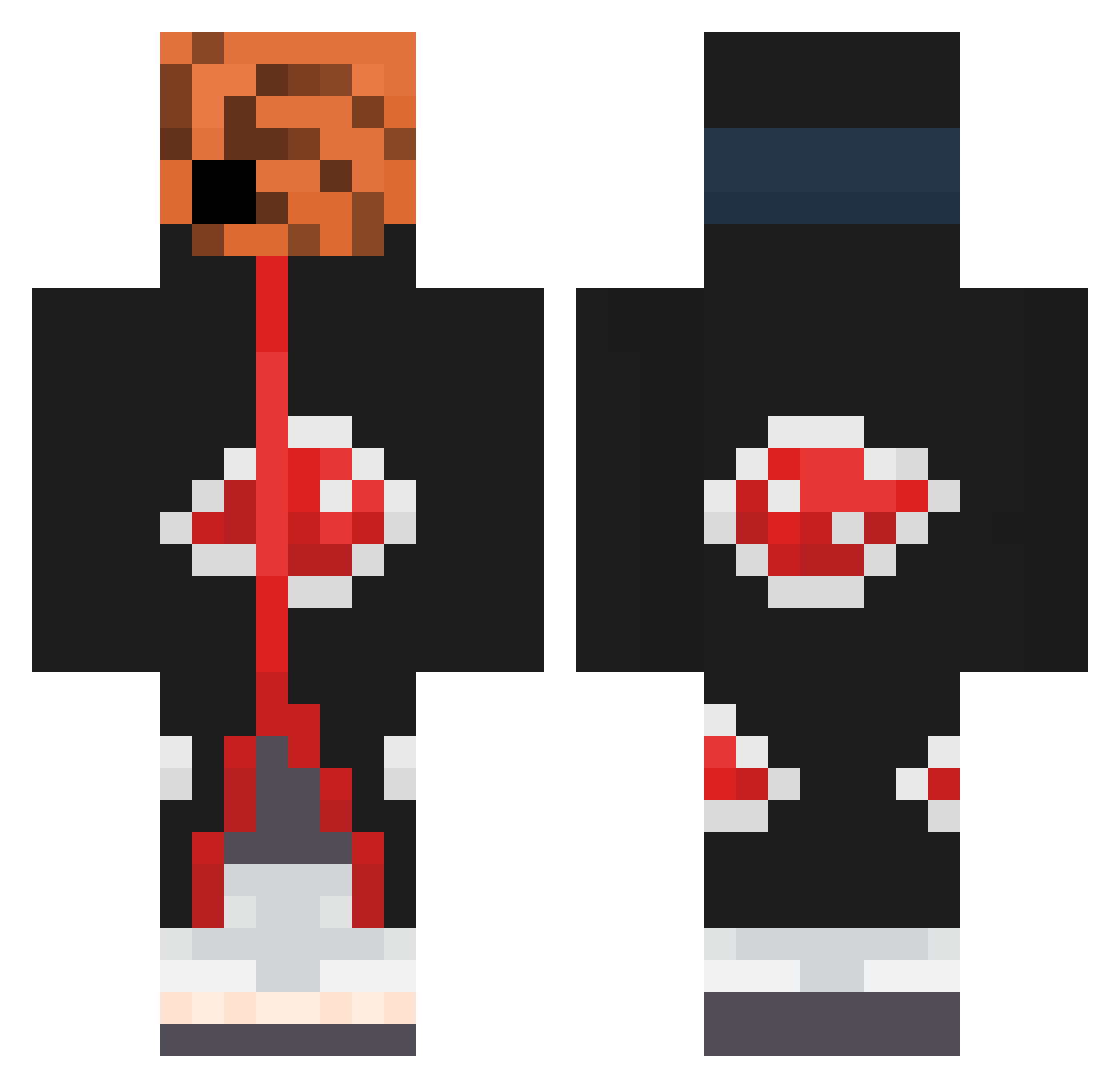
Current Minecraft skin of the player teniher, loaded from the official Mojang API. Rotate the 3D model with your mouse or finger, then download the skin as a PNG file and use it in Minecraft: Bedrock Edition or Java Edition for free. When teniher changes their skin, this page updates automatically and the old skin stays in the history below.
Other players with this skin (385)
teniher was the 313th player we have seen with this skin, first spotted on 15.10.2026. The same skin was seen on these players. Open a nickname to see their current skin and skin history.
 thecoolarvid 120ms__ iosCa kmilongo chunchoexperto Sweggyyy Natedogg17 mTnTm amumu0407 KENNYKEN10 Sebby734 sypdr fontizera bu52 lilchikin Hugo78 JesusRdz14 DavDav1012 Owzee Sneake Zkiller06 SomaticIsland73 Nott_An_Alt Senbonzakura14 Barkub Fochansky hakunamajaja DKLyosuga Mavith Toxic2YrOld jackytt YaoMo10 johnathanchan OPS2020 EdsynT Assaillanttt TheFriar raenX Remixtheuniverse SuperAnimeBoys Arkataz RightfulLow _Dioh AlmaraK teenperc SimpSlayer2001 Eocouto OVitao yamat_ bunn_girl_senpai Neros30 bai0405 zMitospvp thorffin0605 Allen0314 Pau_Pau_De_Limon Kreag3n Dark_joker06 FreeStyleLoser Megapixelblock
More Obito Uchiha Minecraft skins
See all 156 Obito Uchiha skins
How to install the teniher skin
- Press the Download button above to save the skin as a PNG file.
- Minecraft: Bedrock Edition (PE): open the Dressing Room from the main menu (or tap your character → Edit Character), go to Classic Skins → Owned, press the + (new skin) button, choose the downloaded PNG and pick the Classic (Steve) model. Works on PC and mobile; consoles cannot import custom skins.
- Minecraft: Java Edition: open the Minecraft Launcher, go to the Skins tab, click New Skin, load the PNG, pick the Classic (Steve) model and press Save & Use. You can also upload it at minecraft.net → Profile → Change Skin.
The skin does not show up after import - what should I do?
Restart Minecraft and open the Dressing Room again - imported skins sometimes appear only after a restart. Also make sure you selected the imported skin and picked the Classic (Steve) model.
Which model should I choose, Classic or Slim?
This skin is designed for the Classic (Steve) model. If you pick the wrong model, the arms of the skin will look stretched or squeezed.
Is the skin of teniher free to download?
Yes. Press Download, save the PNG file and use it in Minecraft: Bedrock Edition or Java Edition - no payment or registration needed. The skin also works on multiplayer servers and Realms.
More skins
Looking for more? Go back to all Minecraft skins and check the top skins of the week, month and all time, or find any player's skin by nickname.