
tegspack - Minecraft Skins & Skin History
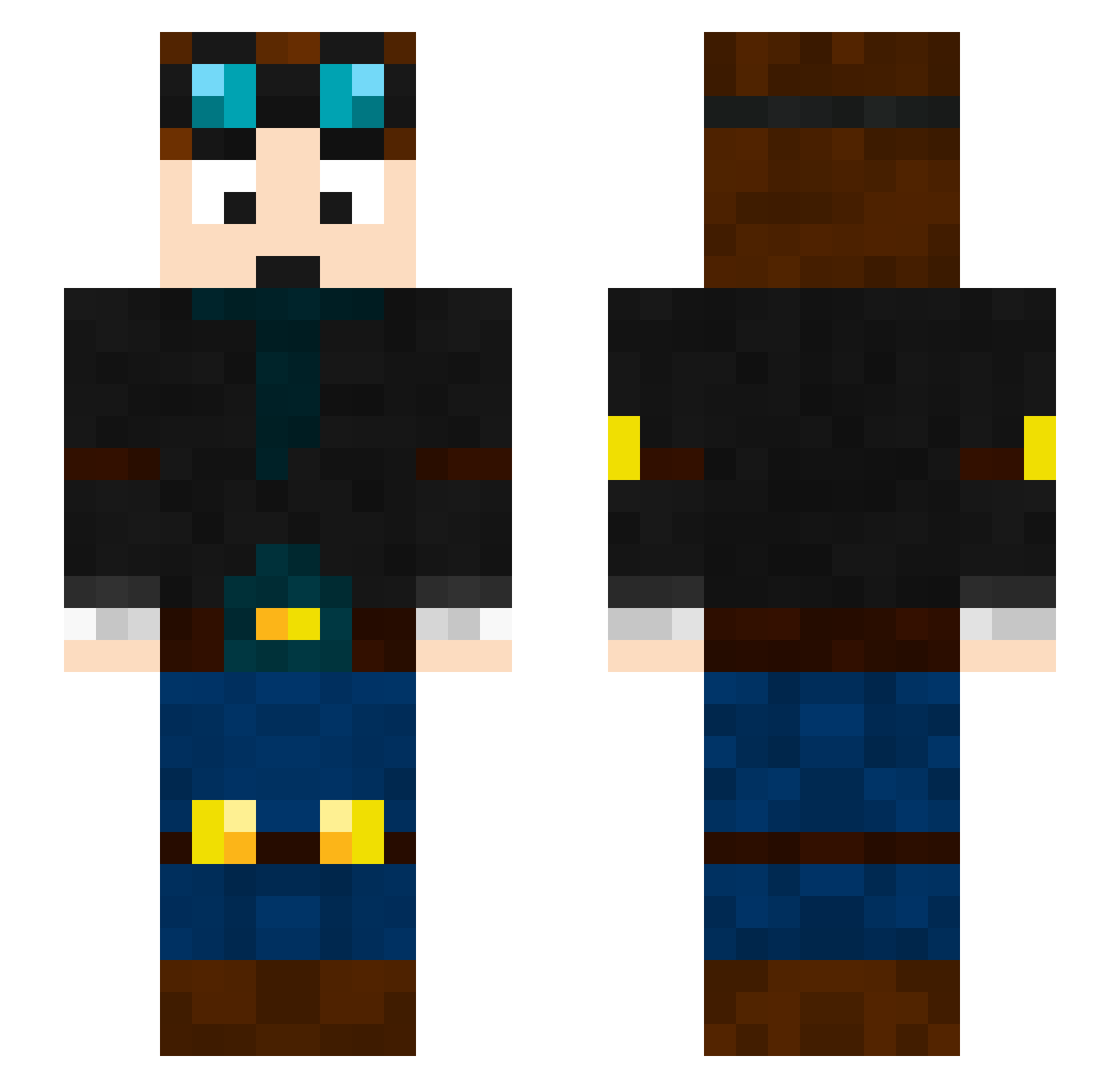
Current Minecraft skin of the player tegspack, loaded from the official Mojang API. Rotate the 3D model with your mouse or finger, then download the skin as a PNG file and use it in Minecraft: Bedrock Edition or Java Edition for free. When tegspack changes their skin, this page updates automatically and the old skin stays in the history below.
Other players with this skin (98)
tegspack was the 69th player we have seen with this skin, first spotted on 30.09.2026. The same skin was seen on these players. Open a nickname to see their current skin and skin history.
 VayneyX Brizz9 YiHuan vvhu Allubist 1mpur11y Afton20 itsjadezz niedzwiedzf FluXoRity MDKreflex camtheman22405 4ND4U Onlyme0 candyeyeballz PremFC7 VideoGameLegend TheBerryBenson Nnathhh_gamer_ ngUYEN60 EmersonK Impulse_3310 Jumbee2011 TFLye _f1shie_ grum_123 Scared_Silly Choxie_clappezzz Nightmare1334 TheWidge Katatie MinecraftProGodX SupremeRichie4 O1Red jcolq11 Snufkynn scabuble fartedonmyballs AlexHaa Cray_Mine28 FAL_CAMO Swift_Pavlol jbtheterrible FuDeRaZr cheeseyxxx AaronZam Justalt52 brokenglued DMRCS Icewolf323 Bray_n_Gav YaBoiSprist fieval WUTONG386 TwizzyLyfe SaticeFite Box_june iDarkS_ide beastkids99 dantdm1911
More Engineer Minecraft skins
How to install the tegspack skin
- Press the Download button above to save the skin as a PNG file.
- Minecraft: Bedrock Edition (PE): open the Dressing Room from the main menu (or tap your character → Edit Character), go to Classic Skins → Owned, press the + (new skin) button, choose the downloaded PNG and pick the Slim (Alex) model. Works on PC and mobile; consoles cannot import custom skins.
- Minecraft: Java Edition: open the Minecraft Launcher, go to the Skins tab, click New Skin, load the PNG, pick the Slim (Alex) model and press Save & Use. You can also upload it at minecraft.net → Profile → Change Skin.
The skin does not show up after import - what should I do?
Restart Minecraft and open the Dressing Room again - imported skins sometimes appear only after a restart. Also make sure you selected the imported skin and picked the Slim (Alex) model.
Which model should I choose, Classic or Slim?
This skin is designed for the Slim (Alex) model. If you pick the wrong model, the arms of the skin will look stretched or squeezed.
Is the skin of tegspack free to download?
Yes. Press Download, save the PNG file and use it in Minecraft: Bedrock Edition or Java Edition - no payment or registration needed. The skin also works on multiplayer servers and Realms.
More skins
Looking for more? Go back to all Minecraft skins and check the top skins of the week, month and all time, or find any player's skin by nickname.