
tangybbq_ - Minecraft Skins & Skin History
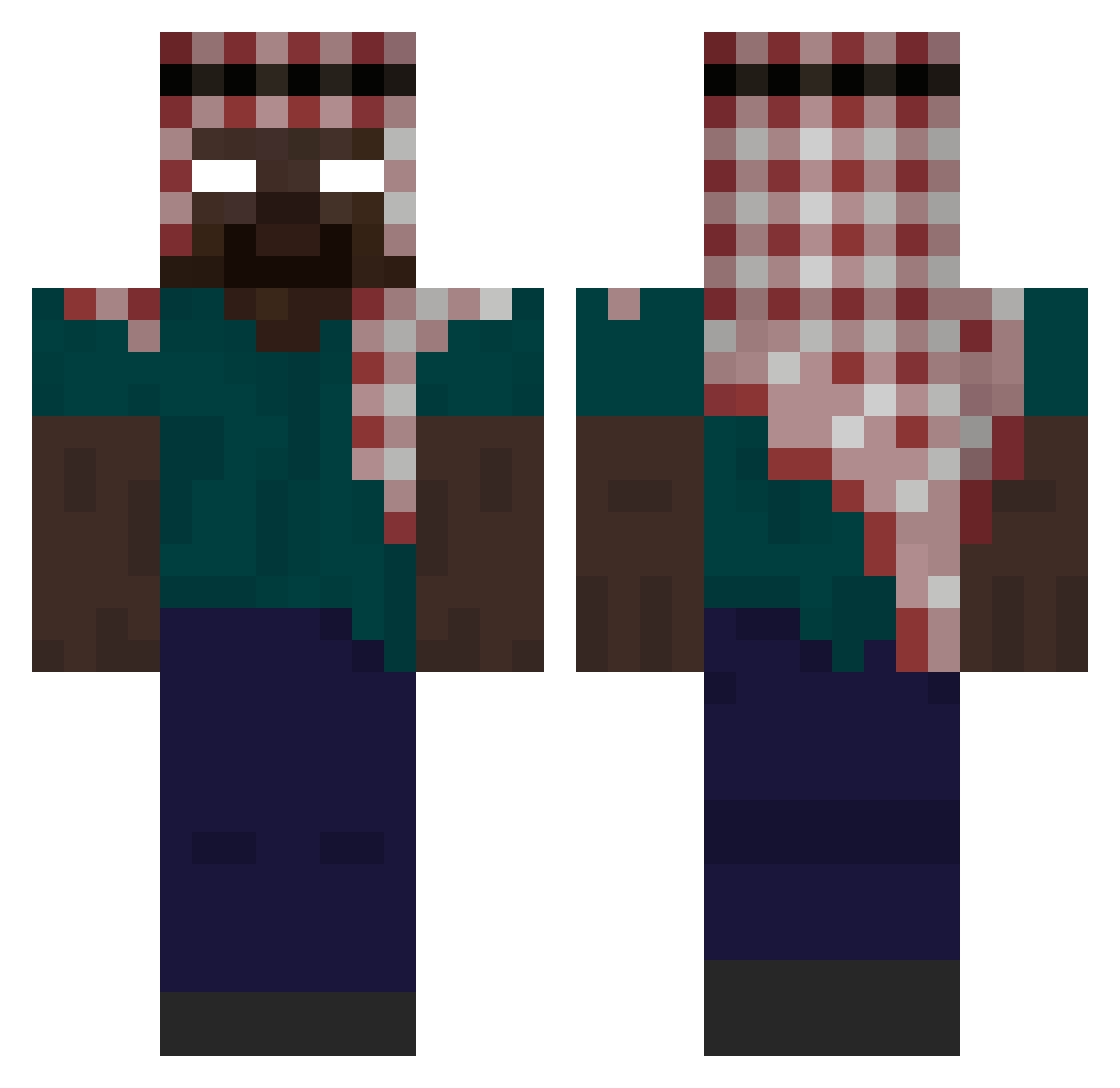
Current Minecraft skin of the player tangybbq_, loaded from the official Mojang API. Rotate the 3D model with your mouse or finger, then download the skin as a PNG file and use it in Minecraft: Bedrock Edition or Java Edition for free. When tangybbq_ changes their skin, this page updates automatically and the old skin stays in the history below.
Other players with this skin (338)
tangybbq_ was the 207th player we have seen with this skin, first spotted on 22.09.2026. The same skin was seen on these players. Open a nickname to see their current skin and skin history.
 DavidGodA SWTURK FRAN100811 HunterDynamo herobomba ewq7 henboy333 VoxRip 1Nebula1 Bucks06923 weedchristmas libertyeliot68 LucKyVID eliottgg HelmutPopel77 elgato_69 Zielo12 Al_Harubayyin Fougor2002 JJZhao2394 Numeruno whifiey Krawczol Thealexyes Juan65456 Andy_Andrade91 BloodFan217 seabasstiann TransexualFish towakami ejk00_ Miwatyan222 julesp85 Viuva_Negra6969 marco1969 Gorilla_gas nba_young38 crristalline omiko123 Noahzet7 notoriusGIB XaveDave 0r76 Diamondeka12 katalyst2620 TintiMinti Pedrozzz76 beautifulsuzuka DG26 kevinnintendo LemookTfou Carnage967 v272L Zzaith MichealDaGreat healthe jzli _PAPOS_ rasfa7 fcd007
More Keffiyeh Minecraft skins
How to install the tangybbq_ skin
- Press the Download button above to save the skin as a PNG file.
- Minecraft: Bedrock Edition (PE): open the Dressing Room from the main menu (or tap your character → Edit Character), go to Classic Skins → Owned, press the + (new skin) button, choose the downloaded PNG and pick the Classic (Steve) model. Works on PC and mobile; consoles cannot import custom skins.
- Minecraft: Java Edition: open the Minecraft Launcher, go to the Skins tab, click New Skin, load the PNG, pick the Classic (Steve) model and press Save & Use. You can also upload it at minecraft.net → Profile → Change Skin.
The skin does not show up after import - what should I do?
Restart Minecraft and open the Dressing Room again - imported skins sometimes appear only after a restart. Also make sure you selected the imported skin and picked the Classic (Steve) model.
Which model should I choose, Classic or Slim?
This skin is designed for the Classic (Steve) model. If you pick the wrong model, the arms of the skin will look stretched or squeezed.
Is the skin of tangybbq_ free to download?
Yes. Press Download, save the PNG file and use it in Minecraft: Bedrock Edition or Java Edition - no payment or registration needed. The skin also works on multiplayer servers and Realms.
More skins
Looking for more? Go back to all Minecraft skins and check the top skins of the week, month and all time, or find any player's skin by nickname.