
t6ii - Minecraft Skins & Skin History
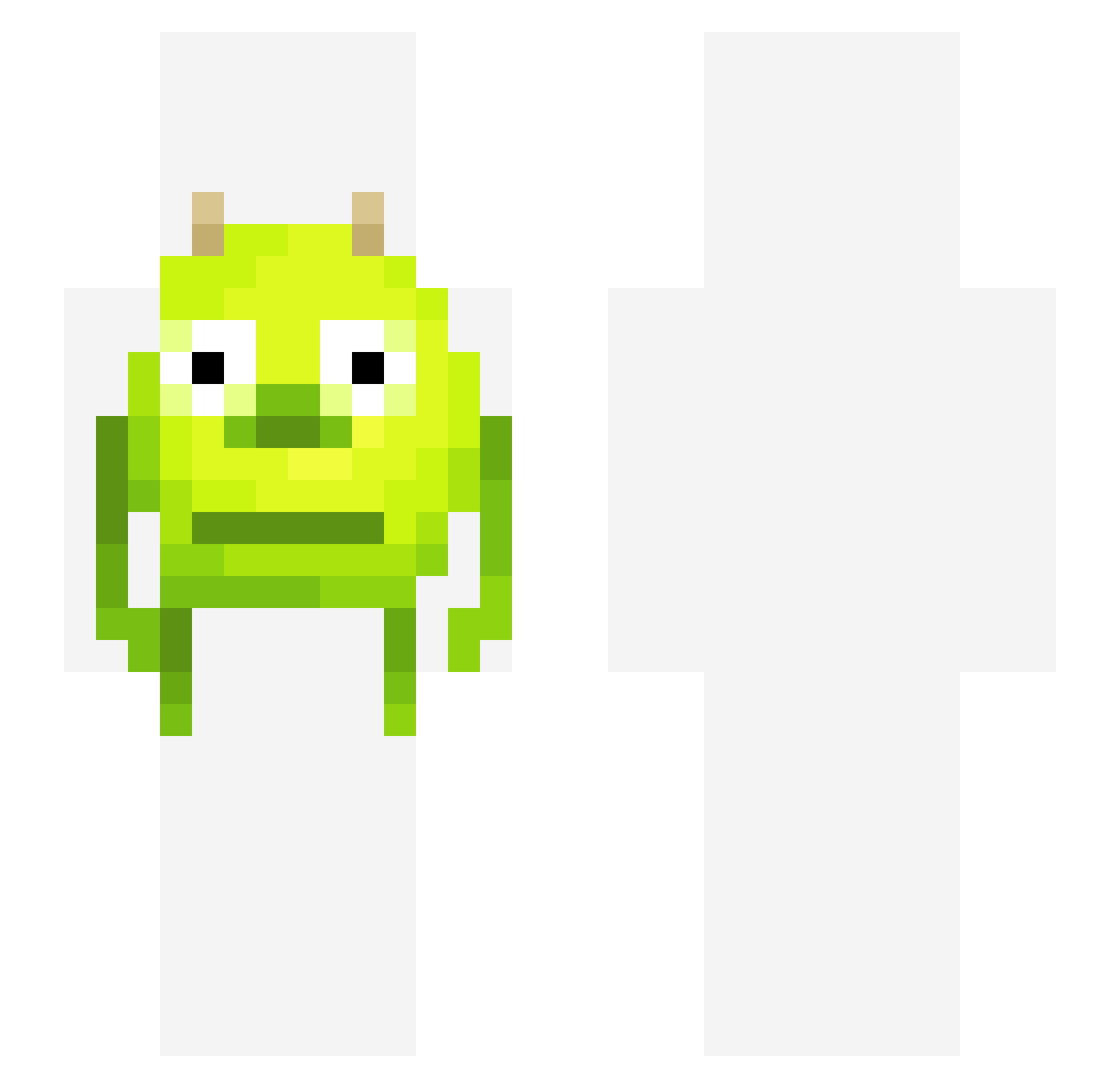
Current Minecraft skin of the player t6ii, loaded from the official Mojang API. Rotate the 3D model with your mouse or finger, then download the skin as a PNG file and use it in Minecraft: Bedrock Edition or Java Edition for free. When t6ii changes their skin, this page updates automatically and the old skin stays in the history below.
Other players with this skin (327)
t6ii was the 144th player we have seen with this skin, first spotted on 05.09.2026. The same skin was seen on these players. Open a nickname to see their current skin and skin history.
 Bilkan123 letssgoooo Rafous CraveRider98 6Apocalyps6 Flamelava11 kingsleepy choppedcorn LightsOnTommy sloogmeester Qketzki Jefferythesloth Crazyvodka45 FNfreshyBot MASTERMINDcs WetSeaLion jaspert05 Stratos_ Saptarishii angmax Paleks heajin Granolaislife UGLYMEES IchesseDeinZeh MikelSucksAlot MjngSecuritySux Viper1379 orangedragon2525 nlw tradegamer newellpost_ paparoachi GrandpaCreedie Dirtiness schrodingery MarcusMango99 robotexplosion chlobird420 Bubbl4n Monkey_boy39 Detonatex MelSellsShells xDiGiTaLx SadGalazy The_Last_Milk ASmallPotatooo EliasBobias 4ntb BLACKHAMM3R27 DrinkGlass greeneyedwasian Funniestshelf3 yChokoNWM NotKoyama LilShumi Payway_ Stijnhetkonijn eev_iee DiabolicalHacker
More Mike Wazowski Minecraft skins
See all 282 Mike Wazowski skins
How to install the t6ii skin
- Press the Download button above to save the skin as a PNG file.
- Minecraft: Bedrock Edition (PE): open the Dressing Room from the main menu (or tap your character → Edit Character), go to Classic Skins → Owned, press the + (new skin) button, choose the downloaded PNG and pick the Slim (Alex) model. Works on PC and mobile; consoles cannot import custom skins.
- Minecraft: Java Edition: open the Minecraft Launcher, go to the Skins tab, click New Skin, load the PNG, pick the Slim (Alex) model and press Save & Use. You can also upload it at minecraft.net → Profile → Change Skin.
The skin does not show up after import - what should I do?
Restart Minecraft and open the Dressing Room again - imported skins sometimes appear only after a restart. Also make sure you selected the imported skin and picked the Slim (Alex) model.
Which model should I choose, Classic or Slim?
This skin is designed for the Slim (Alex) model. If you pick the wrong model, the arms of the skin will look stretched or squeezed.
Is the skin of t6ii free to download?
Yes. Press Download, save the PNG file and use it in Minecraft: Bedrock Edition or Java Edition - no payment or registration needed. The skin also works on multiplayer servers and Realms.
More skins
Looking for more? Go back to all Minecraft skins and check the top skins of the week, month and all time, or find any player's skin by nickname.