
greeneyedwasian - Minecraft Skins & Skin History
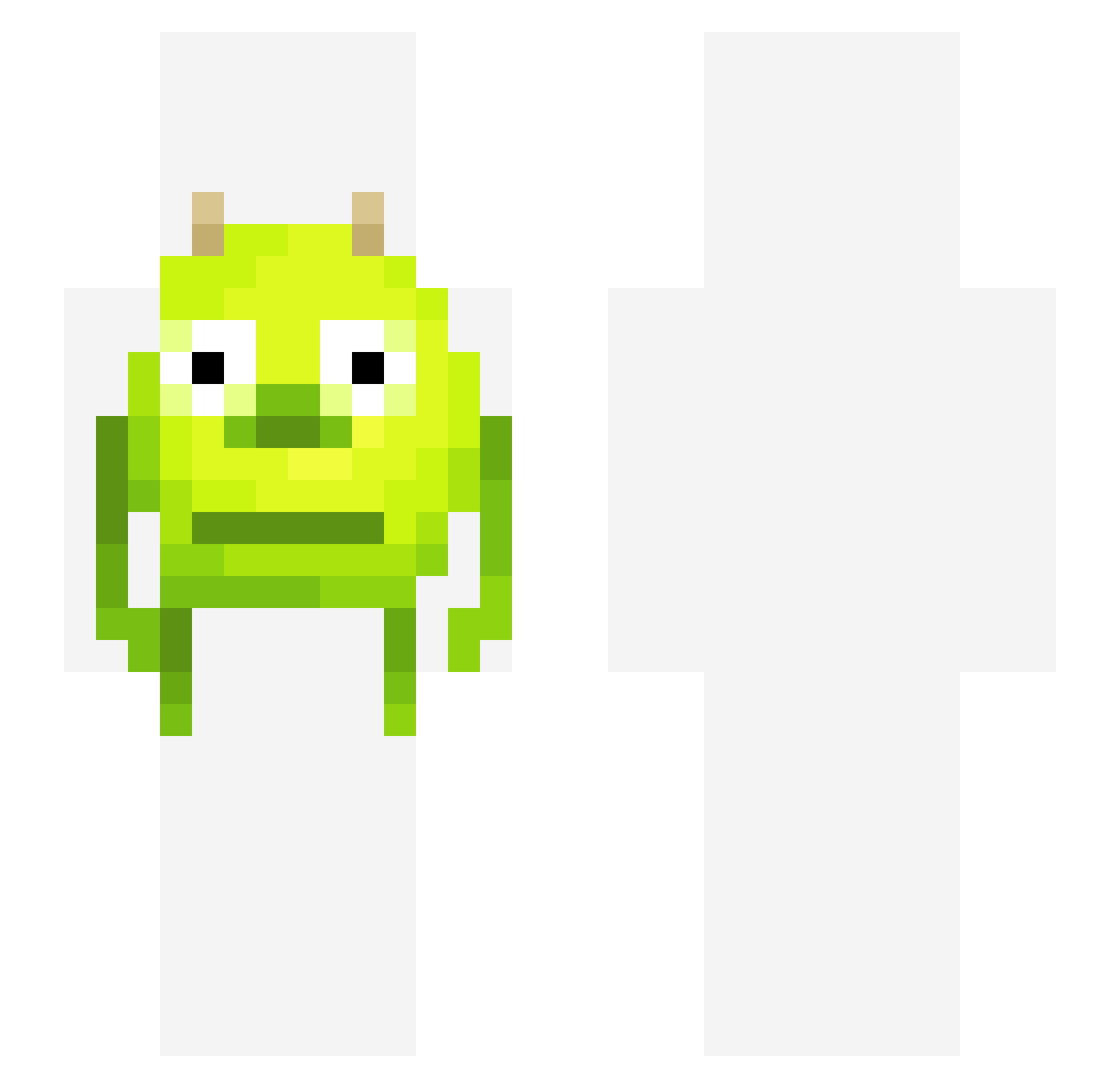
Current Minecraft skin of the player greeneyedwasian, loaded from the official Mojang API. Rotate the 3D model with your mouse or finger, then download the skin as a PNG file and use it in Minecraft: Bedrock Edition or Java Edition for free. When greeneyedwasian changes their skin, this page updates automatically and the old skin stays in the history below.
Other players with this skin (327)
greeneyedwasian was the 118th player we have seen with this skin, first spotted on 24.08.2026. The same skin was seen on these players. Open a nickname to see their current skin and skin history.
 NotKoyama LilShumi Stijnhetkonijn DrinkGlass DiabolicalHacker 4ntb 38dd BoochScoochie NayNay1789 EliasBobias ASmallPotatooo Gonogon_derEchte HighInSpace BIatant orca925 Cody1011 pantipof DexGTB C0WB0YGAMES whatsupdawg Domskon99 bigboiyannick carlykilla RafaelFronteira OxGDoC chlobird420 mes314 MarcusMango99 tradegamer nlw orangedragon2525 CabbageCongo Skiddy222 MjngSecuritySux MikelSucksAlot cynicallycool IchesseDeinZeh Mekanicas Alright66 heajin scaredbutterfly angmax xClipzy Saptarishii PINQ3 Stratos_ TheGoatRenji JakeLindsay retired33 MASTERMINDcs Kendall005 FNfreshyBot just_giraffe ALTOSLLC Crazyvodka45 yamatours BinGutEnglisch Kyanator LightsOnTommy choppedcorn
More Mike Wazowski Minecraft skins
See all 281 Mike Wazowski skins
How to install the greeneyedwasian skin
- Press the Download button above to save the skin as a PNG file.
- Minecraft: Bedrock Edition (PE): open the Dressing Room from the main menu (or tap your character → Edit Character), go to Classic Skins → Owned, press the + (new skin) button, choose the downloaded PNG and pick the Slim (Alex) model. Works on PC and mobile; consoles cannot import custom skins.
- Minecraft: Java Edition: open the Minecraft Launcher, go to the Skins tab, click New Skin, load the PNG, pick the Slim (Alex) model and press Save & Use. You can also upload it at minecraft.net → Profile → Change Skin.
The skin does not show up after import - what should I do?
Restart Minecraft and open the Dressing Room again - imported skins sometimes appear only after a restart. Also make sure you selected the imported skin and picked the Slim (Alex) model.
Which model should I choose, Classic or Slim?
This skin is designed for the Slim (Alex) model. If you pick the wrong model, the arms of the skin will look stretched or squeezed.
Is the skin of greeneyedwasian free to download?
Yes. Press Download, save the PNG file and use it in Minecraft: Bedrock Edition or Java Edition - no payment or registration needed. The skin also works on multiplayer servers and Realms.
More skins
Looking for more? Go back to all Minecraft skins and check the top skins of the week, month and all time, or find any player's skin by nickname.