
t3l01v - Minecraft Skins & Skin History
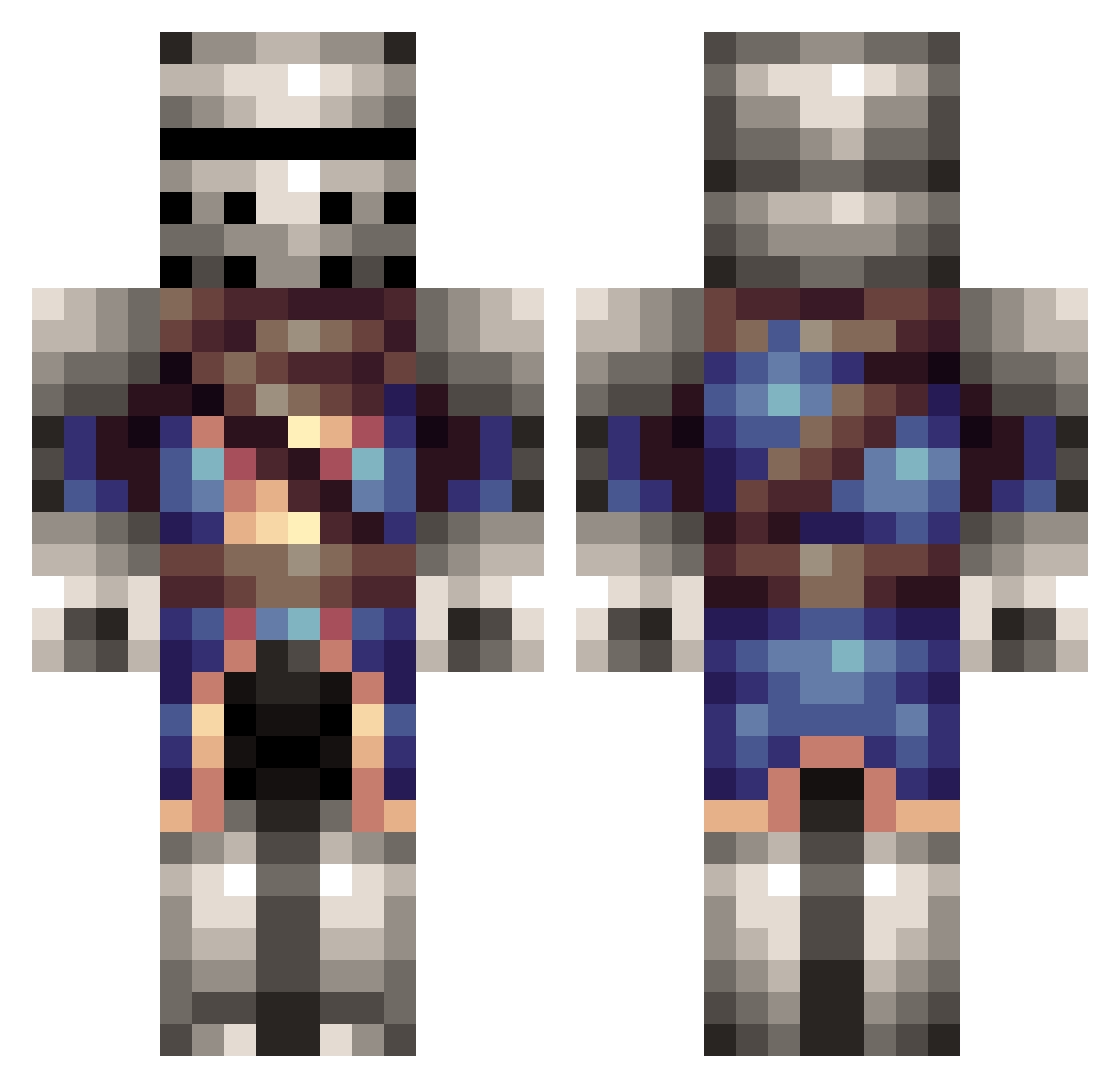
Current Minecraft skin of the player t3l01v, loaded from the official Mojang API. Rotate the 3D model with your mouse or finger, then download the skin as a PNG file and use it in Minecraft: Bedrock Edition or Java Edition for free. When t3l01v changes their skin, this page updates automatically and the old skin stays in the history below.
Other players with this skin (315)
t3l01v was the 266th player we have seen with this skin, first spotted on 24.10.2026. The same skin was seen on these players. Open a nickname to see their current skin and skin history.
 Austria4Ever PyroStorm7 clarke__ Roogath dj_fml101 jackdl1994 appledude34 Chicago2012 Sangdrax504 hihuli lewishardy SaineGray 3SKIM0 Stutz562 TC_Flyer jor8899 Lorblat NakaCoco herpmasse Veminex lbcmine swedensteve GlassFafnir smiffy832 GuneDe tjmadden1128 BettMeider mikeknauer Birdwatcher0301 Blueknight777 SwiggSwigg03 Pankrati SirCharmingSloth FireFluke NoirExor Jgskate68 Dupor MachoFoodMan Drajor25 thekid09406 Siper76589 Stellar_Puff Ovaal thebryman12 bible75 Dalhai1234 slutzinc FakeAdvocado Headshotcity Grel_Paso Vamou7 Chris_Waffle5 Kashola AmericanNipples Zapyzapz Dope_Block Vlad_rum Invidia96 Drakos Adamcron12
More Medieval Minecraft skins
How to install the t3l01v skin
- Press the Download button above to save the skin as a PNG file.
- Minecraft: Bedrock Edition (PE): open the Dressing Room from the main menu (or tap your character → Edit Character), go to Classic Skins → Owned, press the + (new skin) button, choose the downloaded PNG and pick the Classic (Steve) model. Works on PC and mobile; consoles cannot import custom skins.
- Minecraft: Java Edition: open the Minecraft Launcher, go to the Skins tab, click New Skin, load the PNG, pick the Classic (Steve) model and press Save & Use. You can also upload it at minecraft.net → Profile → Change Skin.
The skin does not show up after import - what should I do?
Restart Minecraft and open the Dressing Room again - imported skins sometimes appear only after a restart. Also make sure you selected the imported skin and picked the Classic (Steve) model.
Which model should I choose, Classic or Slim?
This skin is designed for the Classic (Steve) model. If you pick the wrong model, the arms of the skin will look stretched or squeezed.
Is the skin of t3l01v free to download?
Yes. Press Download, save the PNG file and use it in Minecraft: Bedrock Edition or Java Edition - no payment or registration needed. The skin also works on multiplayer servers and Realms.
More skins
Looking for more? Go back to all Minecraft skins and check the top skins of the week, month and all time, or find any player's skin by nickname.