
t0p_k3t - Minecraft Skins & Skin History
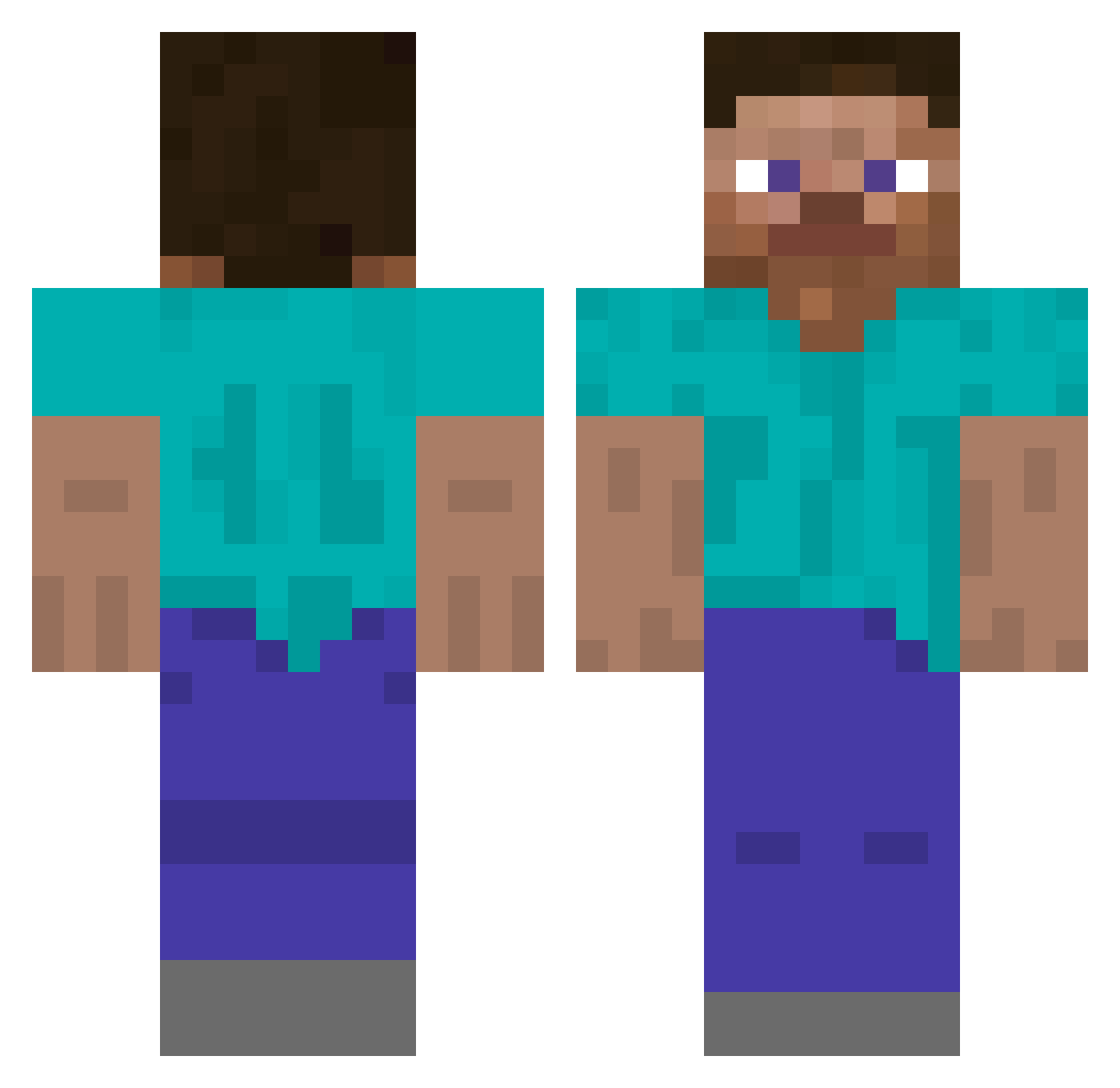
Current Minecraft skin of the player t0p_k3t, loaded from the official Mojang API. Rotate the 3D model with your mouse or finger, then download the skin as a PNG file and use it in Minecraft: Bedrock Edition or Java Edition for free. When t0p_k3t changes their skin, this page updates automatically and the old skin stays in the history below.
Other players with this skin (356)
t0p_k3t was the 276th player we have seen with this skin, first spotted on 28.10.2026. The same skin was seen on these players. Open a nickname to see their current skin and skin history.
 Aronex08 Dusty505 shoomoku 3NDERMAN3 Quibits COMET_J Vrhunackubizma Alleman07 Deoli JohannBluten Mister_Zedd Geldfisch MoldyWaders eggmann2476 WOJAK313 Dude_N0 IsaactheDot Mil9 dovry Shunuros ShinichiAkiyama Hygos noul1415 mini_ven tadde04 teetathehe DrMomo369 mispizdimsnowa TwoTailedFox170 lilplump16 kyllinglove Khioneson hwanhui0507 LuckyTalismans OdyBu Ceres67 Oshmurr berriesandmeme RavenGamerF sil0613r JJproskillz nelson5211 Jk2Op moonbird474 paipon Underground_Evo leikele JangisBangis Sh_ro hasapetcat TheJuiceBox7409 BushSquid Noah7226 rajas0432 raralol MaxTheRealBoss FailedPainter parmalade ObiwanSchmobiwan That1Guy7687
How to install the t0p_k3t skin
- Press the Download button above to save the skin as a PNG file.
- Minecraft: Bedrock Edition (PE): open the Dressing Room from the main menu (or tap your character → Edit Character), go to Classic Skins → Owned, press the + (new skin) button, choose the downloaded PNG and pick the Classic (Steve) model. Works on PC and mobile; consoles cannot import custom skins.
- Minecraft: Java Edition: open the Minecraft Launcher, go to the Skins tab, click New Skin, load the PNG, pick the Classic (Steve) model and press Save & Use. You can also upload it at minecraft.net → Profile → Change Skin.
The skin does not show up after import - what should I do?
Restart Minecraft and open the Dressing Room again - imported skins sometimes appear only after a restart. Also make sure you selected the imported skin and picked the Classic (Steve) model.
Which model should I choose, Classic or Slim?
This skin is designed for the Classic (Steve) model. If you pick the wrong model, the arms of the skin will look stretched or squeezed.
Is the skin of t0p_k3t free to download?
Yes. Press Download, save the PNG file and use it in Minecraft: Bedrock Edition or Java Edition - no payment or registration needed. The skin also works on multiplayer servers and Realms.
More skins
Looking for more? Go back to all Minecraft skins and check the top skins of the week, month and all time, or find any player's skin by nickname.