
swg708 - Minecraft Skins & Skin History
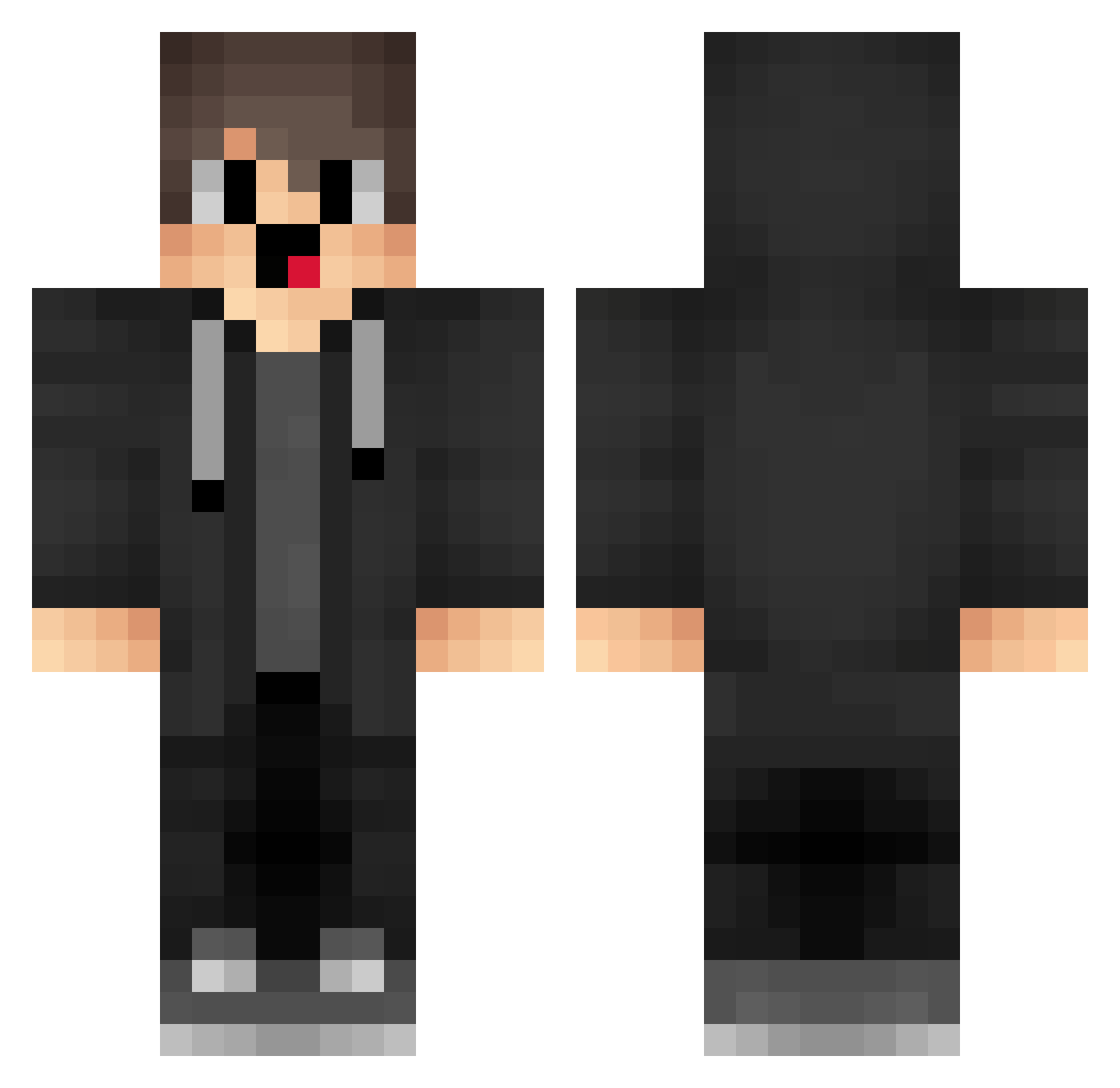
Current Minecraft skin of the player swg708, loaded from the official Mojang API. Rotate the 3D model with your mouse or finger, then download the skin as a PNG file and use it in Minecraft: Bedrock Edition or Java Edition for free. When swg708 changes their skin, this page updates automatically and the old skin stays in the history below.
Other players with this skin (1718)
swg708 was the 1681st player we have seen with this skin, first spotted on 08.11.2026. The same skin was seen on these players. Open a nickname to see their current skin and skin history.
 meh227 xcA504 shouldpotted yYa_RLVbND_06_29 MzG781 maxun520 ehD621 kutalaykilic hUP272 nnR600 ZeRic4rdo TGf945 EQk35 JNy681 ery252 Gabi_Mihai16 irh912 Liuye_21d TOO212 fkW564 slQ892 __chengsicheng__ lDn135 DCt995 Foa264 margotcoy3201 ciL918 elu48 angryair rLz219 cae80 Zencigotprime ukK672 Merryzzzzz __jrJe DirtBlockHero123 PimPimPim12 Sa3ura_24 Deidara_Ye sBf930 JLm932 GruffDwarf67468 lLf603 matt923 jsq305 Gbb602 qTE538 Ugo972 TXi619 ZON850 PAI286 LEs889 merryzz_vape WGU254 HnI836 Iit971 box_VrkDFgbXh464 box_HHgCatbQt296 oArtofwaro RtF278
How to install the swg708 skin
- Press the Download button above to save the skin as a PNG file.
- Minecraft: Bedrock Edition (PE): open the Dressing Room from the main menu (or tap your character → Edit Character), go to Classic Skins → Owned, press the + (new skin) button, choose the downloaded PNG and pick the Classic (Steve) model. Works on PC and mobile; consoles cannot import custom skins.
- Minecraft: Java Edition: open the Minecraft Launcher, go to the Skins tab, click New Skin, load the PNG, pick the Classic (Steve) model and press Save & Use. You can also upload it at minecraft.net → Profile → Change Skin.
The skin does not show up after import - what should I do?
Restart Minecraft and open the Dressing Room again - imported skins sometimes appear only after a restart. Also make sure you selected the imported skin and picked the Classic (Steve) model.
Which model should I choose, Classic or Slim?
This skin is designed for the Classic (Steve) model. If you pick the wrong model, the arms of the skin will look stretched or squeezed.
Is the skin of swg708 free to download?
Yes. Press Download, save the PNG file and use it in Minecraft: Bedrock Edition or Java Edition - no payment or registration needed. The skin also works on multiplayer servers and Realms.
More skins
Looking for more? Go back to all Minecraft skins and check the top skins of the week, month and all time, or find any player's skin by nickname.