
sweetboyblondey - Minecraft Skins & Skin History
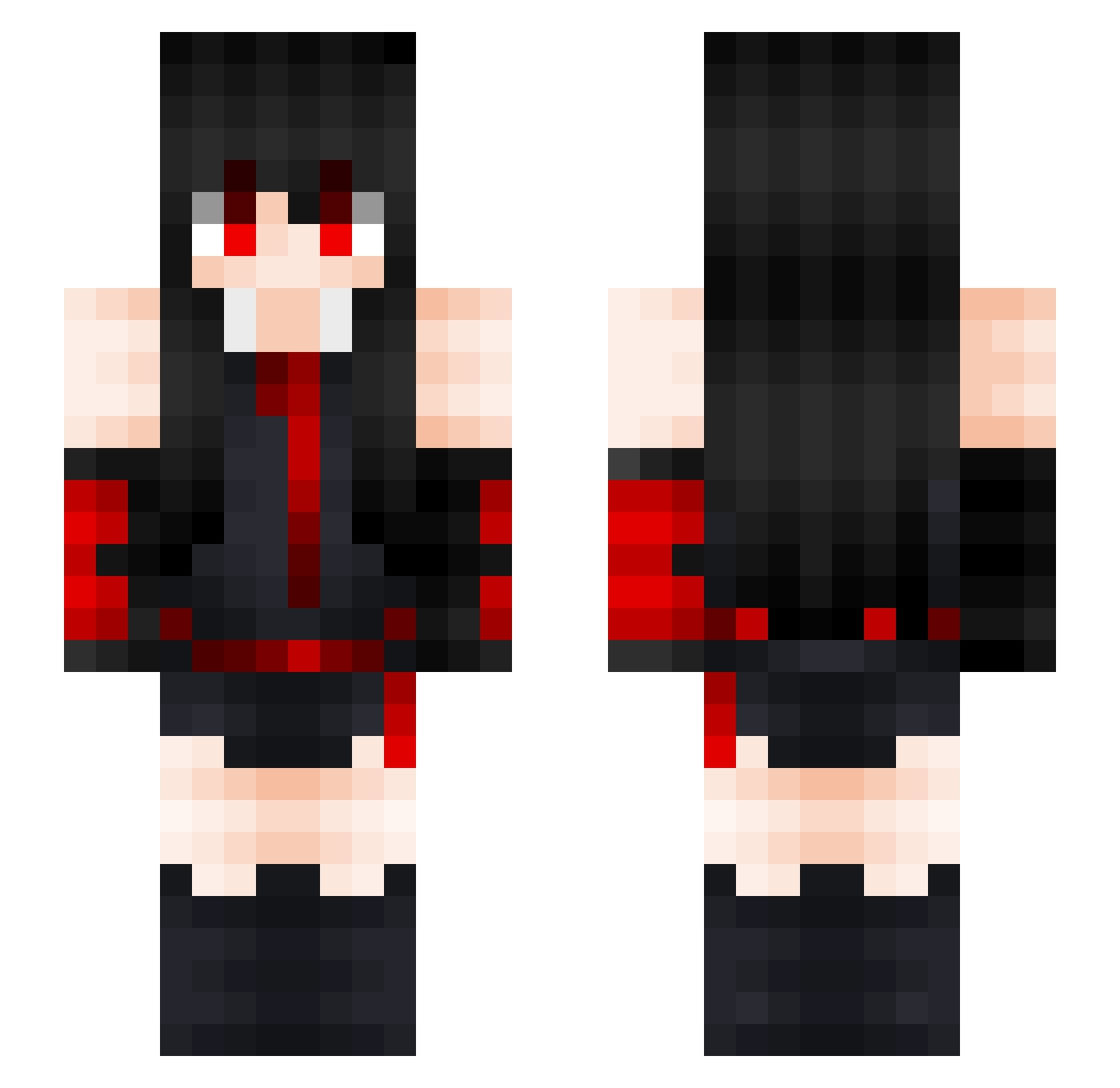
Current Minecraft skin of the player sweetboyblondey, loaded from the official Mojang API. Rotate the 3D model with your mouse or finger, then download the skin as a PNG file and use it in Minecraft: Bedrock Edition or Java Edition for free. When sweetboyblondey changes their skin, this page updates automatically and the old skin stays in the history below.
Other players with this skin (162)
sweetboyblondey was the 104th player we have seen with this skin, first spotted on 08.10.2026. The same skin was seen on these players. Open a nickname to see their current skin and skin history.
 TTK_Rohme WFLakame K11RKA Horun AkameMu Narimu04060806 Franticlol ZeRoxAkame NAPOLIN12 Monster1008 PokeySaturn_97 Kunz1995 Mitussy Leoozerakk daniedubz Vagliarsky RiasLehrling TahaMutlu fr136 Pistachio101 BreannaBaker Smuris Yassin52 Crypticwhite Osacarnt MBS110708 murame0150 Cashouter viniVX MisterPau3000 AutoSenna Ghstly69 T3krin Akamurasame Shxdy_00 xyAkame akumuh1 bbsavage MiizukiiSan minato3g InaMori75 TigerHyper12 Elatin Buwkie rukia24 Koumela Meliodas18 e_girl_xGodz Norizuki Ueunnn powerdragon13 Artemisja487 GalaxyAUX Katsuragi_9 melancholizes Lulo_nunez ydegarT AFatCat Dragovitch0110 AkameZFR
More Akame Minecraft skins
How to install the sweetboyblondey skin
- Press the Download button above to save the skin as a PNG file.
- Minecraft: Bedrock Edition (PE): open the Dressing Room from the main menu (or tap your character → Edit Character), go to Classic Skins → Owned, press the + (new skin) button, choose the downloaded PNG and pick the Slim (Alex) model. Works on PC and mobile; consoles cannot import custom skins.
- Minecraft: Java Edition: open the Minecraft Launcher, go to the Skins tab, click New Skin, load the PNG, pick the Slim (Alex) model and press Save & Use. You can also upload it at minecraft.net → Profile → Change Skin.
The skin does not show up after import - what should I do?
Restart Minecraft and open the Dressing Room again - imported skins sometimes appear only after a restart. Also make sure you selected the imported skin and picked the Slim (Alex) model.
Which model should I choose, Classic or Slim?
This skin is designed for the Slim (Alex) model. If you pick the wrong model, the arms of the skin will look stretched or squeezed.
Is the skin of sweetboyblondey free to download?
Yes. Press Download, save the PNG file and use it in Minecraft: Bedrock Edition or Java Edition - no payment or registration needed. The skin also works on multiplayer servers and Realms.
More skins
Looking for more? Go back to all Minecraft skins and check the top skins of the week, month and all time, or find any player's skin by nickname.