
surarin2000 - Minecraft Skins & Skin History
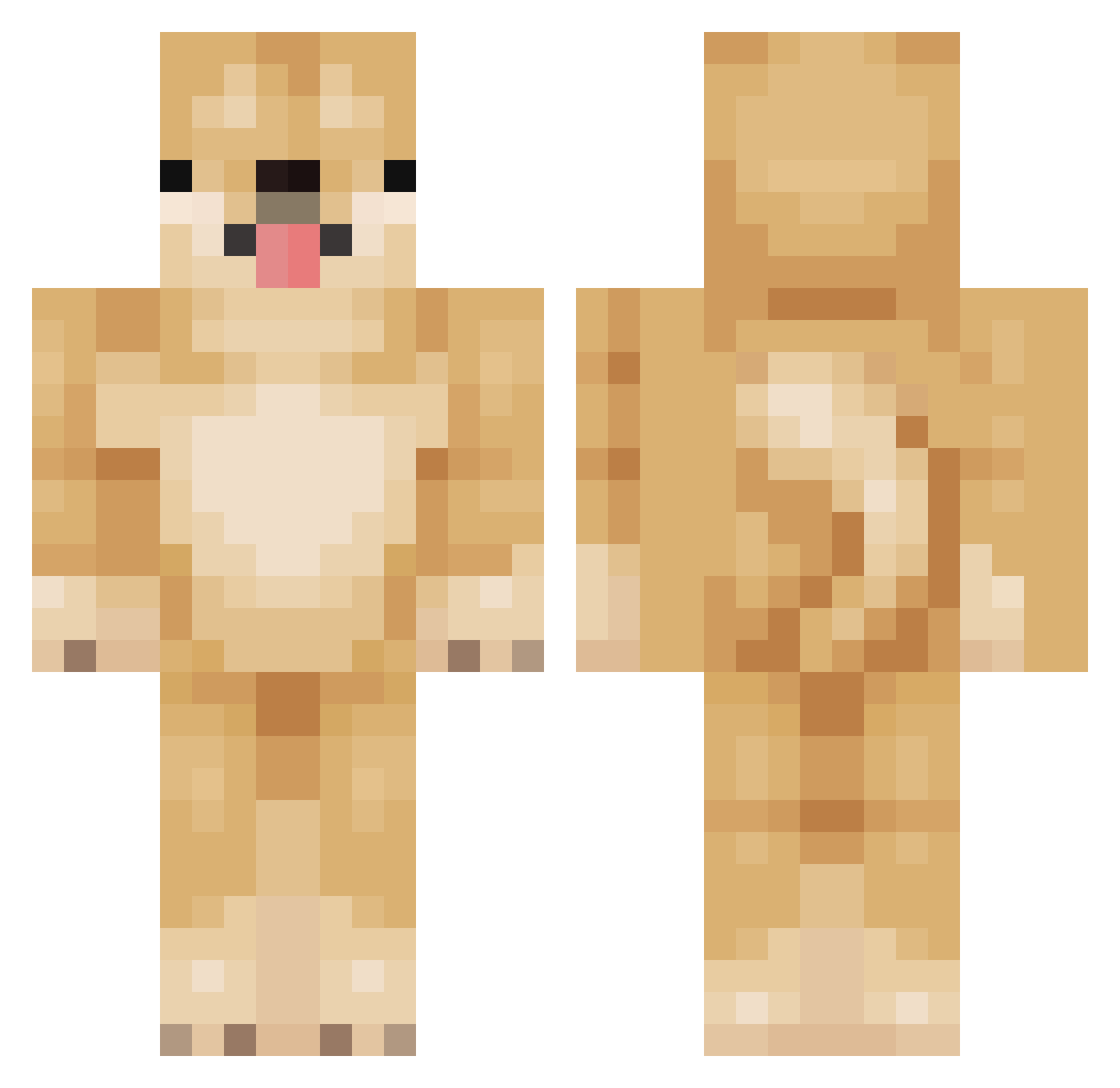
Current Minecraft skin of the player surarin2000, loaded from the official Mojang API. Rotate the 3D model with your mouse or finger, then download the skin as a PNG file and use it in Minecraft: Bedrock Edition or Java Edition for free. When surarin2000 changes their skin, this page updates automatically and the old skin stays in the history below.
Other players with this skin (156)
surarin2000 was the 76th player we have seen with this skin, first spotted on 22.09.2026. The same skin was seen on these players. Open a nickname to see their current skin and skin history.
 Aggebaggebo Adamco13 MiguelAialaCape shirobox smoluwuboi emzikei Nira0104 Yunill oldDog1997 yo_chi114514 oxforts HovernyanJitsu G0ldenhusky SchlukkSpecht AlsoLexxonist LyonTaKon r0w00n IchRxshDichDown rmsdnd Qoshiro CarsonW00f DuDoges Hamsses_pequeno JWR130 happylol675 4wake SabaNabura ookosO cosmjn Rafael_Barth skinke229 Omegatrek Funfun0829 Beceldoggo FluffyDoge_ Vauhdikass sarachan0507 sm00che Edits4139 Kinnaj88 pro_gamer011010 0xHenry Detchan dodori08 EmeraldBird WalskBIOS ass940119ss takuto0715 KawaiiiCattt delipah Wiltbloom hunny___bunny wallacecabelinho Steinbeere14 PoppaBanz C4nine_ maarinenavy SpringOil CoCoby_ odaicujessy
More Shiba Inu Minecraft skins
How to install the surarin2000 skin
- Press the Download button above to save the skin as a PNG file.
- Minecraft: Bedrock Edition (PE): open the Dressing Room from the main menu (or tap your character → Edit Character), go to Classic Skins → Owned, press the + (new skin) button, choose the downloaded PNG and pick the Classic (Steve) model. Works on PC and mobile; consoles cannot import custom skins.
- Minecraft: Java Edition: open the Minecraft Launcher, go to the Skins tab, click New Skin, load the PNG, pick the Classic (Steve) model and press Save & Use. You can also upload it at minecraft.net → Profile → Change Skin.
The skin does not show up after import - what should I do?
Restart Minecraft and open the Dressing Room again - imported skins sometimes appear only after a restart. Also make sure you selected the imported skin and picked the Classic (Steve) model.
Which model should I choose, Classic or Slim?
This skin is designed for the Classic (Steve) model. If you pick the wrong model, the arms of the skin will look stretched or squeezed.
Is the skin of surarin2000 free to download?
Yes. Press Download, save the PNG file and use it in Minecraft: Bedrock Edition or Java Edition - no payment or registration needed. The skin also works on multiplayer servers and Realms.
More skins
Looking for more? Go back to all Minecraft skins and check the top skins of the week, month and all time, or find any player's skin by nickname.