
superfluff452_ - Minecraft Skins & Skin History
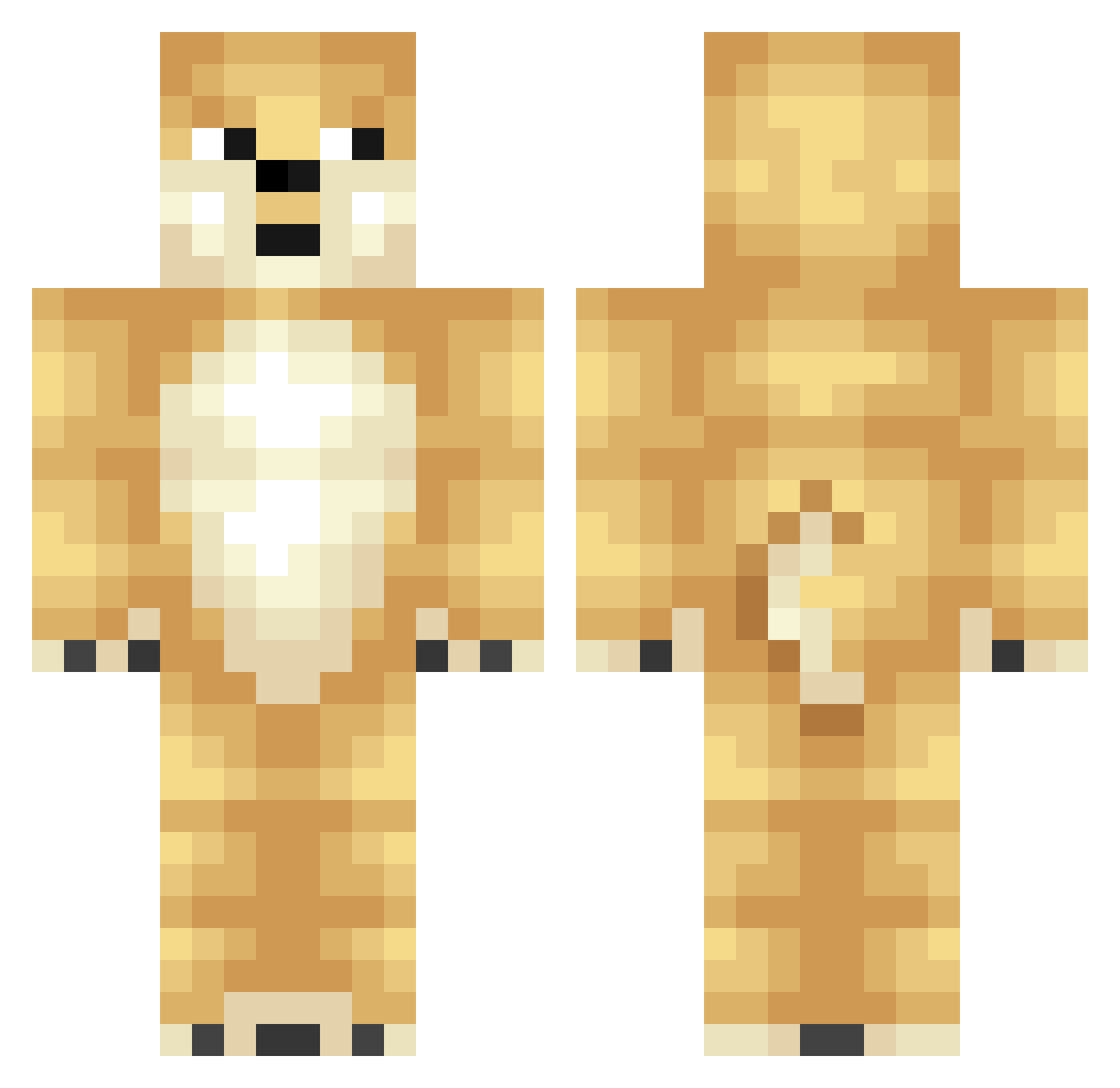
Current Minecraft skin of the player superfluff452_, loaded from the official Mojang API. Rotate the 3D model with your mouse or finger, then download the skin as a PNG file and use it in Minecraft: Bedrock Edition or Java Edition for free. When superfluff452_ changes their skin, this page updates automatically and the old skin stays in the history below.
Other players with this skin (348)
superfluff452_ was the 107th player we have seen with this skin, first spotted on 27.08.2026. The same skin was seen on these players. Open a nickname to see their current skin and skin history.
 tommyboy300 Merlinage12 thoMinhoal NightDragonSwag topkekjay12345 TheLocalStalker ilonawws AlexKlen uchia grusgutten Corvellt Doge89 og_browntown BlueFooted Manbo_z NaanE_ heyjk208804 hiarchie TKDTS gangsterdoge36 charo1255 somealtaccount Rhysion5 gubby321 Vilzu Socc3rBeAsT Avekkis Dnalir kennabenna30 OrtCloud TobiL0L Toot_Doodle TropicGuy gabriel10700 Epicderp22 Blabbiegirl04 Super_Robbie MrElaphant pan_t craterface6969 jessiej1010 s_tawa jacob_jensen03 Angelxr_ minecraftman245 kamiikoneko Hunter7878 mugimugimugimugi DUCK_D0G yoni_boy04 _yankee Alisia000 sebgeneve shishimaru1 DeafSovereign Fairloi Block_Master100 JeffLovesKnives ChickenNeug ItzCoopzYT
More Shiba Inu Minecraft skins
How to install the superfluff452_ skin
- Press the Download button above to save the skin as a PNG file.
- Minecraft: Bedrock Edition (PE): open the Dressing Room from the main menu (or tap your character → Edit Character), go to Classic Skins → Owned, press the + (new skin) button, choose the downloaded PNG and pick the Classic (Steve) model. Works on PC and mobile; consoles cannot import custom skins.
- Minecraft: Java Edition: open the Minecraft Launcher, go to the Skins tab, click New Skin, load the PNG, pick the Classic (Steve) model and press Save & Use. You can also upload it at minecraft.net → Profile → Change Skin.
The skin does not show up after import - what should I do?
Restart Minecraft and open the Dressing Room again - imported skins sometimes appear only after a restart. Also make sure you selected the imported skin and picked the Classic (Steve) model.
Which model should I choose, Classic or Slim?
This skin is designed for the Classic (Steve) model. If you pick the wrong model, the arms of the skin will look stretched or squeezed.
Is the skin of superfluff452_ free to download?
Yes. Press Download, save the PNG file and use it in Minecraft: Bedrock Edition or Java Edition - no payment or registration needed. The skin also works on multiplayer servers and Realms.
More skins
Looking for more? Go back to all Minecraft skins and check the top skins of the week, month and all time, or find any player's skin by nickname.