
super_pajajin - Minecraft Skins & Skin History
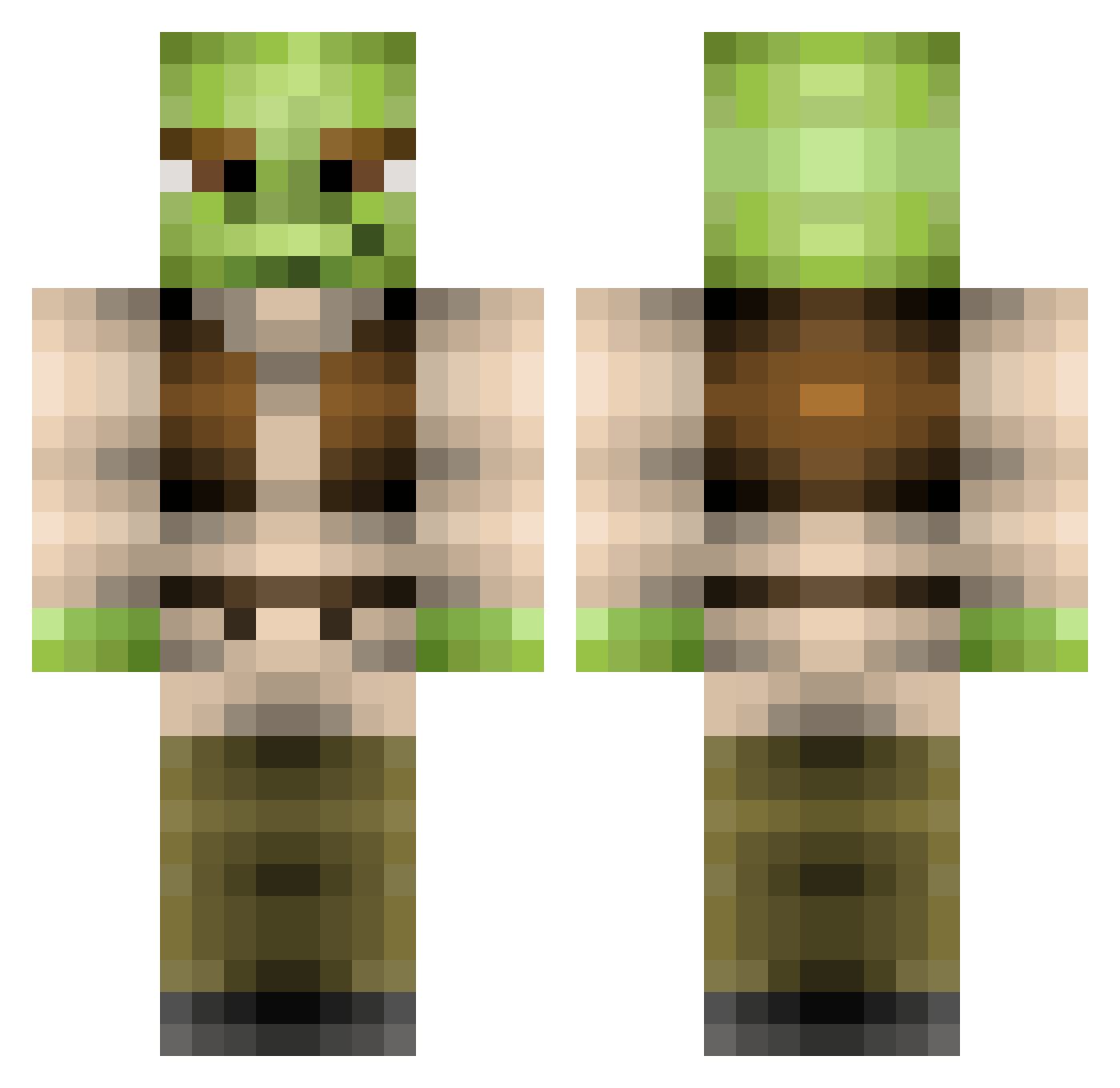
Current Minecraft skin of the player super_pajajin, loaded from the official Mojang API. Rotate the 3D model with your mouse or finger, then download the skin as a PNG file and use it in Minecraft: Bedrock Edition or Java Edition for free. When super_pajajin changes their skin, this page updates automatically and the old skin stays in the history below.
Other players with this skin (215)
super_pajajin was the 107th player we have seen with this skin, first spotted on 25.09.2026. The same skin was seen on these players. Open a nickname to see their current skin and skin history.
 kyledamp DrMamouthos Zenth105 ZachGamer25 jennatillius69 slemme24 Golden_Jokers LackingFantasy MrMaciejo swag_baby4 HarryG18 GrafRillo Startr_ Bluesforsu hannahcooley IcHbInGoOd ChildishTimby hagiso BigHAAS64 Kostas88 Regular_Milk GarnKap69 cuteredpwnda finalsouls LaughingRhyme345 shreko7 KingHavocc549 BlockMock LSDkin Pain_n_Suffering jelletjen meb21 ShrekieWeckie Schmidticus ghostkak0624 Chichexo metrojap meme_chicken snipps__ surfsup3 Mossypinecones OPGChunkeboi mchangchang Shawlong31 Steadirupfi EllieJ73 baby_shrek_god Caleigh1223 windmillplan moo2393 giovannibb MarkoKeller illegalParadox Crankonator faulty_gasmask xKurtAnimeGirl69 Ugur_bln formi123 janne9421 PinkRoseBud17
More Yoda Minecraft skins
How to install the super_pajajin skin
- Press the Download button above to save the skin as a PNG file.
- Minecraft: Bedrock Edition (PE): open the Dressing Room from the main menu (or tap your character → Edit Character), go to Classic Skins → Owned, press the + (new skin) button, choose the downloaded PNG and pick the Classic (Steve) model. Works on PC and mobile; consoles cannot import custom skins.
- Minecraft: Java Edition: open the Minecraft Launcher, go to the Skins tab, click New Skin, load the PNG, pick the Classic (Steve) model and press Save & Use. You can also upload it at minecraft.net → Profile → Change Skin.
The skin does not show up after import - what should I do?
Restart Minecraft and open the Dressing Room again - imported skins sometimes appear only after a restart. Also make sure you selected the imported skin and picked the Classic (Steve) model.
Which model should I choose, Classic or Slim?
This skin is designed for the Classic (Steve) model. If you pick the wrong model, the arms of the skin will look stretched or squeezed.
Is the skin of super_pajajin free to download?
Yes. Press Download, save the PNG file and use it in Minecraft: Bedrock Edition or Java Edition - no payment or registration needed. The skin also works on multiplayer servers and Realms.
More skins
Looking for more? Go back to all Minecraft skins and check the top skins of the week, month and all time, or find any player's skin by nickname.