
sunTV - Minecraft Skins & Skin History
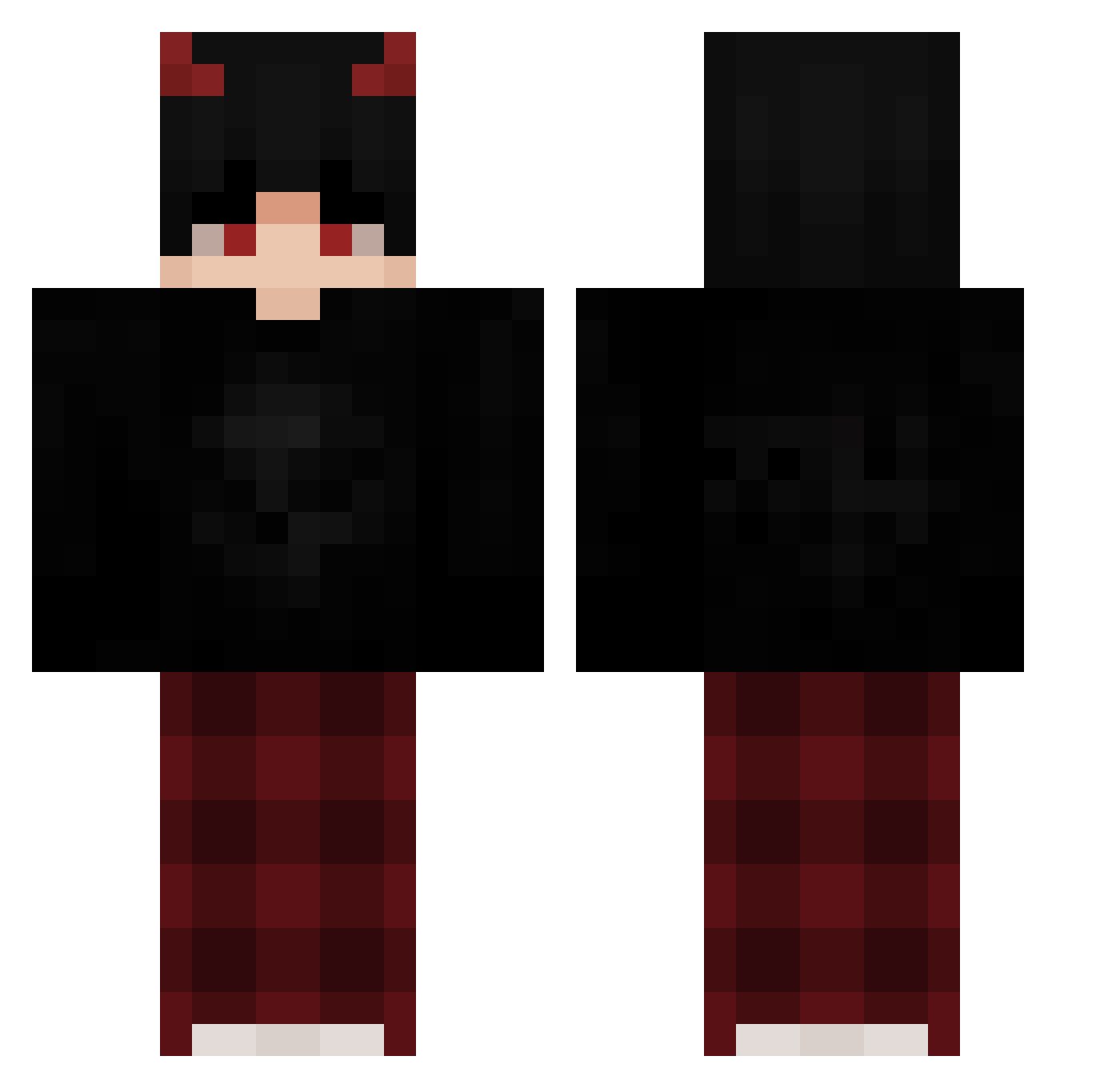
Current Minecraft skin of the player sunTV, loaded from the official Mojang API. Rotate the 3D model with your mouse or finger, then download the skin as a PNG file and use it in Minecraft: Bedrock Edition or Java Edition for free. When sunTV changes their skin, this page updates automatically and the old skin stays in the history below.
Other players with this skin (58)
sunTV was the 13th player we have seen with this skin, first spotted on 09.08.2026. The same skin was seen on these players. Open a nickname to see their current skin and skin history.
 Sr_Co0n Boom6088 Anteikhu MapicX xXSnekusxX XPower7125 _K_Y_0_ WhoIsLuchy TheGhostlyTurnip
 polskii21 GuaiKa001
 R3put4cja lildemonxxx it_NoxusChan Mateodjx M01L07 darkzone__ wsAxqdress_ Itai_Sh_The_King GeriiMeow M9II Bentezniy YoYoAHG IIIPATEL SymbioteGame
 Its_Barzu
 qM7cha3lx WavingAmitay168 emoroutine
 Draco4307 NikoEXE _Bl1tz__ BelaTheIdiotPigo Fr3ntzBounce Fl4z3Mc ItzVesper NightVnx oF4ke Iam_stars DanteBerzerk dashboat _LucarioX MYSTICOOOOO Dara_lucky xX_VODKA_Xx JitFromFL theMTZ_ Sudo_7006 Demont1X BURNINGFOX18 jimmyk1ll3r_tv Nodlah_ friendmeister Redwolf_53 1BADNESS Tiacho Alpi35 FrostyxPlays
Previous skins of sunTV
Skins that sunTV wore before, newest first. Click a skin to open its page and download it.
More Devil Minecraft skins
How to install the sunTV skin
- Press the Download button above to save the skin as a PNG file.
- Minecraft: Bedrock Edition (PE): open the Dressing Room from the main menu (or tap your character → Edit Character), go to Classic Skins → Owned, press the + (new skin) button, choose the downloaded PNG and pick the Classic (Steve) model. Works on PC and mobile; consoles cannot import custom skins.
- Minecraft: Java Edition: open the Minecraft Launcher, go to the Skins tab, click New Skin, load the PNG, pick the Classic (Steve) model and press Save & Use. You can also upload it at minecraft.net → Profile → Change Skin.
The skin does not show up after import - what should I do?
Restart Minecraft and open the Dressing Room again - imported skins sometimes appear only after a restart. Also make sure you selected the imported skin and picked the Classic (Steve) model.
Which model should I choose, Classic or Slim?
This skin is designed for the Classic (Steve) model. If you pick the wrong model, the arms of the skin will look stretched or squeezed.
Is the skin of sunTV free to download?
Yes. Press Download, save the PNG file and use it in Minecraft: Bedrock Edition or Java Edition - no payment or registration needed. The skin also works on multiplayer servers and Realms.
More skins
Looking for more? Go back to all Minecraft skins and check the top skins of the week, month and all time, or find any player's skin by nickname.