
sukks - Minecraft Skins & Skin History
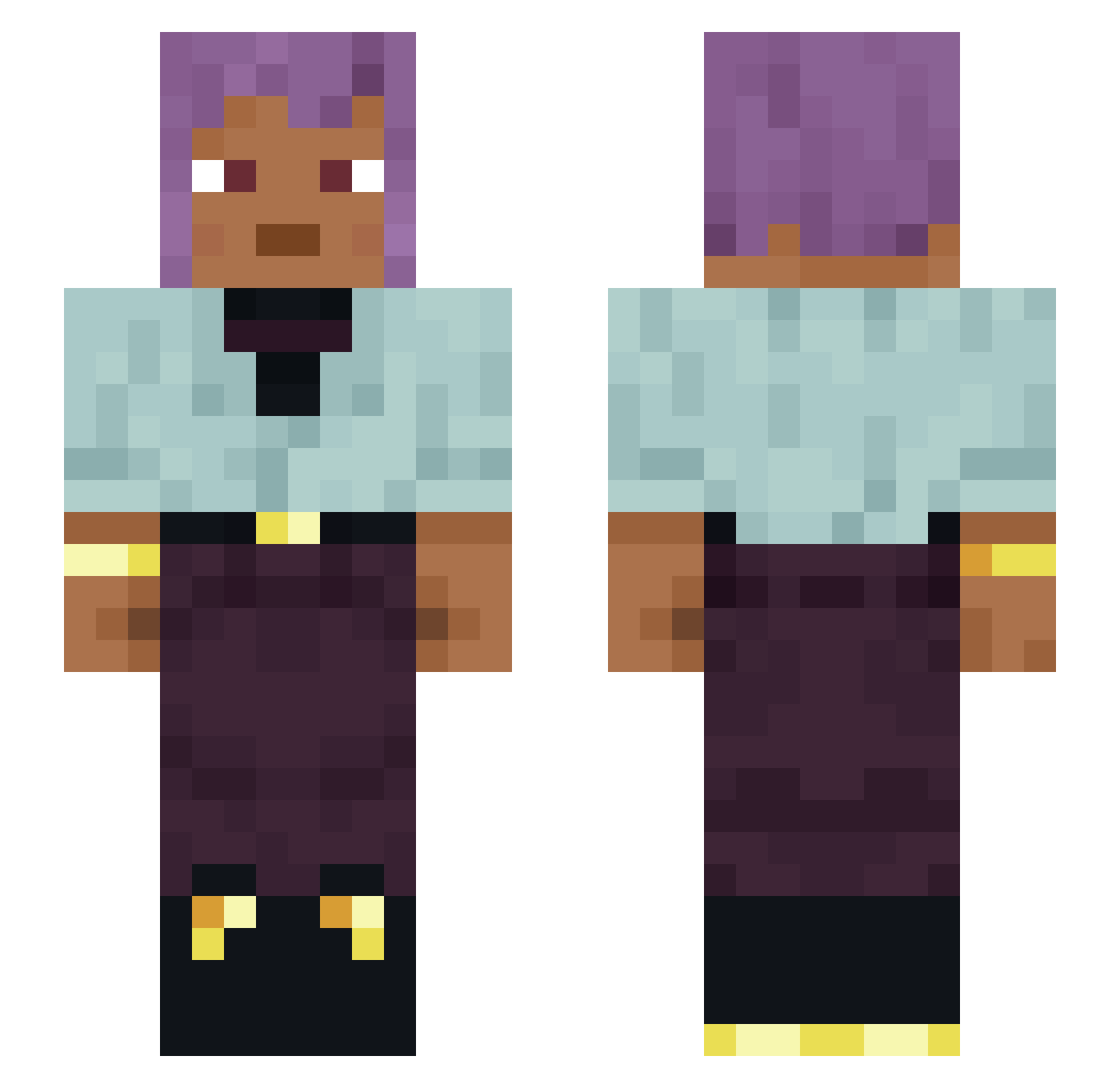
Current Minecraft skin of the player sukks, loaded from the official Mojang API. Rotate the 3D model with your mouse or finger, then download the skin as a PNG file and use it in Minecraft: Bedrock Edition or Java Edition for free. When sukks changes their skin, this page updates automatically and the old skin stays in the history below.
Other players with this skin (1637)
sukks was the 1475th player we have seen with this skin, first spotted on 11.11.2026. The same skin was seen on these players. Open a nickname to see their current skin and skin history.
 Acrux DeuSClientV8 Potsies dsenza Bundler guacamalu I_like_polnito rocceceor ThoseWhoDont XMX999XMX Constitutions coxal TTV_bufonova09 Jun_GGu esliquii VikoLu aksulk jyst_ Yuandudub Wyrky WhateverShet reengreen IsaDounut Lithifying Cavitate MassaDeCimento snivelers SoCuTeY Vidar69 lFairoxX trophi Phytozoa mccitybouwer EyeAmHim Menthel picrite Torkette Derstille0 Assass1n__ _RIO_ Zharzhan Ziehra AbnerHCalori jeremy94200 Z4_k deliquesce SuperAwesomeT Ultragrave Sky_18 cheesemongering sr_matado WEGOTPRIME Presound 119nodt chitlins SaltFish Loxer20 zazified Danielv_ MiHoY_NiHoY
How to install the sukks skin
- Press the Download button above to save the skin as a PNG file.
- Minecraft: Bedrock Edition (PE): open the Dressing Room from the main menu (or tap your character → Edit Character), go to Classic Skins → Owned, press the + (new skin) button, choose the downloaded PNG and pick the Slim (Alex) model. Works on PC and mobile; consoles cannot import custom skins.
- Minecraft: Java Edition: open the Minecraft Launcher, go to the Skins tab, click New Skin, load the PNG, pick the Slim (Alex) model and press Save & Use. You can also upload it at minecraft.net → Profile → Change Skin.
The skin does not show up after import - what should I do?
Restart Minecraft and open the Dressing Room again - imported skins sometimes appear only after a restart. Also make sure you selected the imported skin and picked the Slim (Alex) model.
Which model should I choose, Classic or Slim?
This skin is designed for the Slim (Alex) model. If you pick the wrong model, the arms of the skin will look stretched or squeezed.
Is the skin of sukks free to download?
Yes. Press Download, save the PNG file and use it in Minecraft: Bedrock Edition or Java Edition - no payment or registration needed. The skin also works on multiplayer servers and Realms.
More skins
Looking for more? Go back to all Minecraft skins and check the top skins of the week, month and all time, or find any player's skin by nickname.