
sugers - Minecraft Skins & Skin History
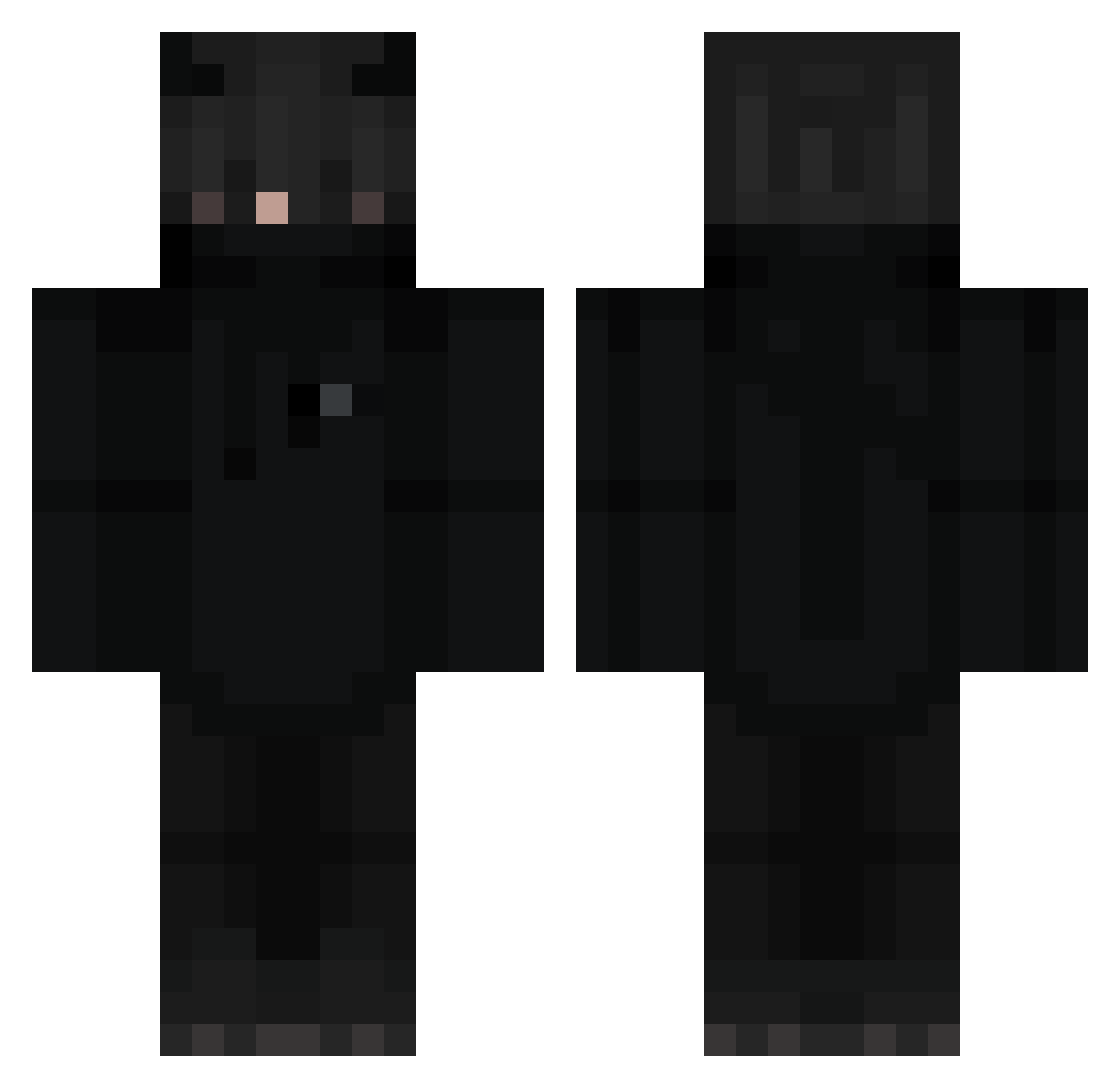
Current Minecraft skin of the player sugers, loaded from the official Mojang API. Rotate the 3D model with your mouse or finger, then download the skin as a PNG file and use it in Minecraft: Bedrock Edition or Java Edition for free. When sugers changes their skin, this page updates automatically and the old skin stays in the history below.
Other players with this skin (274)
sugers was the 178th player we have seen with this skin, first spotted on 07.10.2026. The same skin was seen on these players. Open a nickname to see their current skin and skin history.
 NiaxOuu zolak69 Epicdude85 FxFabixFx_YT Sub2FabiX Zepharno KR__M jordan070701 MRkiller1638 GenyaFR CheatEngine_72YT aoikazuya522 Harucifer DonForge BosszaX3 kkbox55688 frenz2 Royal_Robo ATdeboer Goldielocks10 benoleeck pobi1228 SolInvicto Dark4nt0ni0 ckcToasty Pastonn Nightysoul MrAnanas303 DexsterTV RapidPlayz02 devil1421 Derik1233 ACWReegade sikyshow AyaZ__ poljaro kravmaarten mikastrup Warnerjdm xjaxer2020 Delutza_ T0O0L Sniper_Eye_28 80O8I35 xXBostonGeorgeXx oItsJosh PigicaI Trelley RAG3MAKER 0oItachiUchihao0 Darkflame143 JN_B312 BlackPantherGirl _Xter Felipe_Start1 openmine joonhyuck XblaDiX ScreamOwO MaylonME
More Cat Ears Minecraft skins
How to install the sugers skin
- Press the Download button above to save the skin as a PNG file.
- Minecraft: Bedrock Edition (PE): open the Dressing Room from the main menu (or tap your character → Edit Character), go to Classic Skins → Owned, press the + (new skin) button, choose the downloaded PNG and pick the Classic (Steve) model. Works on PC and mobile; consoles cannot import custom skins.
- Minecraft: Java Edition: open the Minecraft Launcher, go to the Skins tab, click New Skin, load the PNG, pick the Classic (Steve) model and press Save & Use. You can also upload it at minecraft.net → Profile → Change Skin.
The skin does not show up after import - what should I do?
Restart Minecraft and open the Dressing Room again - imported skins sometimes appear only after a restart. Also make sure you selected the imported skin and picked the Classic (Steve) model.
Which model should I choose, Classic or Slim?
This skin is designed for the Classic (Steve) model. If you pick the wrong model, the arms of the skin will look stretched or squeezed.
Is the skin of sugers free to download?
Yes. Press Download, save the PNG file and use it in Minecraft: Bedrock Edition or Java Edition - no payment or registration needed. The skin also works on multiplayer servers and Realms.
More skins
Looking for more? Go back to all Minecraft skins and check the top skins of the week, month and all time, or find any player's skin by nickname.