
stinkloot - Minecraft Skins & Skin History
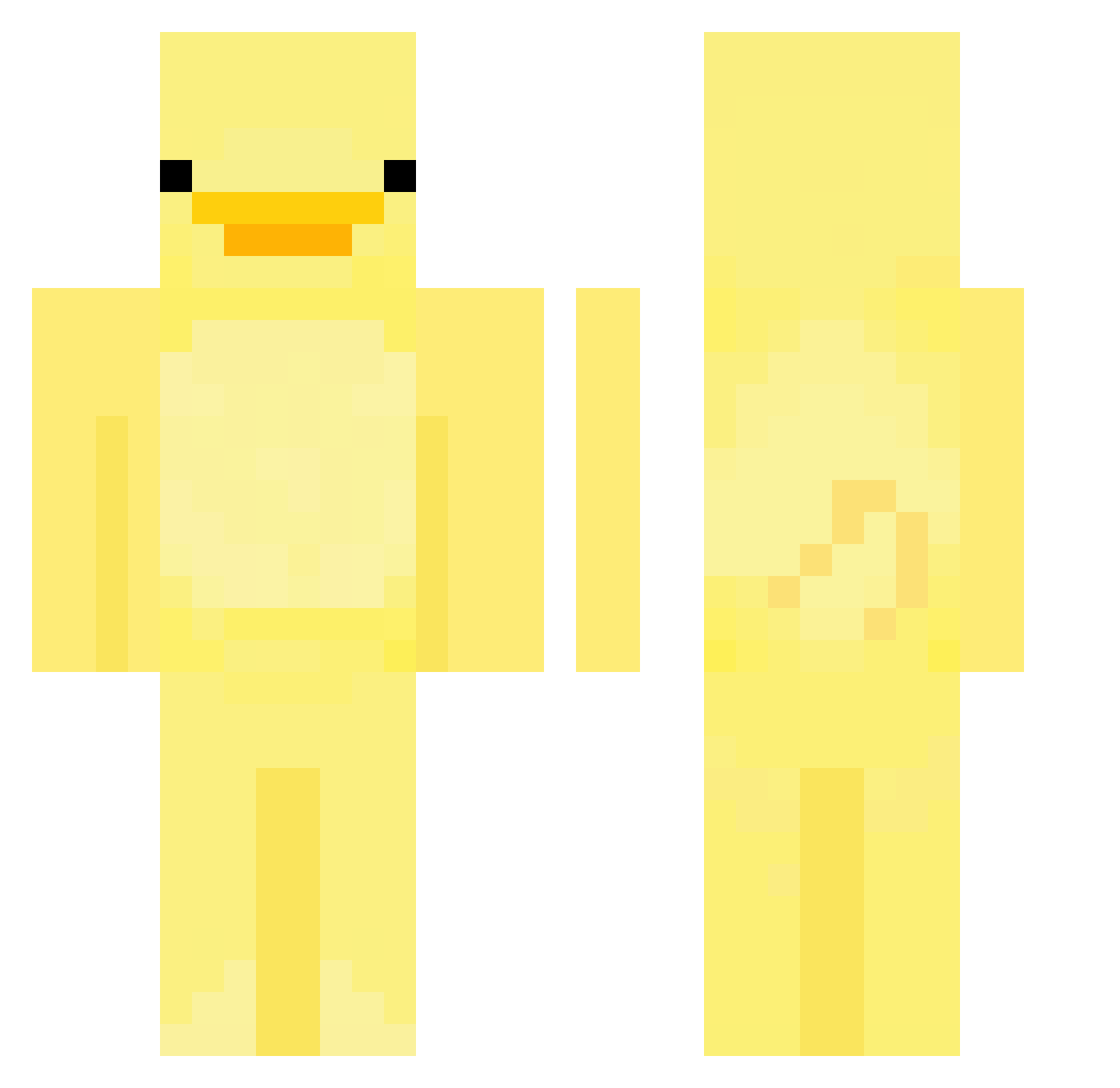
Current Minecraft skin of the player stinkloot, loaded from the official Mojang API. Rotate the 3D model with your mouse or finger, then download the skin as a PNG file and use it in Minecraft: Bedrock Edition or Java Edition for free. When stinkloot changes their skin, this page updates automatically and the old skin stays in the history below.
Other players with this skin (685)
stinkloot was the 619th player we have seen with this skin, first spotted on 31.10.2026. The same skin was seen on these players. Open a nickname to see their current skin and skin history.
 snoman77 summday fhiona Bebkee yoush0702 Concha35 rgewr gebai_1009 cocoleoi beeblu _RoD_007 Augenreif SeKy124 roccoissussy myemye03 PabloTheMonkee Zittys god6of6hell6 carter_aras JEVILOGEN Reigyn Biel_mazur BigPieceReen Ghostridertoo LuckyDucky8 drakeisbadsinger Rex0N12 Alex967CW flynowsky getasfock_ MaxCena1212 Safirew HeyDuck AshrokEra Gabrysia_Szklar Elijahmin ItsGoofy0 Riodayo1121 RustBoy ksh807 hijuzen twoducks2 shrjsdn bootylover44 yechan7495 dlckdals6791 eminorr nyytboi Saintbreezy sxturn_7 ssusssssssssssss Siphira_ Apenkool Astral89 PoussinLiner Dannylin0719 BloodSlayer313 Jusuv11 Ruex213 Sevinh0
More Bird Minecraft skins
How to install the stinkloot skin
- Press the Download button above to save the skin as a PNG file.
- Minecraft: Bedrock Edition (PE): open the Dressing Room from the main menu (or tap your character → Edit Character), go to Classic Skins → Owned, press the + (new skin) button, choose the downloaded PNG and pick the Classic (Steve) model. Works on PC and mobile; consoles cannot import custom skins.
- Minecraft: Java Edition: open the Minecraft Launcher, go to the Skins tab, click New Skin, load the PNG, pick the Classic (Steve) model and press Save & Use. You can also upload it at minecraft.net → Profile → Change Skin.
The skin does not show up after import - what should I do?
Restart Minecraft and open the Dressing Room again - imported skins sometimes appear only after a restart. Also make sure you selected the imported skin and picked the Classic (Steve) model.
Which model should I choose, Classic or Slim?
This skin is designed for the Classic (Steve) model. If you pick the wrong model, the arms of the skin will look stretched or squeezed.
Is the skin of stinkloot free to download?
Yes. Press Download, save the PNG file and use it in Minecraft: Bedrock Edition or Java Edition - no payment or registration needed. The skin also works on multiplayer servers and Realms.
More skins
Looking for more? Go back to all Minecraft skins and check the top skins of the week, month and all time, or find any player's skin by nickname.