
steaps - Minecraft Skins & Skin History
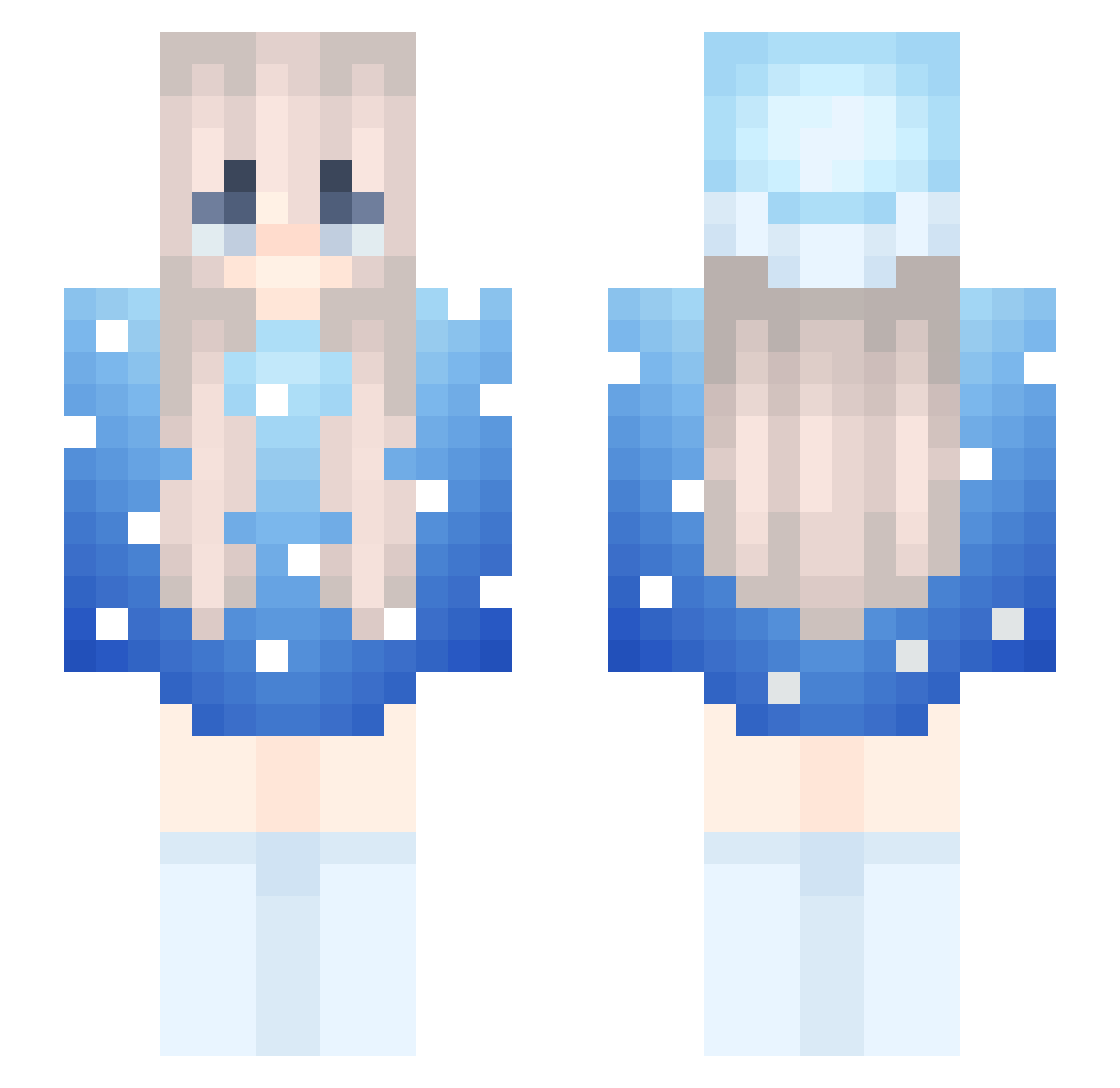
Current Minecraft skin of the player steaps, loaded from the official Mojang API. Rotate the 3D model with your mouse or finger, then download the skin as a PNG file and use it in Minecraft: Bedrock Edition or Java Edition for free. When steaps changes their skin, this page updates automatically and the old skin stays in the history below.
Other players with this skin (287)
steaps was the 266th player we have seen with this skin, first spotted on 07.11.2026. The same skin was seen on these players. Open a nickname to see their current skin and skin history.
 9lz_ WhoisGavinbro 2koptnu XxXZoroXxX_ DidlrDyla lantoJones Skycron_dr7 Fireball_cool naa_dia Marlovvwvv ripelizabeth czbw evic_valuable560 ohmystars DangerNiki LoraineMp khalil2K XuawinS marlowwwx Nanofficial blue_infernal Kingg1Puppy joymaxxing2 DoReMiLaSoFaTiDo d1llan475 antoine110611v2 DangerMarlow Myld_Yt zxewpei XXX12345 Kiuaskauasmines cool_bacon_boy STEESU Marlow___ Emily_Vol Adrian_20177 Marchrll romaainininin edworld3861 ALDAIsBack unt_mc Azizu28 MarlowwwCute Mqws __qm Dabeb coconutsmp Vulpes3333 VicStyles Dunnayy Delimia Marlowwvv yasin2012 Zeedy38 Skycron_Vex_zo4 White_US TheShyQ ArdaXiln TchoupieLaHess_ KowalanoMojBoss
More Snow Minecraft skins
How to install the steaps skin
- Press the Download button above to save the skin as a PNG file.
- Minecraft: Bedrock Edition (PE): open the Dressing Room from the main menu (or tap your character → Edit Character), go to Classic Skins → Owned, press the + (new skin) button, choose the downloaded PNG and pick the Slim (Alex) model. Works on PC and mobile; consoles cannot import custom skins.
- Minecraft: Java Edition: open the Minecraft Launcher, go to the Skins tab, click New Skin, load the PNG, pick the Slim (Alex) model and press Save & Use. You can also upload it at minecraft.net → Profile → Change Skin.
The skin does not show up after import - what should I do?
Restart Minecraft and open the Dressing Room again - imported skins sometimes appear only after a restart. Also make sure you selected the imported skin and picked the Slim (Alex) model.
Which model should I choose, Classic or Slim?
This skin is designed for the Slim (Alex) model. If you pick the wrong model, the arms of the skin will look stretched or squeezed.
Is the skin of steaps free to download?
Yes. Press Download, save the PNG file and use it in Minecraft: Bedrock Edition or Java Edition - no payment or registration needed. The skin also works on multiplayer servers and Realms.
More skins
Looking for more? Go back to all Minecraft skins and check the top skins of the week, month and all time, or find any player's skin by nickname.