
st3rsh1ps - Minecraft Skins & Skin History
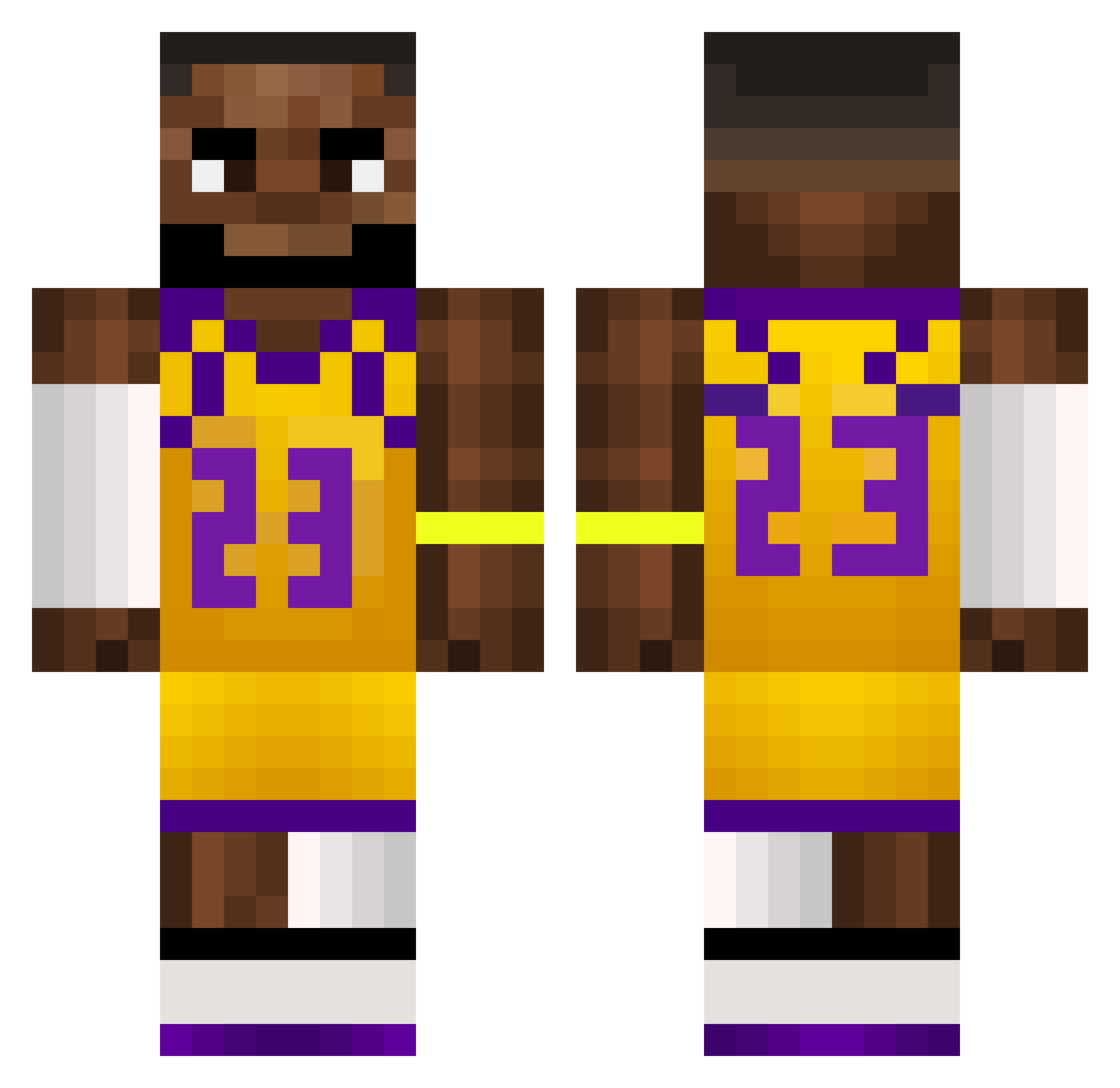
Current Minecraft skin of the player st3rsh1ps, loaded from the official Mojang API. Rotate the 3D model with your mouse or finger, then download the skin as a PNG file and use it in Minecraft: Bedrock Edition or Java Edition for free. When st3rsh1ps changes their skin, this page updates automatically and the old skin stays in the history below.
Other players with this skin (510)
st3rsh1ps was the 84th player we have seen with this skin, first spotted on 06.08.2026. The same skin was seen on these players. Open a nickname to see their current skin and skin history.
 lucac7 NoChickenBurger Jayre FrProbst guode Sphoonie Calicobrother LeCocopops kjellrl 0siphon Nate_555 LeSchmeatJames Fire_AspectV minooo10 mlek_k muaah landennoodle Minty_Flow EmJeezy_12 Lz7x ohLori o9ver xX_switz_Xx Leagezs Frullaa jansie11111111 BrokeDamian slightly_stupid lucaplayer200 Komkrit007 Katjeskopf FleaSkee BrandonIsHungry yejunq Mateux100 SloMo9 Rethien AloneBurntPotato
 LeBronjamesglaze dogebro09 shinigamiTREY SaahilBoss20 Dobby48 albeertosoto7 jasajasajasa XiaoLingBinger mrdestroyurhouse Awkwardable
 Peelover136 xxMineG0d420xx UnlikeBeatle385 szOz12 Sousa94TV skittlez11 DannyEm Strubbed_ Themiclik MvTx10 bphaphon IAvaritia
More Lakers Minecraft skins
How to install the st3rsh1ps skin
- Press the Download button above to save the skin as a PNG file.
- Minecraft: Bedrock Edition (PE): open the Dressing Room from the main menu (or tap your character → Edit Character), go to Classic Skins → Owned, press the + (new skin) button, choose the downloaded PNG and pick the Classic (Steve) model. Works on PC and mobile; consoles cannot import custom skins.
- Minecraft: Java Edition: open the Minecraft Launcher, go to the Skins tab, click New Skin, load the PNG, pick the Classic (Steve) model and press Save & Use. You can also upload it at minecraft.net → Profile → Change Skin.
The skin does not show up after import - what should I do?
Restart Minecraft and open the Dressing Room again - imported skins sometimes appear only after a restart. Also make sure you selected the imported skin and picked the Classic (Steve) model.
Which model should I choose, Classic or Slim?
This skin is designed for the Classic (Steve) model. If you pick the wrong model, the arms of the skin will look stretched or squeezed.
Is the skin of st3rsh1ps free to download?
Yes. Press Download, save the PNG file and use it in Minecraft: Bedrock Edition or Java Edition - no payment or registration needed. The skin also works on multiplayer servers and Realms.
More skins
Looking for more? Go back to all Minecraft skins and check the top skins of the week, month and all time, or find any player's skin by nickname.