
srosro77 - Minecraft Skins & Skin History
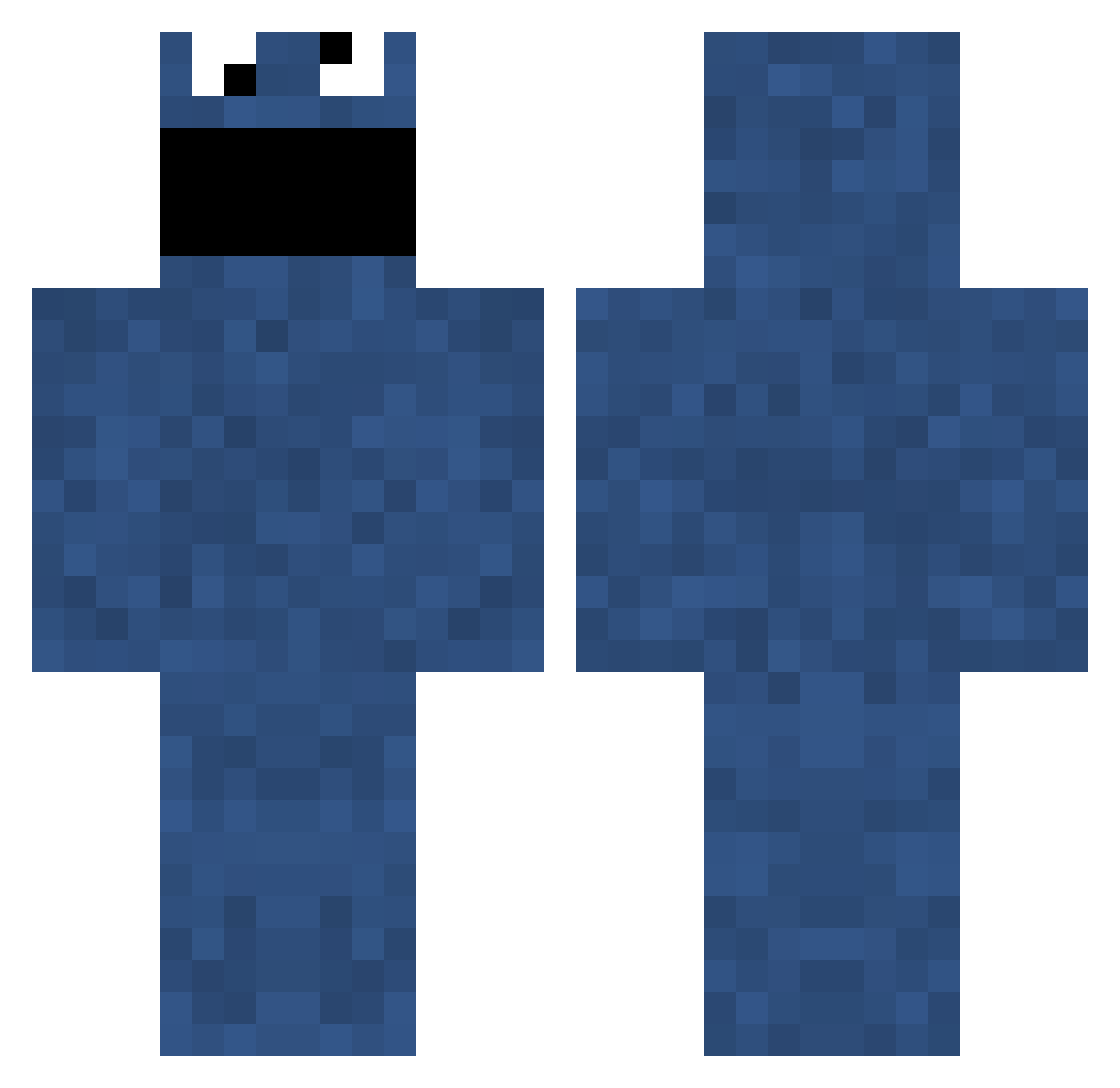
Current Minecraft skin of the player srosro77, loaded from the official Mojang API. Rotate the 3D model with your mouse or finger, then download the skin as a PNG file and use it in Minecraft: Bedrock Edition or Java Edition for free. When srosro77 changes their skin, this page updates automatically and the old skin stays in the history below.
Other players with this skin (705)
srosro77 was the 97th player we have seen with this skin, first spotted on 06.08.2026. The same skin was seen on these players. Open a nickname to see their current skin and skin history.
 Jawasus Koek98 SirOffroad HonkH Circe88 g0t pexi93 MrPoopDeck skrzypek08 fifibro kruuumelmoonster Laensman SirMithra MineyShiney Fischmaster3000 ijsbeerzye Kriskrans redcomet43 ShotzPlayzMC ADTSNS lyonsk Schaeffkoch starlitmodel5406 GrahamKracker Enix_Magnet 2LeftHands Scith175 jpcc drowsybutcher Akno2205 RehabTheBeast lawol InfinityPenis ConnorTodhunter mummy44345 jammypatty Dat_Kruemel Flousy stealthygreener SNiiPERoR3COiiL FreddyM79 Bazeman cameron_1029 Maher13 DavidXXXD stryk3r718 kianhennessy Craftulan cyris1987 Emosabe ATTACKMYCRACK Fenyxu diamonds303 _Guero_ Realmy gulosus fortic AssassinNL aQInstinctz Kartoffelo
More Cookie Monster Minecraft skins
See all 241 Cookie Monster skins
How to install the srosro77 skin
- Press the Download button above to save the skin as a PNG file.
- Minecraft: Bedrock Edition (PE): open the Dressing Room from the main menu (or tap your character → Edit Character), go to Classic Skins → Owned, press the + (new skin) button, choose the downloaded PNG and pick the Classic (Steve) model. Works on PC and mobile; consoles cannot import custom skins.
- Minecraft: Java Edition: open the Minecraft Launcher, go to the Skins tab, click New Skin, load the PNG, pick the Classic (Steve) model and press Save & Use. You can also upload it at minecraft.net → Profile → Change Skin.
The skin does not show up after import - what should I do?
Restart Minecraft and open the Dressing Room again - imported skins sometimes appear only after a restart. Also make sure you selected the imported skin and picked the Classic (Steve) model.
Which model should I choose, Classic or Slim?
This skin is designed for the Classic (Steve) model. If you pick the wrong model, the arms of the skin will look stretched or squeezed.
Is the skin of srosro77 free to download?
Yes. Press Download, save the PNG file and use it in Minecraft: Bedrock Edition or Java Edition - no payment or registration needed. The skin also works on multiplayer servers and Realms.
More skins
Looking for more? Go back to all Minecraft skins and check the top skins of the week, month and all time, or find any player's skin by nickname.