
squiddbunny - Minecraft Skins & Skin History
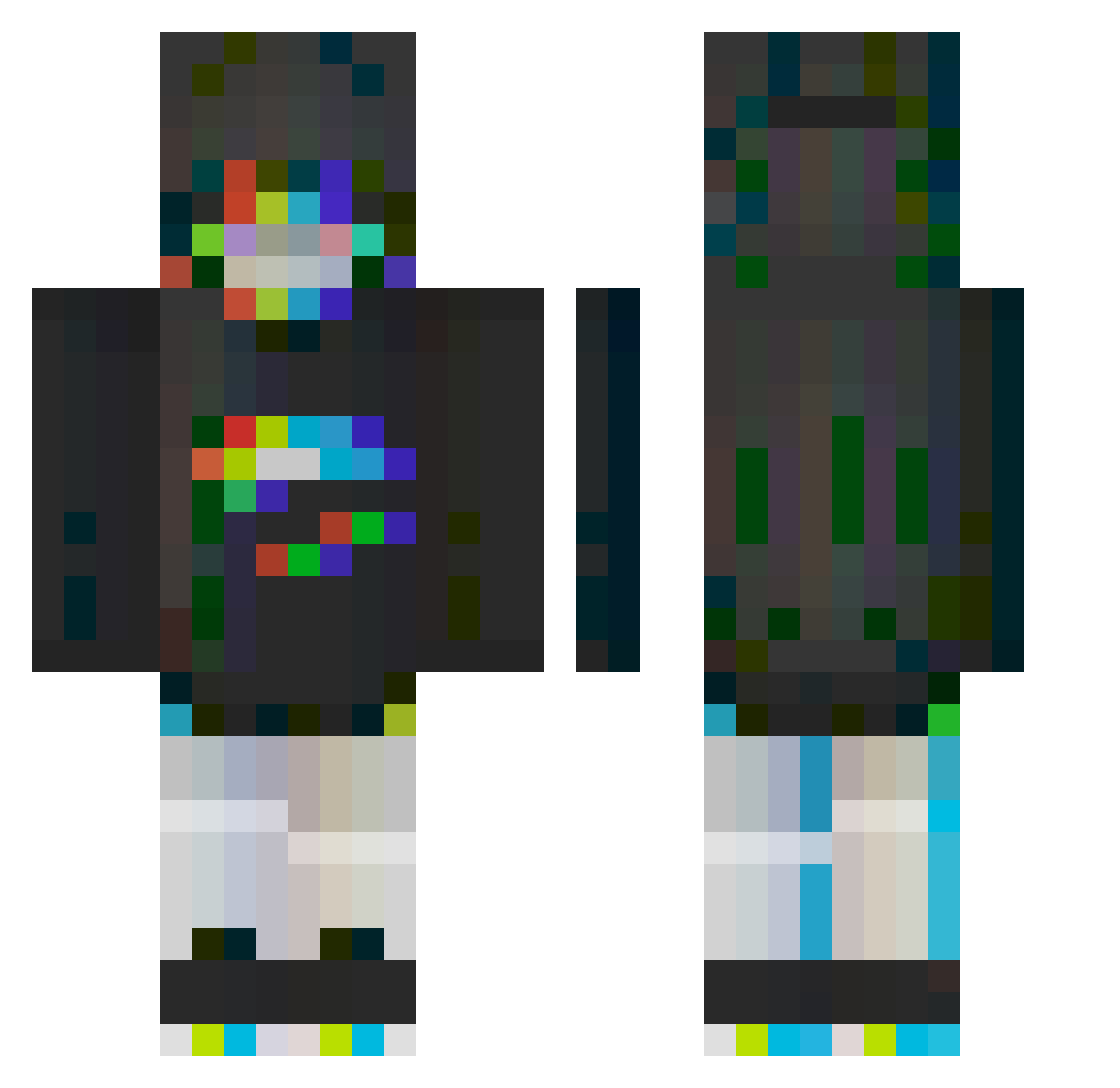
Current Minecraft skin of the player squiddbunny, loaded from the official Mojang API. Rotate the 3D model with your mouse or finger, then download the skin as a PNG file and use it in Minecraft: Bedrock Edition or Java Edition for free. When squiddbunny changes their skin, this page updates automatically and the old skin stays in the history below.
Other players with this skin (298)
squiddbunny was the 270th player we have seen with this skin, first spotted on 30.10.2026. The same skin was seen on these players. Open a nickname to see their current skin and skin history.
 bts_fan69 TUGH47 emalloV3 PrRnik0 Albethorn Miiiii00001 Anuraaaa Zuzuta_ arzenplays ip666 Bonbonraven Omelal ChuKyo CYRukaT AoIic MunchieRunner00 sll_do Souta3070 Eris141 Jacsha ShareDoo Zavagez xenonthexenon Nomisderdritte x_Kenopsia_x Ania0000 Ararii Queeniax kiywii f1nnese YSLClipz Maxoftr Nongmin1201 Babcia_74 Tiarology SadSword Kizzarl FanQieDY KillerSpace2726 MLKYzzz Nirellja Z_eroOne d_mor Just_KarlaV AyeeItsSpeedy ykyle abbykat132 FjodorR ChuChuEri ruoved Tombo187 WdeWilly Kkhon AngeliqueDreamer colombo1 Seokjin_02 alyssaaa MDD_ Yomawaru PineappleLyds305
More Glitch Minecraft skins
How to install the squiddbunny skin
- Press the Download button above to save the skin as a PNG file.
- Minecraft: Bedrock Edition (PE): open the Dressing Room from the main menu (or tap your character → Edit Character), go to Classic Skins → Owned, press the + (new skin) button, choose the downloaded PNG and pick the Classic (Steve) model. Works on PC and mobile; consoles cannot import custom skins.
- Minecraft: Java Edition: open the Minecraft Launcher, go to the Skins tab, click New Skin, load the PNG, pick the Classic (Steve) model and press Save & Use. You can also upload it at minecraft.net → Profile → Change Skin.
The skin does not show up after import - what should I do?
Restart Minecraft and open the Dressing Room again - imported skins sometimes appear only after a restart. Also make sure you selected the imported skin and picked the Classic (Steve) model.
Which model should I choose, Classic or Slim?
This skin is designed for the Classic (Steve) model. If you pick the wrong model, the arms of the skin will look stretched or squeezed.
Is the skin of squiddbunny free to download?
Yes. Press Download, save the PNG file and use it in Minecraft: Bedrock Edition or Java Edition - no payment or registration needed. The skin also works on multiplayer servers and Realms.
More skins
Looking for more? Go back to all Minecraft skins and check the top skins of the week, month and all time, or find any player's skin by nickname.