
spEEdBasEdRoleX - Minecraft Skins & Skin History
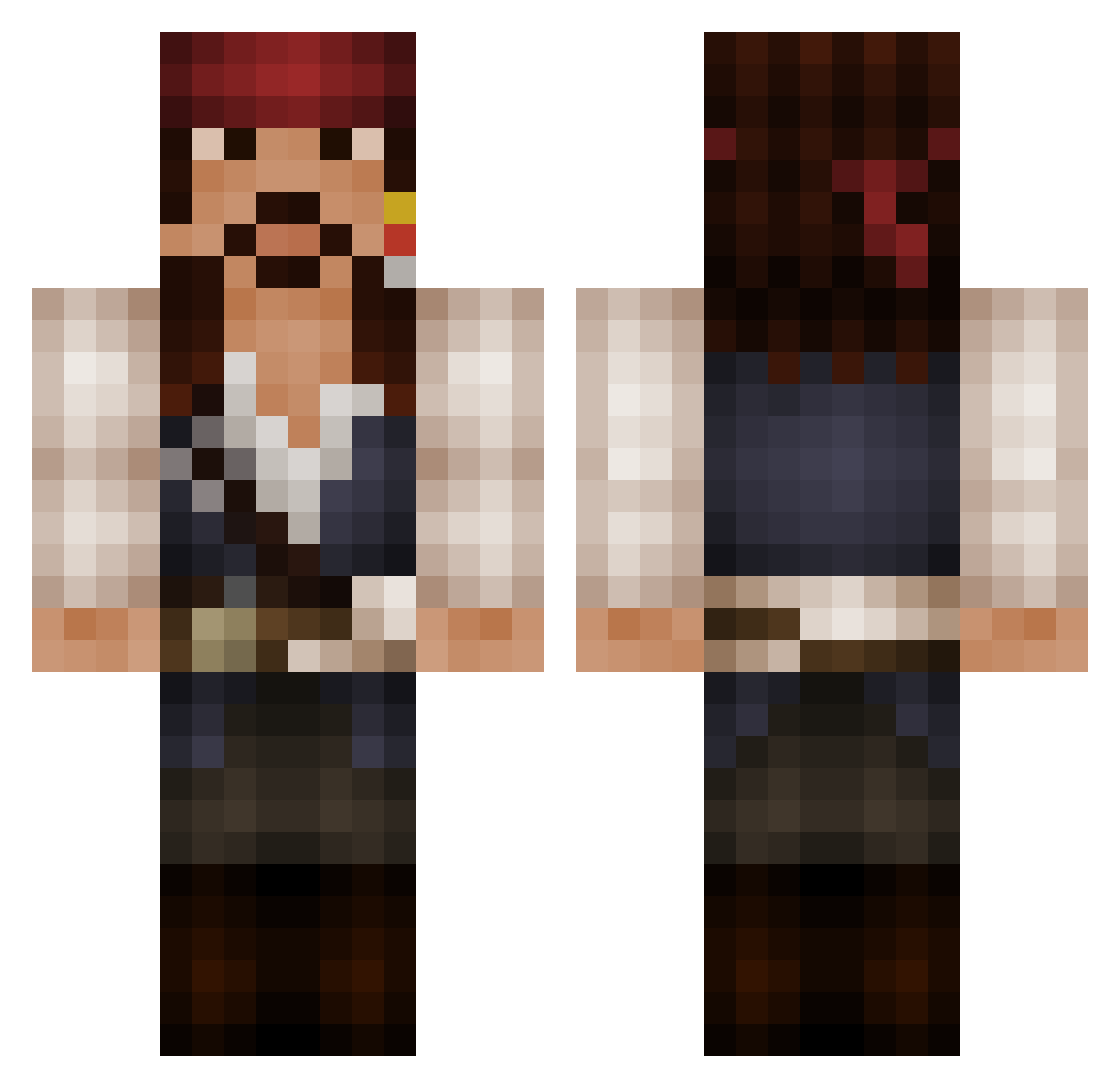
Current Minecraft skin of the player spEEdBasEdRoleX, loaded from the official Mojang API. Rotate the 3D model with your mouse or finger, then download the skin as a PNG file and use it in Minecraft: Bedrock Edition or Java Edition for free. When spEEdBasEdRoleX changes their skin, this page updates automatically and the old skin stays in the history below.
Other players with this skin (137)
spEEdBasEdRoleX was the 49th player we have seen with this skin, first spotted on 27.08.2026. The same skin was seen on these players. Open a nickname to see their current skin and skin history.
 hayleejo5265 Tenarious fartsniffer54 Kharajo JackSparrOWO Nekvi16 hockeybeast1717 Arya95 storm1141 Robusta_5 Mendough eyalouch AutobotsDox1337 DarrenOnyx Sharpie92 MiskInception dohngreen WabbaFlagga JuiceboxPilot Budnolf98 ldfrede Budgiebum StarcraftADP bagera_804 Adjerry91 madmaxDE CPT106 TabbyTora OG_Gandalf FockenBeef vChipotle JackSparrowRum Ziven3301 Joe_the_jojo_Cat Higster lizcsky001 _J_o_s_h_ ArtikWorld RevolverX Krayon2 joaopedrofg7 TenebrisAvem Alexandros444 GayLittlePixie Feno93 FiredUPs sadiebobadie1737 lyritan bblakes117 SzymonKruk EdgyAllanPoe starsmartin Pachomgc SquiggilyDo edy829_ Tulkas616 MendelD jeronimo93 Mr_G4F Tricked14
More Jack Sparrow Minecraft skins
See all 108 Jack Sparrow skins
How to install the spEEdBasEdRoleX skin
- Press the Download button above to save the skin as a PNG file.
- Minecraft: Bedrock Edition (PE): open the Dressing Room from the main menu (or tap your character → Edit Character), go to Classic Skins → Owned, press the + (new skin) button, choose the downloaded PNG and pick the Classic (Steve) model. Works on PC and mobile; consoles cannot import custom skins.
- Minecraft: Java Edition: open the Minecraft Launcher, go to the Skins tab, click New Skin, load the PNG, pick the Classic (Steve) model and press Save & Use. You can also upload it at minecraft.net → Profile → Change Skin.
The skin does not show up after import - what should I do?
Restart Minecraft and open the Dressing Room again - imported skins sometimes appear only after a restart. Also make sure you selected the imported skin and picked the Classic (Steve) model.
Which model should I choose, Classic or Slim?
This skin is designed for the Classic (Steve) model. If you pick the wrong model, the arms of the skin will look stretched or squeezed.
Is the skin of spEEdBasEdRoleX free to download?
Yes. Press Download, save the PNG file and use it in Minecraft: Bedrock Edition or Java Edition - no payment or registration needed. The skin also works on multiplayer servers and Realms.
More skins
Looking for more? Go back to all Minecraft skins and check the top skins of the week, month and all time, or find any player's skin by nickname.