
sowoju - Minecraft Skins & Skin History
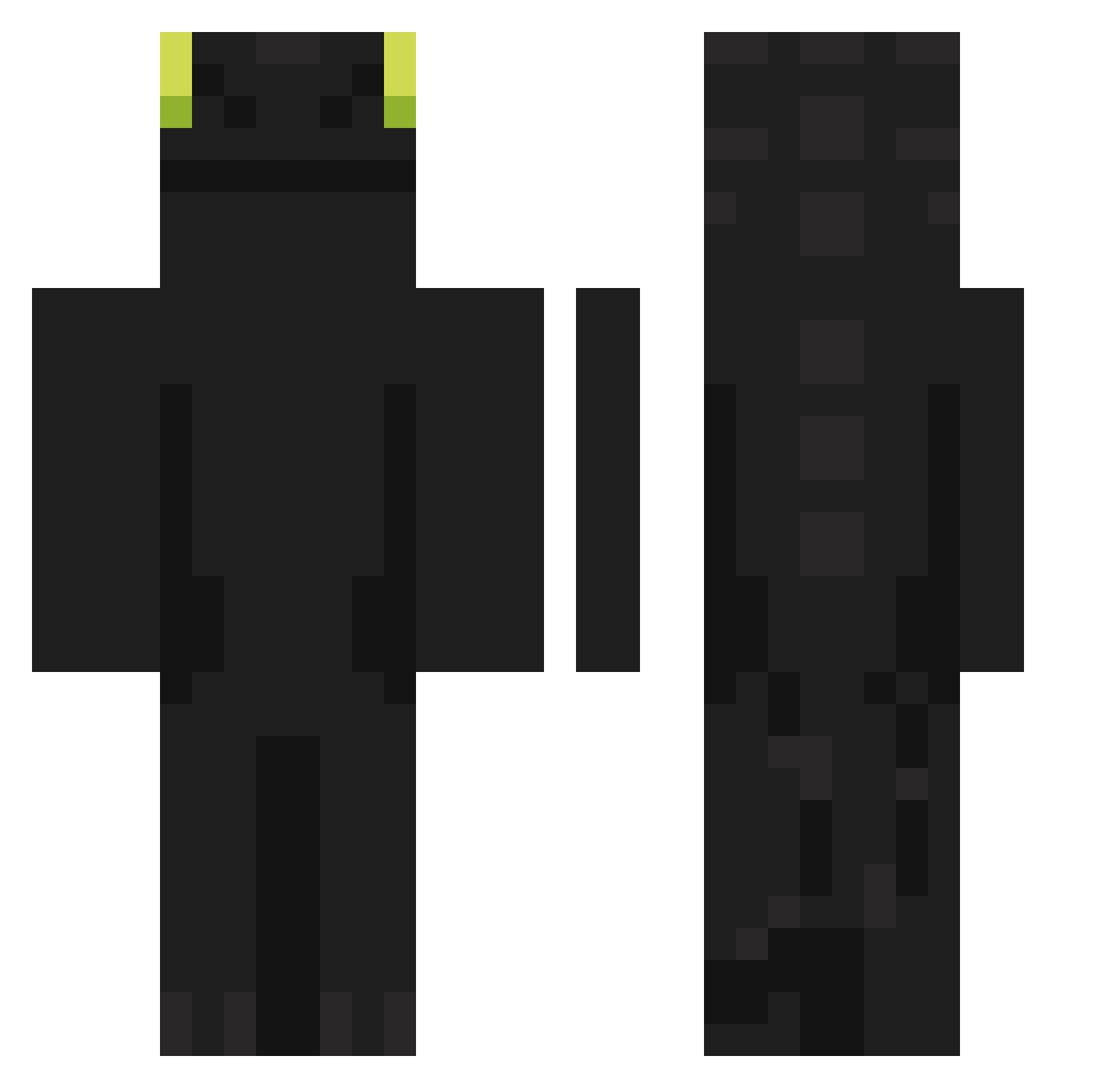
Current Minecraft skin of the player sowoju, loaded from the official Mojang API. Rotate the 3D model with your mouse or finger, then download the skin as a PNG file and use it in Minecraft: Bedrock Edition or Java Edition for free. When sowoju changes their skin, this page updates automatically and the old skin stays in the history below.
Other players with this skin (902)
sowoju was the 331st player we have seen with this skin, first spotted on 02.09.2026. The same skin was seen on these players. Open a nickname to see their current skin and skin history.
 palapolo OhioBosss willhero Ozaddict PeruGalinho szamponXD ROMAVER10 Ksarinaa_ Struthiomimusus Flejmi pisxdazie Pelmonfer Chopters Gamtyu Xiaol0920 bobander420 Enex222 Seo0206 BowlRice2002 Passerby0710 chltkdwns KeckerPecker Hoodie__Leo Della4682 vbuggy53 kimkyengwon TotembyTinkus jhonier23GAR Petushokk Trikeko88 AnbuAkane kuchii123 Dill_y
 Casmella SOUZ4xx Zephyess Eiwald PEPIIY dla6583 merqwm joe10801 NoderCH pannocchiarguta BiiGGz negitama911 Mereset LordDiogo10 Stanch848 PUPPYO_ Happywarning123 siverlion16 Larsen356 zortex262 Rag_naros FlyFish227 Raiderprime xXxchanoxXx SniperBoleto MicroCille Lasses_mineworld
More Night Fury Minecraft skins
How to install the sowoju skin
- Press the Download button above to save the skin as a PNG file.
- Minecraft: Bedrock Edition (PE): open the Dressing Room from the main menu (or tap your character → Edit Character), go to Classic Skins → Owned, press the + (new skin) button, choose the downloaded PNG and pick the Classic (Steve) model. Works on PC and mobile; consoles cannot import custom skins.
- Minecraft: Java Edition: open the Minecraft Launcher, go to the Skins tab, click New Skin, load the PNG, pick the Classic (Steve) model and press Save & Use. You can also upload it at minecraft.net → Profile → Change Skin.
The skin does not show up after import - what should I do?
Restart Minecraft and open the Dressing Room again - imported skins sometimes appear only after a restart. Also make sure you selected the imported skin and picked the Classic (Steve) model.
Which model should I choose, Classic or Slim?
This skin is designed for the Classic (Steve) model. If you pick the wrong model, the arms of the skin will look stretched or squeezed.
Is the skin of sowoju free to download?
Yes. Press Download, save the PNG file and use it in Minecraft: Bedrock Edition or Java Edition - no payment or registration needed. The skin also works on multiplayer servers and Realms.
More skins
Looking for more? Go back to all Minecraft skins and check the top skins of the week, month and all time, or find any player's skin by nickname.