
sorrer922 - Minecraft Skins & Skin History
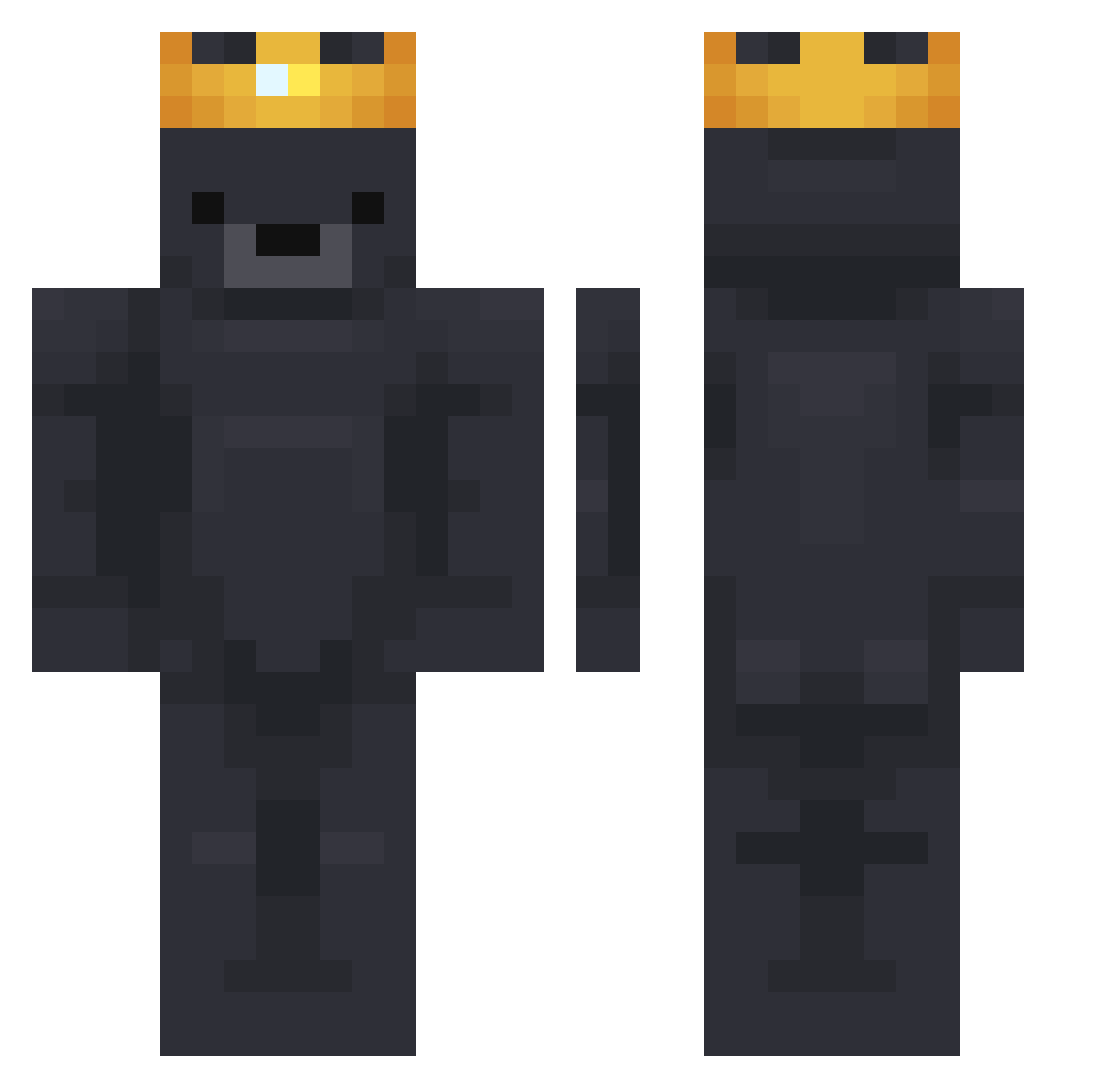
Current Minecraft skin of the player sorrer922, loaded from the official Mojang API. Rotate the 3D model with your mouse or finger, then download the skin as a PNG file and use it in Minecraft: Bedrock Edition or Java Edition for free. When sorrer922 changes their skin, this page updates automatically and the old skin stays in the history below.
Other players with this skin (751)
sorrer922 was the 281st player we have seen with this skin, first spotted on 04.09.2026. The same skin was seen on these players. Open a nickname to see their current skin and skin history.
 Ghost_wh1026 Wirelia MITE4 CyzorYT GodWar807051 TABZdrumhazard ScqttO Beebokn civix_ paybackap Bull99xx 20CM75KG201IQ Smedsrud tspr12 Rennsemmerle ButterBrainBear insung_choi CrimpyToe1 777Napo Lemooner BatuhanSeyr meteozm johnnygamer321 idosabag28 BerrySnow Panzertaube12 zakgames30 sui_haruhi CainZZZZ Fitubito doyoon1209 _Fluencie_ LONELY_KOALA BigManBonjo Maximilian8792 jinhocho17 x2guero elvar2006 Schema84 poipot 720915 hooniz Liamexe__ YorickSon Velricon futralistic Imprintings Reavr__ M4rt3578 Leaxy01 Grisule TestableWeb1795 4reaBTW ScottyTissues1 FillerIsBack wperg NightFuriousPvP joyride12 SuperSickLP_YT AndersonBuzz98
More Crown Minecraft skins
How to install the sorrer922 skin
- Press the Download button above to save the skin as a PNG file.
- Minecraft: Bedrock Edition (PE): open the Dressing Room from the main menu (or tap your character → Edit Character), go to Classic Skins → Owned, press the + (new skin) button, choose the downloaded PNG and pick the Classic (Steve) model. Works on PC and mobile; consoles cannot import custom skins.
- Minecraft: Java Edition: open the Minecraft Launcher, go to the Skins tab, click New Skin, load the PNG, pick the Classic (Steve) model and press Save & Use. You can also upload it at minecraft.net → Profile → Change Skin.
The skin does not show up after import - what should I do?
Restart Minecraft and open the Dressing Room again - imported skins sometimes appear only after a restart. Also make sure you selected the imported skin and picked the Classic (Steve) model.
Which model should I choose, Classic or Slim?
This skin is designed for the Classic (Steve) model. If you pick the wrong model, the arms of the skin will look stretched or squeezed.
Is the skin of sorrer922 free to download?
Yes. Press Download, save the PNG file and use it in Minecraft: Bedrock Edition or Java Edition - no payment or registration needed. The skin also works on multiplayer servers and Realms.
More skins
Looking for more? Go back to all Minecraft skins and check the top skins of the week, month and all time, or find any player's skin by nickname.