
smosh360 - Minecraft Skins & Skin History
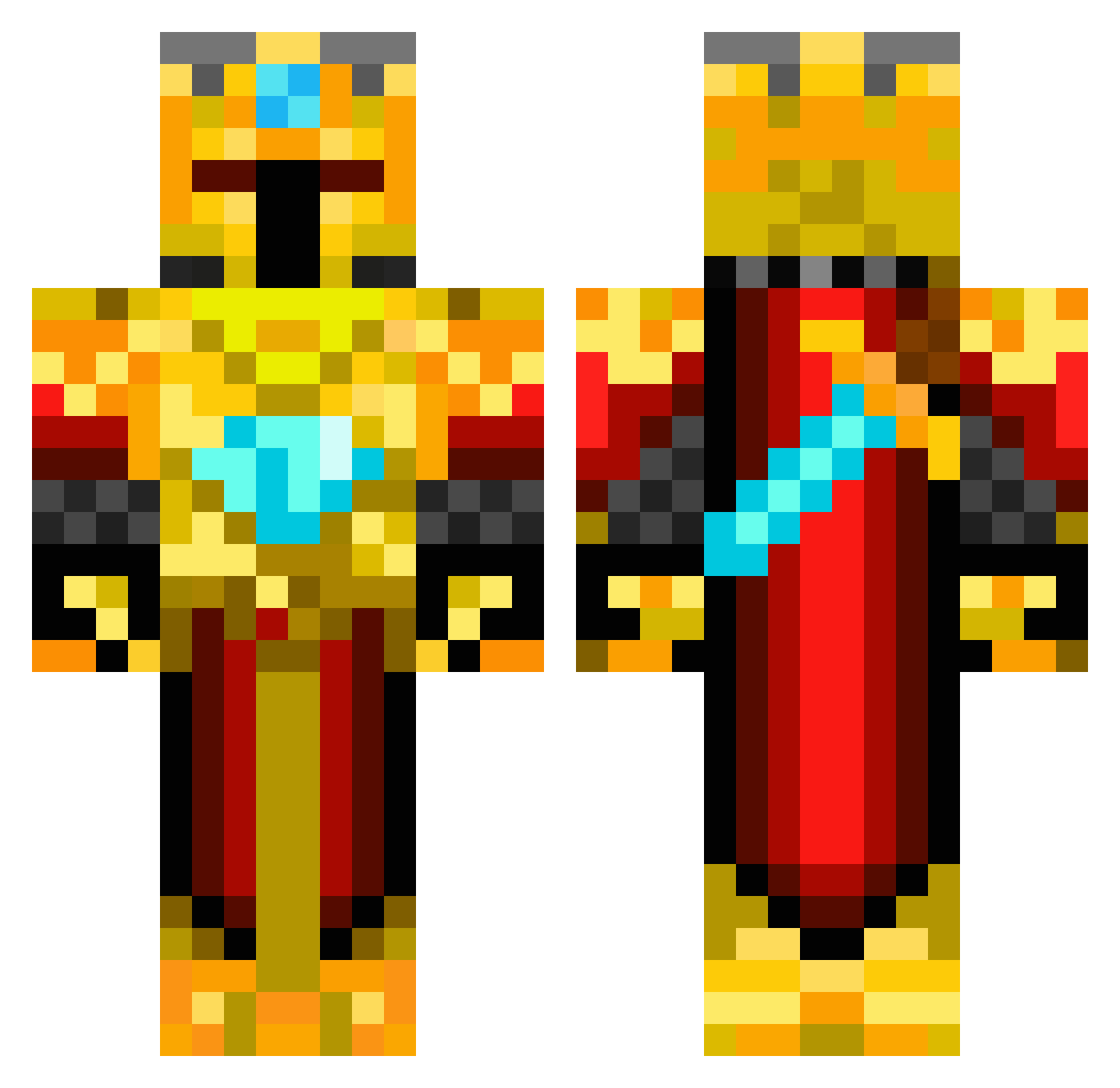
Current Minecraft skin of the player smosh360, loaded from the official Mojang API. Rotate the 3D model with your mouse or finger, then download the skin as a PNG file and use it in Minecraft: Bedrock Edition or Java Edition for free. When smosh360 changes their skin, this page updates automatically and the old skin stays in the history below.
Other players with this skin (168)
smosh360 was the 129th player we have seen with this skin, first spotted on 30.09.2026. The same skin was seen on these players. Open a nickname to see their current skin and skin history.
 apple754 dcbmommy KnightGold3 Cirawyr xGoldenGamerx wariocrazy Imaza creatorandrew elabarto1 Durpalurp monstaXxKillaxx UltraViolet_Rain ALaclair KristofferKusk Krieger1789 Elefant_m bobjo8 wolfin312 Warwizard888 Minimazu3 yomama2424 ChickenBuddy MilchAxt ninja15105 brute_Craft Simone_69 _TheSavageOne_ hellstrom94 JustShady Moizzzz dalek_crusher ledcrafter skandiMC Abinayan tommytueur CandyPayment 34wands72 CoEags chandler_99 zmajrelja DowntownB5 district117 fanman1000 Ferdinand97 magnussa1234 Machlath hitzsu005 GoldenKnite BobMaN2211 FabbennC3 ryannap2001 KidFrag TemiTife LachieSB AdamasDominus fisboy N00b_Gamer kjempe_raa MrSnakeNo18 MrMabus
More Golden Armor Minecraft skins
See all 170 Golden Armor skins
How to install the smosh360 skin
- Press the Download button above to save the skin as a PNG file.
- Minecraft: Bedrock Edition (PE): open the Dressing Room from the main menu (or tap your character → Edit Character), go to Classic Skins → Owned, press the + (new skin) button, choose the downloaded PNG and pick the Classic (Steve) model. Works on PC and mobile; consoles cannot import custom skins.
- Minecraft: Java Edition: open the Minecraft Launcher, go to the Skins tab, click New Skin, load the PNG, pick the Classic (Steve) model and press Save & Use. You can also upload it at minecraft.net → Profile → Change Skin.
The skin does not show up after import - what should I do?
Restart Minecraft and open the Dressing Room again - imported skins sometimes appear only after a restart. Also make sure you selected the imported skin and picked the Classic (Steve) model.
Which model should I choose, Classic or Slim?
This skin is designed for the Classic (Steve) model. If you pick the wrong model, the arms of the skin will look stretched or squeezed.
Is the skin of smosh360 free to download?
Yes. Press Download, save the PNG file and use it in Minecraft: Bedrock Edition or Java Edition - no payment or registration needed. The skin also works on multiplayer servers and Realms.
More skins
Looking for more? Go back to all Minecraft skins and check the top skins of the week, month and all time, or find any player's skin by nickname.