
sleepyduckie - Minecraft Skins & Skin History
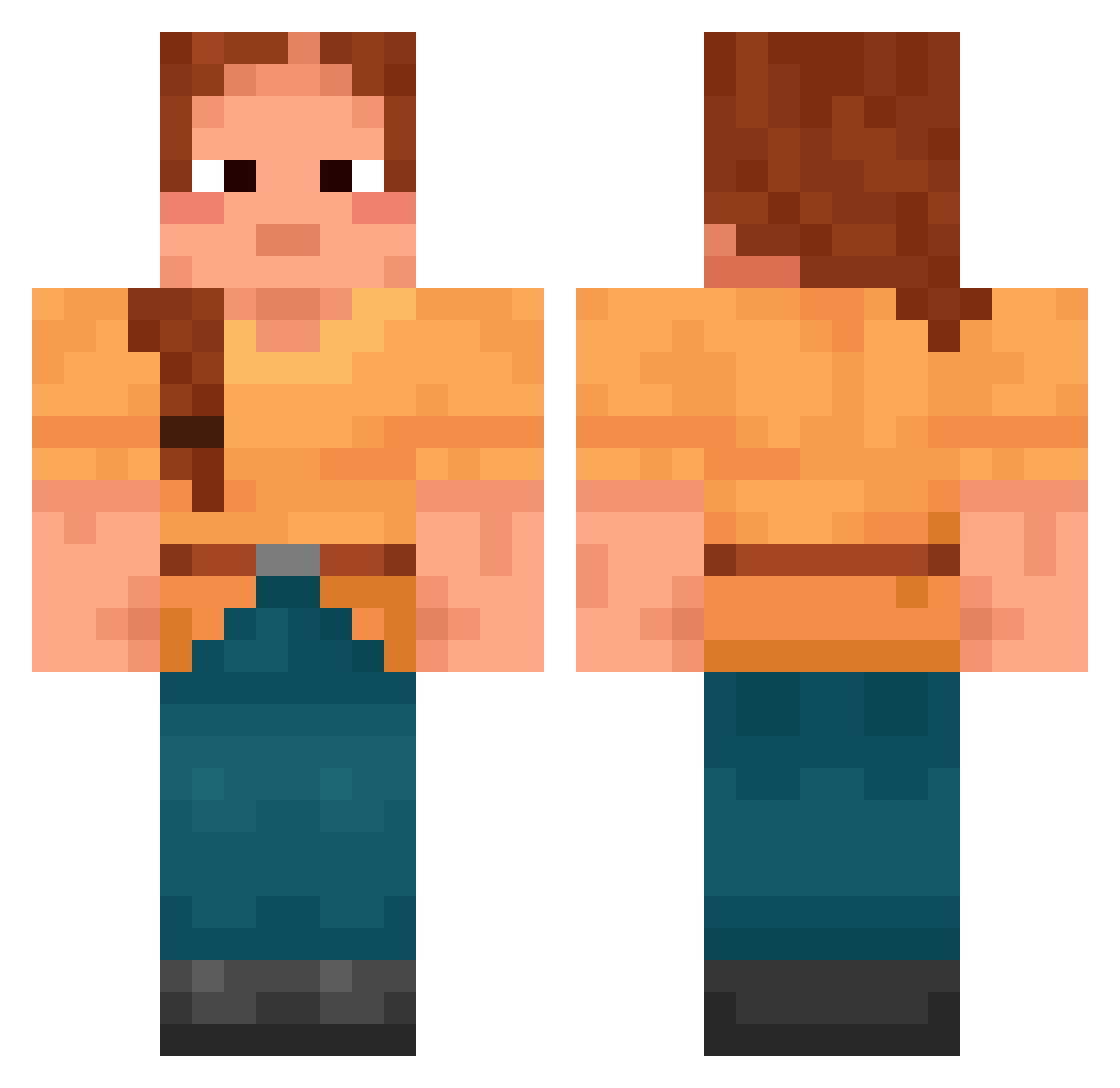
Current Minecraft skin of the player sleepyduckie, loaded from the official Mojang API. Rotate the 3D model with your mouse or finger, then download the skin as a PNG file and use it in Minecraft: Bedrock Edition or Java Edition for free. When sleepyduckie changes their skin, this page updates automatically and the old skin stays in the history below.
Other players with this skin (1694)
sleepyduckie was the 1155th player we have seen with this skin, first spotted on 06.10.2026. The same skin was seen on these players. Open a nickname to see their current skin and skin history.
 microlith MrCrayfishDev Maluapabossku Crooss_ Scrapy salvational Ballertw7 Weendigo Ulemas Hassling RyzeCrixs Laurius BrotherEd sogdh BosSTurk badplayer970 GrandTartempion sentinotatuazyk nomisita Watermark NlcoIas FlayTC Bigfootbr ohLaneX Ragnarosky Bualoi Stoff josefagn yannnnnnn06 Peaty wames Fieriest Meritocrat Naikceh Distincter healthy_harold5 zolo64 FoxGray Serenades Minat0202 alexandrazag_ Pazula libo2006 Glints prednisolone Foreleg worldofbrice Kiko_Fra_Europa Ritzenschlitzer sludge75 Hxnnxs_ Dismember AstarP Allergen Chocotorta__ FoidSlayerr Lurvehette Vacillated dvoraq EzEvbBy4xk
More Cottagecore Minecraft skins
See all 6446 Cottagecore skins
How to install the sleepyduckie skin
- Press the Download button above to save the skin as a PNG file.
- Minecraft: Bedrock Edition (PE): open the Dressing Room from the main menu (or tap your character → Edit Character), go to Classic Skins → Owned, press the + (new skin) button, choose the downloaded PNG and pick the Classic (Steve) model. Works on PC and mobile; consoles cannot import custom skins.
- Minecraft: Java Edition: open the Minecraft Launcher, go to the Skins tab, click New Skin, load the PNG, pick the Classic (Steve) model and press Save & Use. You can also upload it at minecraft.net → Profile → Change Skin.
The skin does not show up after import - what should I do?
Restart Minecraft and open the Dressing Room again - imported skins sometimes appear only after a restart. Also make sure you selected the imported skin and picked the Classic (Steve) model.
Which model should I choose, Classic or Slim?
This skin is designed for the Classic (Steve) model. If you pick the wrong model, the arms of the skin will look stretched or squeezed.
Is the skin of sleepyduckie free to download?
Yes. Press Download, save the PNG file and use it in Minecraft: Bedrock Edition or Java Edition - no payment or registration needed. The skin also works on multiplayer servers and Realms.
More skins
Looking for more? Go back to all Minecraft skins and check the top skins of the week, month and all time, or find any player's skin by nickname.