
skyaflake - Minecraft Skins & Skin History
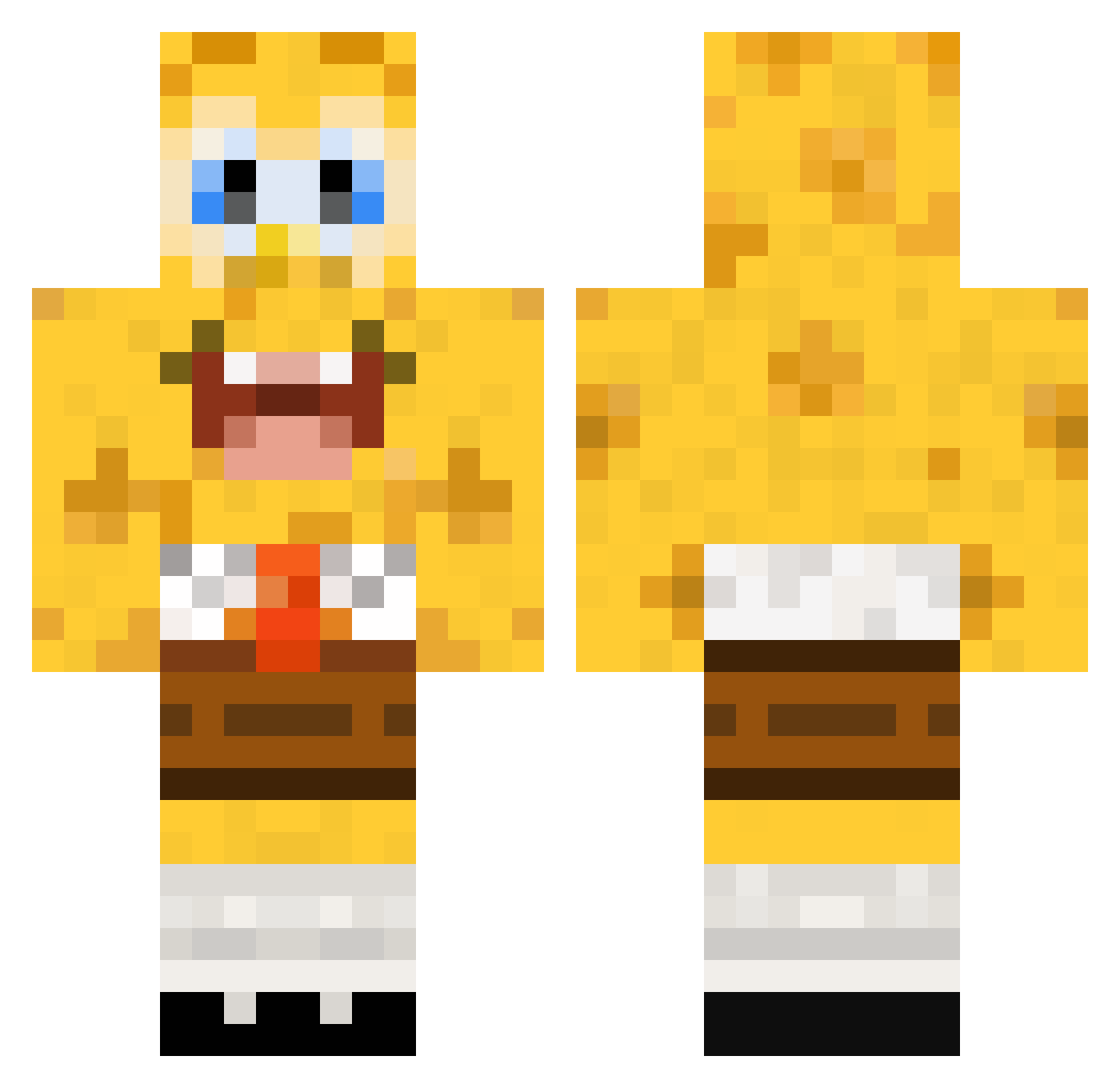
Current Minecraft skin of the player skyaflake, loaded from the official Mojang API. Rotate the 3D model with your mouse or finger, then download the skin as a PNG file and use it in Minecraft: Bedrock Edition or Java Edition for free. When skyaflake changes their skin, this page updates automatically and the old skin stays in the history below.
Other players with this skin (448)
skyaflake was the 303rd player we have seen with this skin, first spotted on 04.10.2026. The same skin was seen on these players. Open a nickname to see their current skin and skin history.
 StudMuffin08 lewys3gg ThorStocker Koeky101 Evertpizza pootho10 mindfig andreaslindeboom Kobatzz dominick111 13nisser Johnafca Team008 supermoax TudiMonster SarahFee18 Gigigirl1219 NewTomares Sylvannoel SoulAura_7 sanity3 MosterKiller02 diskov mega_coole NoahBaker4 Dabbertron5000 jojof22 TurnD Snyggingen340 FREE_WILLIE69 potsimo MajorManuel iMatttttt MaikyLie ArozHD beastymuma Jornangund A_Bowling_Boss khoulle Marcous8 Bloodslicer86 dawnzilla dsmashxx Hate95 bbking38 04Lime seriousno1 Palahero kevin12kevin12 madthijs SoloCommentator PwnyMcPwnerson minecraft0511 Mash_peculier EodMcCloud Loeffelchn Vendetta8838 rstendalen austin5000 MrGriffinHD
More Cartoon Minecraft skins
How to install the skyaflake skin
- Press the Download button above to save the skin as a PNG file.
- Minecraft: Bedrock Edition (PE): open the Dressing Room from the main menu (or tap your character → Edit Character), go to Classic Skins → Owned, press the + (new skin) button, choose the downloaded PNG and pick the Classic (Steve) model. Works on PC and mobile; consoles cannot import custom skins.
- Minecraft: Java Edition: open the Minecraft Launcher, go to the Skins tab, click New Skin, load the PNG, pick the Classic (Steve) model and press Save & Use. You can also upload it at minecraft.net → Profile → Change Skin.
The skin does not show up after import - what should I do?
Restart Minecraft and open the Dressing Room again - imported skins sometimes appear only after a restart. Also make sure you selected the imported skin and picked the Classic (Steve) model.
Which model should I choose, Classic or Slim?
This skin is designed for the Classic (Steve) model. If you pick the wrong model, the arms of the skin will look stretched or squeezed.
Is the skin of skyaflake free to download?
Yes. Press Download, save the PNG file and use it in Minecraft: Bedrock Edition or Java Edition - no payment or registration needed. The skin also works on multiplayer servers and Realms.
More skins
Looking for more? Go back to all Minecraft skins and check the top skins of the week, month and all time, or find any player's skin by nickname.