
skeyegk - Minecraft Skins & Skin History
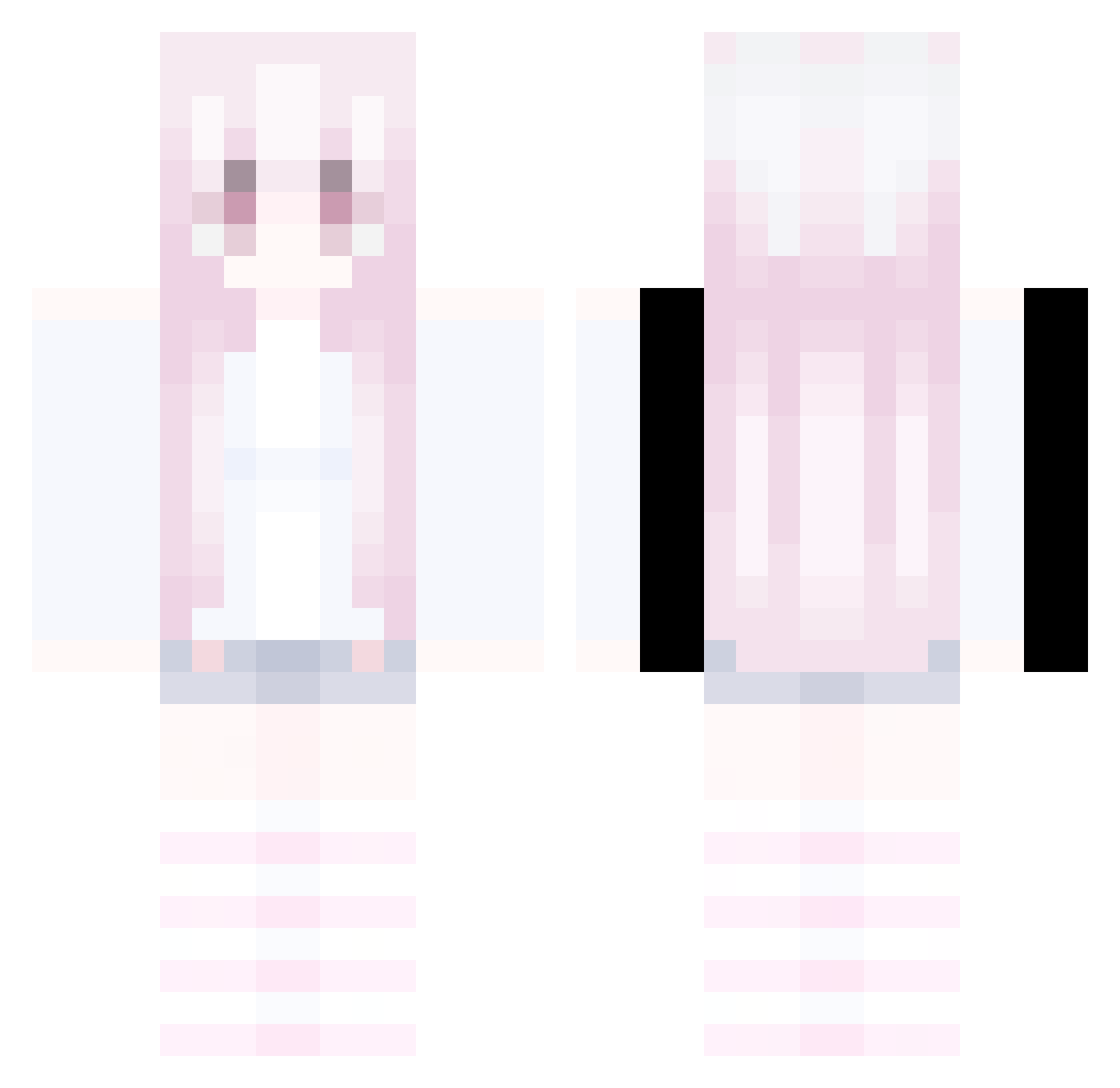
Current Minecraft skin of the player skeyegk, loaded from the official Mojang API. Rotate the 3D model with your mouse or finger, then download the skin as a PNG file and use it in Minecraft: Bedrock Edition or Java Edition for free. When skeyegk changes their skin, this page updates automatically and the old skin stays in the history below.
Other players with this skin (332)
skeyegk was the 77th player we have seen with this skin, first spotted on 18.08.2026. The same skin was seen on these players. Open a nickname to see their current skin and skin history.
 Qingjue666 PASIRt672caa8o5l LVdlBK0707 Sv2Lynx8x0 hesitat1on
 LEdge4z6UwU hujium LinhVoidzqaUwU LinhIcedymUwU LinhBoltpltUwU Zhi_TW ScienceF1ction Skycron_qSSSl_04 AltVerse_zaa_AV etsuispengu Sv2_Dark_hzl AltVerse_619_AV EmilkaKitty LinhEdget08UwU LinhPeakessUwU LinhEDIbp0103 LinhxELkB1215 kevstheworld ow_suspicious051 AltVerse_rcr_AV Bep3Waka rainbebs PASIRvuy6apasdg1 Snowyyyzz_ EVAN_GIN tilo___ kanae13579 Pommes_100 frknxww Sv2Blaze8u9 pulseboyswag LinhGlowltbUwU Sv2Hawkf2m O_Chelo AltVerse_6dd_AV AltVerse_zie_AV beautifel LinhEdge5sbUwU LinhBlade1g9UwU LinhVale75dUwU Sv2Core9jq LgzxdQ0707 LinhUTRZV0103 Jing1314 alt_mog_KqrZN neededfar LEdgenmsUwU LinhKiQSZ0627 LinhJadezhkUwU LinhWolfzy6UwU deprewww JesterYTMC halol1212 SpeedyTill
 67drdonutt
More Pastel Minecraft skins
How to install the skeyegk skin
- Press the Download button above to save the skin as a PNG file.
- Minecraft: Bedrock Edition (PE): open the Dressing Room from the main menu (or tap your character → Edit Character), go to Classic Skins → Owned, press the + (new skin) button, choose the downloaded PNG and pick the Classic (Steve) model. Works on PC and mobile; consoles cannot import custom skins.
- Minecraft: Java Edition: open the Minecraft Launcher, go to the Skins tab, click New Skin, load the PNG, pick the Classic (Steve) model and press Save & Use. You can also upload it at minecraft.net → Profile → Change Skin.
The skin does not show up after import - what should I do?
Restart Minecraft and open the Dressing Room again - imported skins sometimes appear only after a restart. Also make sure you selected the imported skin and picked the Classic (Steve) model.
Which model should I choose, Classic or Slim?
This skin is designed for the Classic (Steve) model. If you pick the wrong model, the arms of the skin will look stretched or squeezed.
Is the skin of skeyegk free to download?
Yes. Press Download, save the PNG file and use it in Minecraft: Bedrock Edition or Java Edition - no payment or registration needed. The skin also works on multiplayer servers and Realms.
More skins
Looking for more? Go back to all Minecraft skins and check the top skins of the week, month and all time, or find any player's skin by nickname.