
size66 - Minecraft Skins & Skin History
Current Minecraft skin of the player size66, loaded from the official Mojang API. Rotate the 3D model with your mouse or finger, then download the skin as a PNG file and use it in Minecraft: Bedrock Edition or Java Edition for free. When size66 changes their skin, this page updates automatically and the old skin stays in the history below.
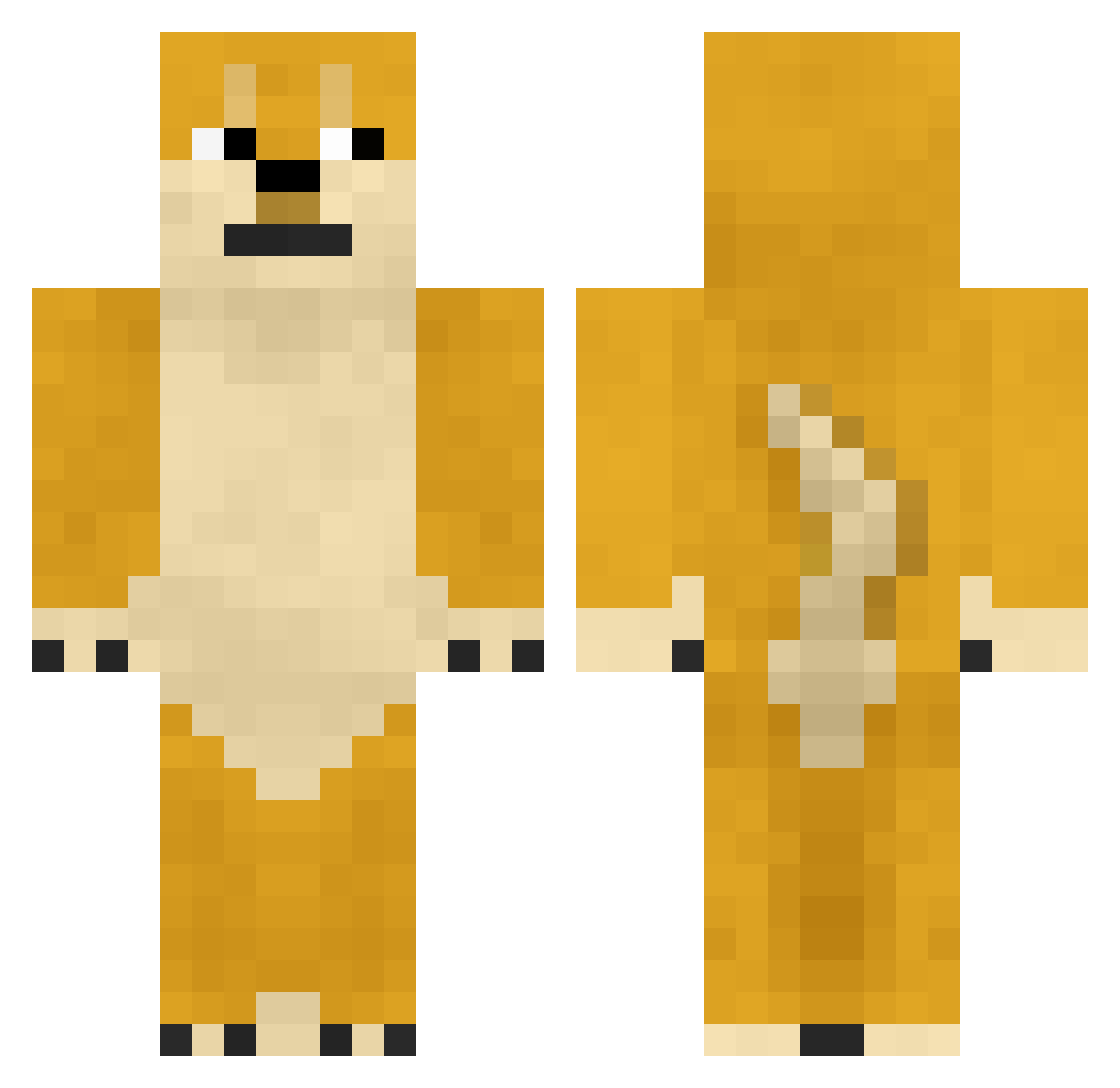
Other players with this skin (747)
size66 was the 325th player we have seen with this skin, first spotted on 12.09.2026. The same skin was seen on these players. Open a nickname to see their current skin and skin history.
 Kobo91 Baiyu_China DON728 Xu_Moon 4kimi L00mper gotnumb Obrecouse Wintercel Kor_Atlas DarkPuppys qihu TouchAccount twodoge Shishamo5353 maoheyu AanDL_PVP Bosonnnn mojang178 nika_rubber
 Sugar_258 OP114514 Agt_Mittwoch Linajoo bokki_min Ashy4n hkfly cyclopsz urmom0105 fufusann Hachitozz Neo9R Back_Seung_Jun Pipimimi secpolmsc crystalliss Ran_6530 OverYeAden YukinaHoshino Char2s Mey_hello NerakmICE OEmber Lemomo118 liannnnn jkhgQMQ hahajs0411 Spongetastic Lukaasje01 ChairDeBurlap AntDogOfficial Hy_DsXuan Mr_Krabs999 jkoguth PapaPirate nihao11122 sk7249 ajiao87 wjr22 coldog_
More Shiba Inu Minecraft skins
How to install the size66 skin
- Press the Download button above to save the skin as a PNG file.
- Minecraft: Bedrock Edition (PE): open the Dressing Room from the main menu (or tap your character → Edit Character), go to Classic Skins → Owned, press the + (new skin) button, choose the downloaded PNG and pick the Classic (Steve) model. Works on PC and mobile; consoles cannot import custom skins.
- Minecraft: Java Edition: open the Minecraft Launcher, go to the Skins tab, click New Skin, load the PNG, pick the Classic (Steve) model and press Save & Use. You can also upload it at minecraft.net → Profile → Change Skin.
The skin does not show up after import - what should I do?
Restart Minecraft and open the Dressing Room again - imported skins sometimes appear only after a restart. Also make sure you selected the imported skin and picked the Classic (Steve) model.
Which model should I choose, Classic or Slim?
This skin is designed for the Classic (Steve) model. If you pick the wrong model, the arms of the skin will look stretched or squeezed.
Is the skin of size66 free to download?
Yes. Press Download, save the PNG file and use it in Minecraft: Bedrock Edition or Java Edition - no payment or registration needed. The skin also works on multiplayer servers and Realms.
More skins
Looking for more? Go back to all Minecraft skins and check the top skins of the week, month and all time, or find any player's skin by nickname.