
simibuuu - Minecraft Skins & Skin History
Current Minecraft skin of the player simibuuu, loaded from the official Mojang API. Rotate the 3D model with your mouse or finger, then download the skin as a PNG file and use it in Minecraft: Bedrock Edition or Java Edition for free. When simibuuu changes their skin, this page updates automatically and the old skin stays in the history below.
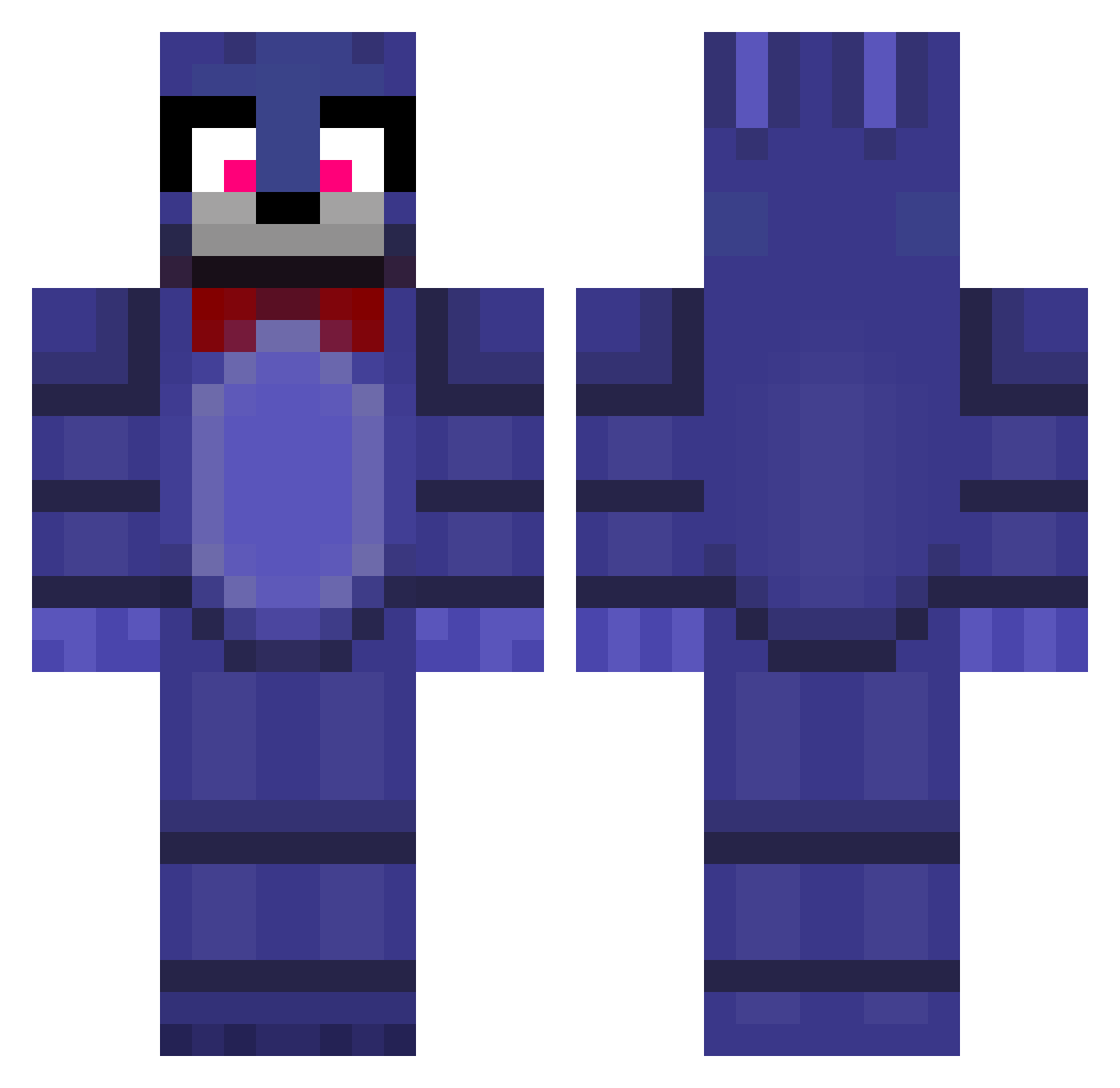
Other players with this skin (210)
simibuuu was the 104th player we have seen with this skin, first spotted on 11.09.2026. The same skin was seen on these players. Open a nickname to see their current skin and skin history.
 _Judehigh MonsieurSchlicht Matth122 Emin_Vitamin I_B6ShX
 regelfp Tretre12 Nixus_Mykhas arcticfox8723 JvdeLow ModelByMike D3MON404 Tsarevo_ waffle725
 ByZylox Survivalist_123 maclang tyutyunu228 Andy6_7
 Jack_C16 kygobeast
 wazra 1_Syco mortartar _MaceMaster_ HiddeBakVet Thanat_daichav motop12366 MineGeist_YT SKBDNJJadetid JudeLow_ DrReaper7 Jazziah Jaydenjcg BishopXMinecraft immenesiva olekmiszcz2016z funkycat420 c3mbat mlsas Bigbadaho llCloudz Gcap2014 AllMightyNut King_Tigas Wolfdog1805 ignViol Itz_Binn DARKMATTER109 vladicdudut SpidaMc MulleHot _Jud3l0w_ PAPASFRITAS82 Kingo4750 FESOX12 ApocalypseSpider Leobones1984 iamILYAS66 i_love_cats12345
More Bonnie Minecraft skins
How to install the simibuuu skin
- Press the Download button above to save the skin as a PNG file.
- Minecraft: Bedrock Edition (PE): open the Dressing Room from the main menu (or tap your character → Edit Character), go to Classic Skins → Owned, press the + (new skin) button, choose the downloaded PNG and pick the Classic (Steve) model. Works on PC and mobile; consoles cannot import custom skins.
- Minecraft: Java Edition: open the Minecraft Launcher, go to the Skins tab, click New Skin, load the PNG, pick the Classic (Steve) model and press Save & Use. You can also upload it at minecraft.net → Profile → Change Skin.
The skin does not show up after import - what should I do?
Restart Minecraft and open the Dressing Room again - imported skins sometimes appear only after a restart. Also make sure you selected the imported skin and picked the Classic (Steve) model.
Which model should I choose, Classic or Slim?
This skin is designed for the Classic (Steve) model. If you pick the wrong model, the arms of the skin will look stretched or squeezed.
Is the skin of simibuuu free to download?
Yes. Press Download, save the PNG file and use it in Minecraft: Bedrock Edition or Java Edition - no payment or registration needed. The skin also works on multiplayer servers and Realms.
More skins
Looking for more? Go back to all Minecraft skins and check the top skins of the week, month and all time, or find any player's skin by nickname.