
sillysinsin - Minecraft Skins & Skin History
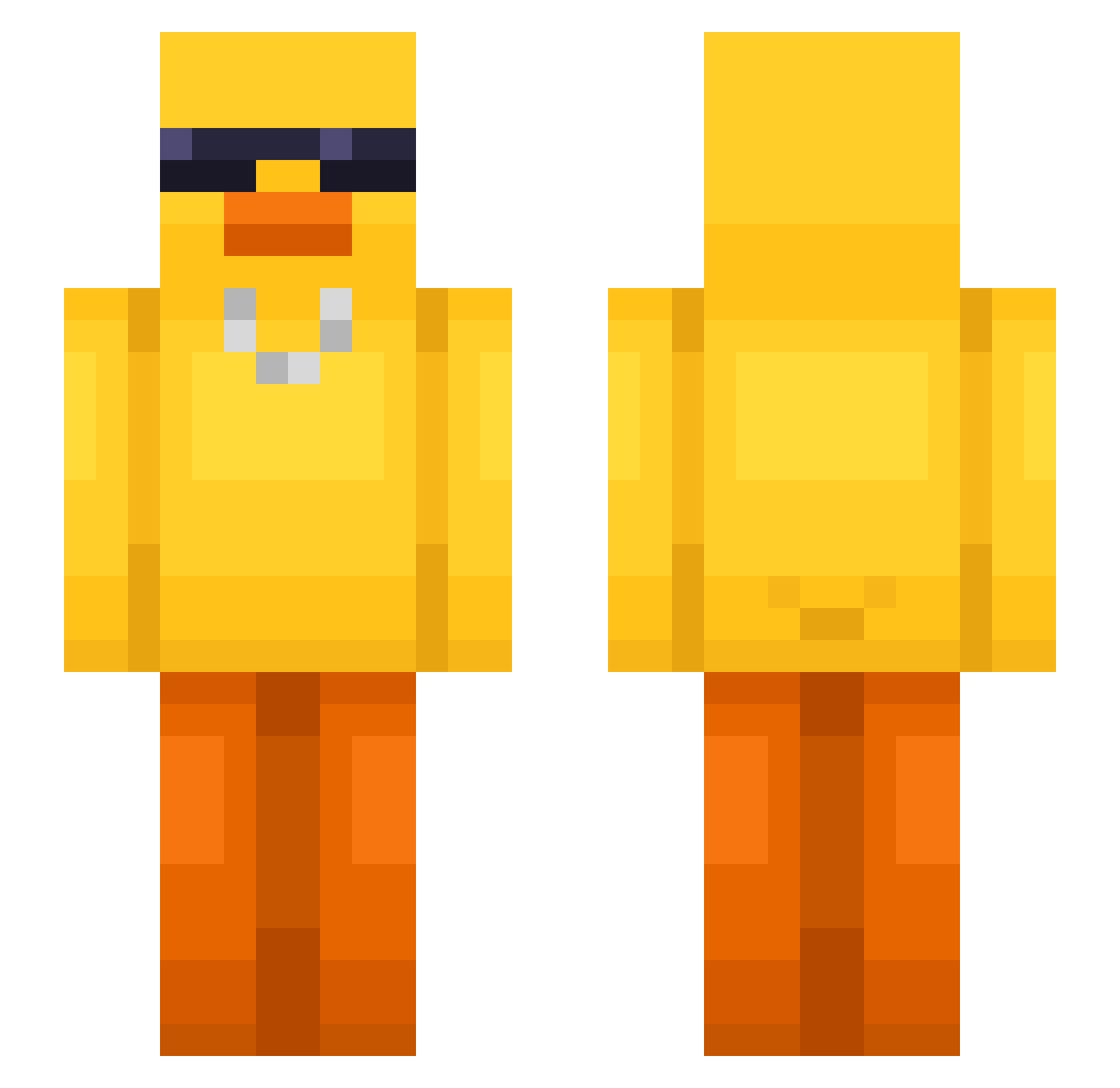
Current Minecraft skin of the player sillysinsin, loaded from the official Mojang API. Rotate the 3D model with your mouse or finger, then download the skin as a PNG file and use it in Minecraft: Bedrock Edition or Java Edition for free. When sillysinsin changes their skin, this page updates automatically and the old skin stays in the history below.
Other players with this skin (728)
sillysinsin was the 708th player we have seen with this skin, first spotted on 15.11.2026. The same skin was seen on these players. Open a nickname to see their current skin and skin history.
 hyeonsig04 Ro_1N ibokiller JuanCarlos7 hoonjung2 MadziXoneQ PBjelly333 Angsee xrigo7 144hrz OnurBeys jihoo1356 pickletoe17 ddolddae tjddnjs_ Brad_Pitt00 xScarletLoTus Arruda15 Pheonix7809 Killerprotype iamCymbi Triszu TylNot huffstuff24 Coolduckwitglass GodSean Sinns21 Spiraltomato RookyCandy57 jojag Wraith_wraison CerealSand81187 xX_CosmicFox__Xx Tk_zues Nzz092 pjacob4 Jhnovr SchlaueNina okomekko EmtheDilem MOONGSIL2 KorvKalle katy_8 mariux001 HzAquaYT RealistRC Flashsz XEkoDad Rood_7u7 junjunjunjun123 rosannmc Hoon_Zy Zotszu Julicraft1411 go_die_168 hannitah9 _JanpI_ Deadly_Dog_512 Chips_911 ddang999999999
More Chain Minecraft skins
How to install the sillysinsin skin
- Press the Download button above to save the skin as a PNG file.
- Minecraft: Bedrock Edition (PE): open the Dressing Room from the main menu (or tap your character → Edit Character), go to Classic Skins → Owned, press the + (new skin) button, choose the downloaded PNG and pick the Slim (Alex) model. Works on PC and mobile; consoles cannot import custom skins.
- Minecraft: Java Edition: open the Minecraft Launcher, go to the Skins tab, click New Skin, load the PNG, pick the Slim (Alex) model and press Save & Use. You can also upload it at minecraft.net → Profile → Change Skin.
The skin does not show up after import - what should I do?
Restart Minecraft and open the Dressing Room again - imported skins sometimes appear only after a restart. Also make sure you selected the imported skin and picked the Slim (Alex) model.
Which model should I choose, Classic or Slim?
This skin is designed for the Slim (Alex) model. If you pick the wrong model, the arms of the skin will look stretched or squeezed.
Is the skin of sillysinsin free to download?
Yes. Press Download, save the PNG file and use it in Minecraft: Bedrock Edition or Java Edition - no payment or registration needed. The skin also works on multiplayer servers and Realms.
More skins
Looking for more? Go back to all Minecraft skins and check the top skins of the week, month and all time, or find any player's skin by nickname.