
sigganauske - Minecraft Skins & Skin History
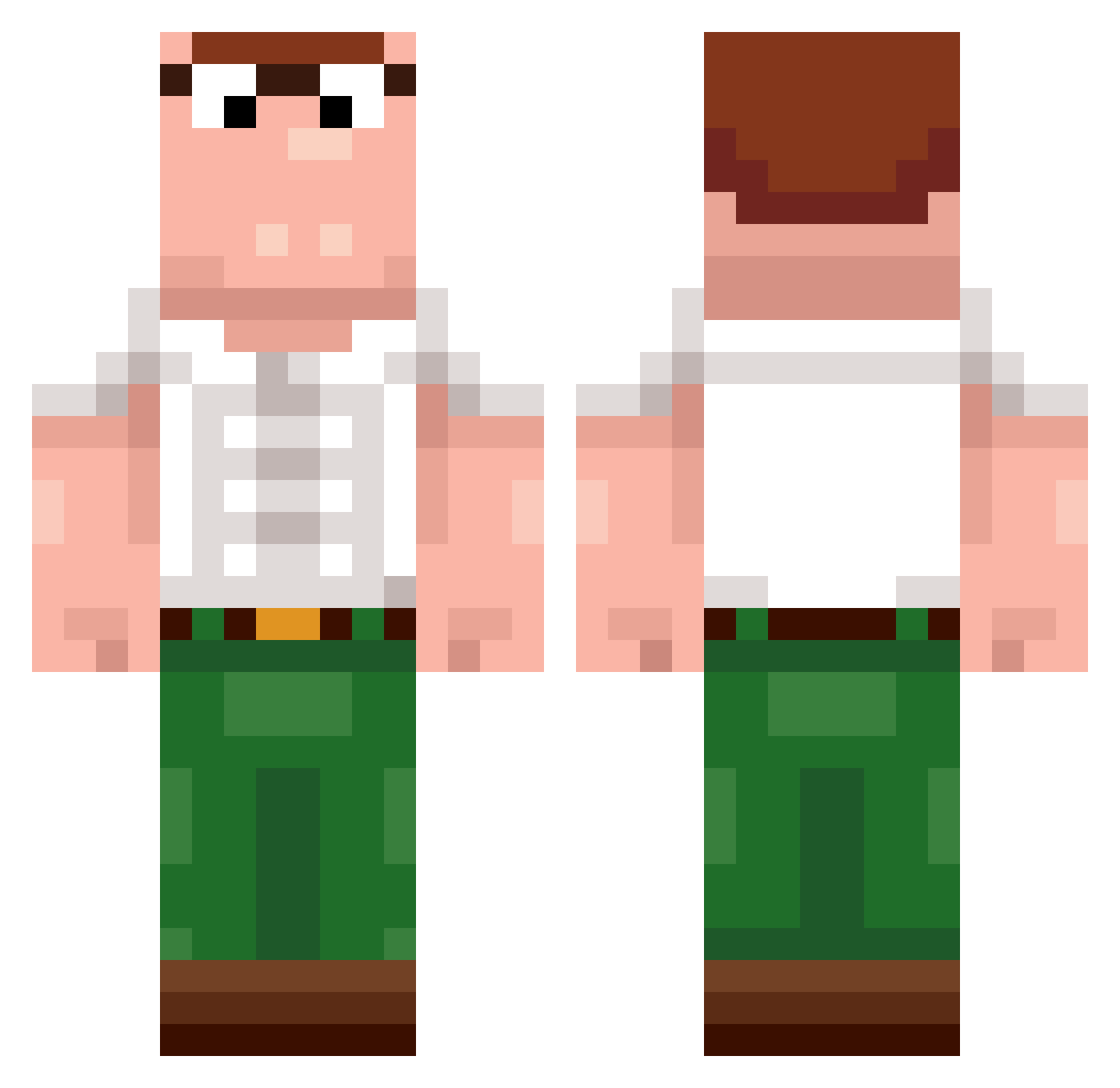
Current Minecraft skin of the player sigganauske, loaded from the official Mojang API. Rotate the 3D model with your mouse or finger, then download the skin as a PNG file and use it in Minecraft: Bedrock Edition or Java Edition for free. When sigganauske changes their skin, this page updates automatically and the old skin stays in the history below.
Other players with this skin (390)
sigganauske was the 341st player we have seen with this skin, first spotted on 18.10.2026. The same skin was seen on these players. Open a nickname to see their current skin and skin history.
 LTH287 cg_pablooo Harushey eletho2 biicole mathiu209 SpencerSprunk Johnlueck Kalle9191 S2CAT onniip replant xXx_FaZeFaygo_xX Flex9830 RYAN8489 JxJ124 Aymananis DerLucel1807 Schudo Deepcesa canadydy hailriley danielthirtle _juergen_ Miki5873 Da_Bison_Baumi Dilllion peterquagmire21 SpektreIV finnps PintoBlackGrosso Can1PetThatDog Davi_88 Hammygeddon kuBol89 Majtis TurnipW CalCal07 Buller_69 StarL0ver pr0spherity Nanopodio Smitty3116 CrayCrayRay17 pusteln1k_ p0ryae Xengarr AnaMariaLarga SoyNick09 arniukas11 ephod Joker1302 bigpeter42 ChangXin123 adum23 Jonteiro otiri_puripuri I_Am_Mega_Racist Status_Delta coolgamercrayon
More Peter Griffin Minecraft skins
See all 216 Peter Griffin skins
How to install the sigganauske skin
- Press the Download button above to save the skin as a PNG file.
- Minecraft: Bedrock Edition (PE): open the Dressing Room from the main menu (or tap your character → Edit Character), go to Classic Skins → Owned, press the + (new skin) button, choose the downloaded PNG and pick the Classic (Steve) model. Works on PC and mobile; consoles cannot import custom skins.
- Minecraft: Java Edition: open the Minecraft Launcher, go to the Skins tab, click New Skin, load the PNG, pick the Classic (Steve) model and press Save & Use. You can also upload it at minecraft.net → Profile → Change Skin.
The skin does not show up after import - what should I do?
Restart Minecraft and open the Dressing Room again - imported skins sometimes appear only after a restart. Also make sure you selected the imported skin and picked the Classic (Steve) model.
Which model should I choose, Classic or Slim?
This skin is designed for the Classic (Steve) model. If you pick the wrong model, the arms of the skin will look stretched or squeezed.
Is the skin of sigganauske free to download?
Yes. Press Download, save the PNG file and use it in Minecraft: Bedrock Edition or Java Edition - no payment or registration needed. The skin also works on multiplayer servers and Realms.
More skins
Looking for more? Go back to all Minecraft skins and check the top skins of the week, month and all time, or find any player's skin by nickname.