
shreder982 - Minecraft Skins & Skin History
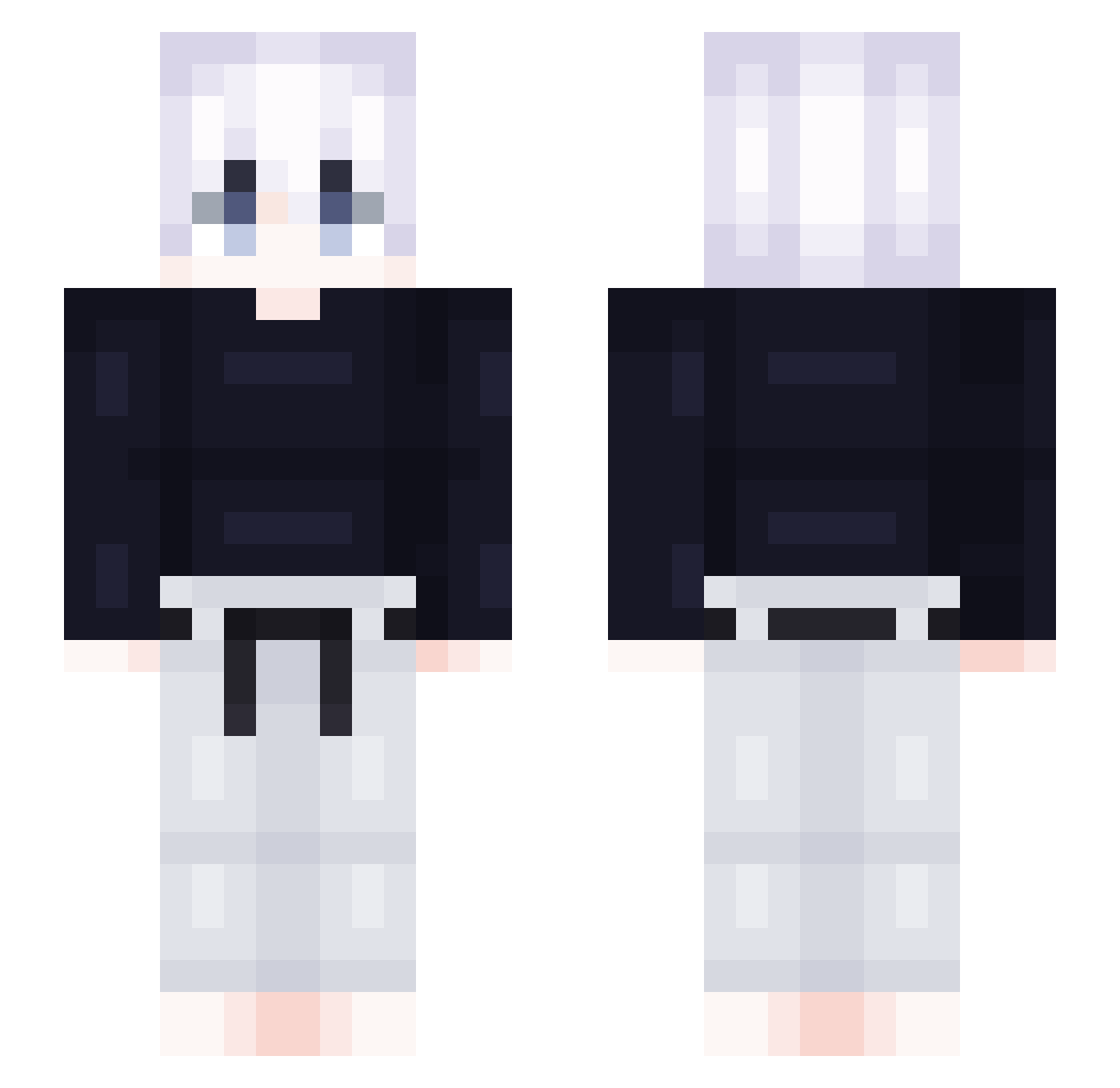
Current Minecraft skin of the player shreder982, loaded from the official Mojang API. Rotate the 3D model with your mouse or finger, then download the skin as a PNG file and use it in Minecraft: Bedrock Edition or Java Edition for free. When shreder982 changes their skin, this page updates automatically and the old skin stays in the history below.
Other players with this skin (418)
shreder982 was the 163rd player we have seen with this skin, first spotted on 02.09.2026. The same skin was seen on these players. Open a nickname to see their current skin and skin history.
 puuskas hemlo09 Samualdo Meepugochi ha_rang22 ICECREAM001 Aresice ConnorKNORR christo1234z mcfft IambicMonster81 guxhs xmwk OUOWTT martoo7 lobioo Honqqwei TheMR15 YATOoOoON Sulder Sqeto Clofted xBubsss linshx MomoLafripouille loGui07 harry080207 _Sohee ProTilar wdzsw0000 Thealbion1 Bobby2Lo LucaFaehrtCLS SkaterGrey OneNinetyEight LEMONSTARE IsNate ThunderBirid C_Diao yoonho1214 hidda_ Vutay Xanthos_1881 hwaN6 X1a0Yin Jackie_Mo gywls0918 bsj__ Shiiyoh ilHeizou Gerudow Emirhancox54 black0088 Alito76 bez_oporu notsicario SpongyICE Badr19 MadaraDeCalcinha Ecavy
More Judo Minecraft skins
How to install the shreder982 skin
- Press the Download button above to save the skin as a PNG file.
- Minecraft: Bedrock Edition (PE): open the Dressing Room from the main menu (or tap your character → Edit Character), go to Classic Skins → Owned, press the + (new skin) button, choose the downloaded PNG and pick the Slim (Alex) model. Works on PC and mobile; consoles cannot import custom skins.
- Minecraft: Java Edition: open the Minecraft Launcher, go to the Skins tab, click New Skin, load the PNG, pick the Slim (Alex) model and press Save & Use. You can also upload it at minecraft.net → Profile → Change Skin.
The skin does not show up after import - what should I do?
Restart Minecraft and open the Dressing Room again - imported skins sometimes appear only after a restart. Also make sure you selected the imported skin and picked the Slim (Alex) model.
Which model should I choose, Classic or Slim?
This skin is designed for the Slim (Alex) model. If you pick the wrong model, the arms of the skin will look stretched or squeezed.
Is the skin of shreder982 free to download?
Yes. Press Download, save the PNG file and use it in Minecraft: Bedrock Edition or Java Edition - no payment or registration needed. The skin also works on multiplayer servers and Realms.
More skins
Looking for more? Go back to all Minecraft skins and check the top skins of the week, month and all time, or find any player's skin by nickname.