
shed103 - Minecraft Skins & Skin History
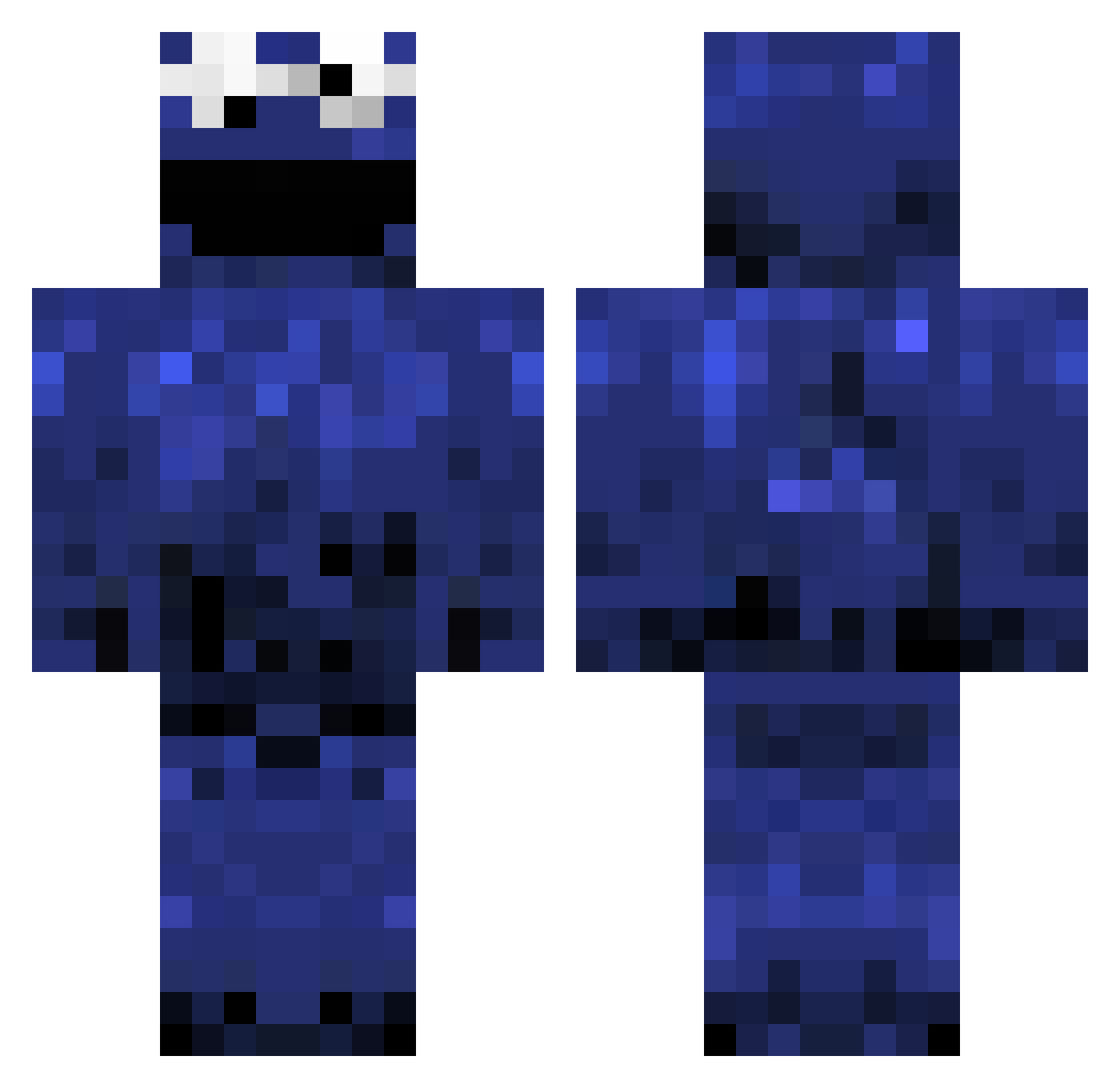
Current Minecraft skin of the player shed103, loaded from the official Mojang API. Rotate the 3D model with your mouse or finger, then download the skin as a PNG file and use it in Minecraft: Bedrock Edition or Java Edition for free. When shed103 changes their skin, this page updates automatically and the old skin stays in the history below.
Other players with this skin (1241)
shed103 was the 1184th player we have seen with this skin, first spotted on 05.11.2026. The same skin was seen on these players. Open a nickname to see their current skin and skin history.
 Jordan_3M Leadbum PineApplepPeguin Alex_stacy 66spiritS xAce_ patrick_rocks123 PillermannJones zuesdog99 dsuh1 tim2mit kongharaldkatt fbandrew12 cacapopo1999 4o_Real pixilatedgoose LastGary D3ngo_ R_ole_R hugowix Skinketrunte5000 STARZUNG talkingboutwilis Xero_Hero ingvarfreyr ziggie1 SxmpleGames Dilip9797 M1NECRAFT_BEA5T Untamabl3 Qwxyz The_Synthesizer BilboSwaggins Vedien12 TonyD1998 birdshine Aarsh93 pancakemonster Matthew_McF ItzTrue PixelDJ 1koekjevoormij Bluesaxplayer Ghostie129 BrotallyWaffles Jensan_91 TheShadedMan THOH11 asd190 ADiablo2002 JewishSandwich comkiller199 J_Russs JoeWinger5 cookiemonster_87 Shirviu Waffdawg Acrin Minespast MisterCarrasco
More Cookie Monster Minecraft skins
See all 298 Cookie Monster skins
How to install the shed103 skin
- Press the Download button above to save the skin as a PNG file.
- Minecraft: Bedrock Edition (PE): open the Dressing Room from the main menu (or tap your character → Edit Character), go to Classic Skins → Owned, press the + (new skin) button, choose the downloaded PNG and pick the Classic (Steve) model. Works on PC and mobile; consoles cannot import custom skins.
- Minecraft: Java Edition: open the Minecraft Launcher, go to the Skins tab, click New Skin, load the PNG, pick the Classic (Steve) model and press Save & Use. You can also upload it at minecraft.net → Profile → Change Skin.
The skin does not show up after import - what should I do?
Restart Minecraft and open the Dressing Room again - imported skins sometimes appear only after a restart. Also make sure you selected the imported skin and picked the Classic (Steve) model.
Which model should I choose, Classic or Slim?
This skin is designed for the Classic (Steve) model. If you pick the wrong model, the arms of the skin will look stretched or squeezed.
Is the skin of shed103 free to download?
Yes. Press Download, save the PNG file and use it in Minecraft: Bedrock Edition or Java Edition - no payment or registration needed. The skin also works on multiplayer servers and Realms.
More skins
Looking for more? Go back to all Minecraft skins and check the top skins of the week, month and all time, or find any player's skin by nickname.