
shartx - Minecraft Skins & Skin History
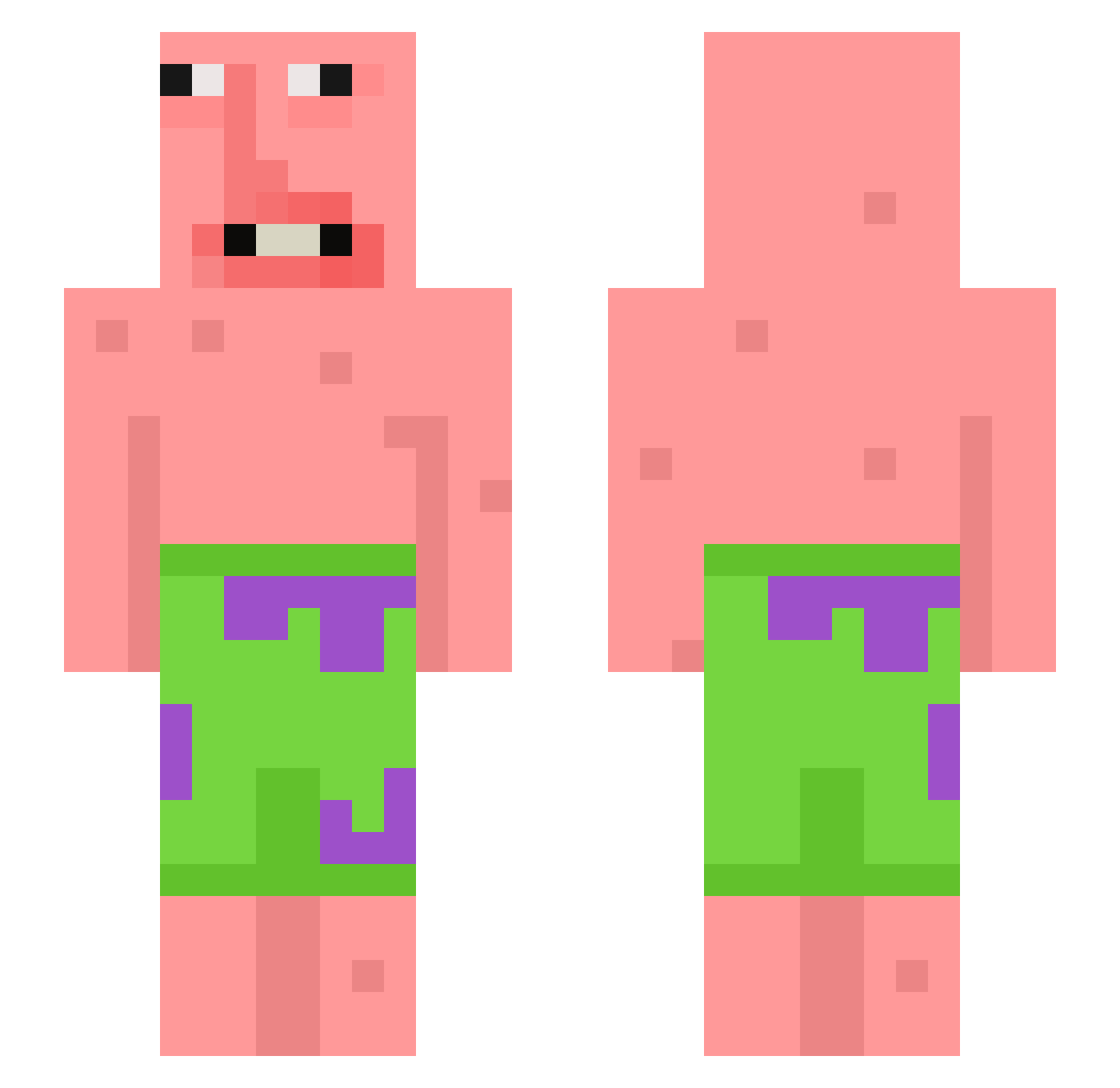
Current Minecraft skin of the player shartx, loaded from the official Mojang API. Rotate the 3D model with your mouse or finger, then download the skin as a PNG file and use it in Minecraft: Bedrock Edition or Java Edition for free. When shartx changes their skin, this page updates automatically and the old skin stays in the history below.
Other players with this skin (398)
shartx was the 139th player we have seen with this skin, first spotted on 02.09.2026. The same skin was seen on these players. Open a nickname to see their current skin and skin history.
 TTVGretaThunberg Fgil_ Nulungdi DaftFrog1234 hassi026 The_Huntsman21 gitano_junior Marco6158 SpicyJackXD AstroMonkey1 wayne214 hqttNB lauraloewer FFABOTTRACKTEUCH Izak_moka Doggy0301 zachpostsmemes jhhy DEATHkA9 Filo814 Paul0924 bionuss NelsonRekdela Foxy20001 yahodong Depressed_Farm petryshka2206 violqte viddepidde zaid82938 hd9372fgrh27fuyi suibianle XEliothLeDragonX Doenmo12345 Voittaja10 jason69696969 Artneyy Anim3wH043 Xeno2783 ChefBoyRD69urmom mohhamadibsahudi zfw FartyButtA55 lamewalrus JIuTP_IIuBa chikis2005 kiyuxr DatHacker1987 Marc180600 Xzylith81 KushM1nk ItsYakYak Gabrynogisbano98 iBowery holyfoid Chirine1 granpettit SOJOLIM leperlenda QueebyJeebies
More Patrick Star Minecraft skins
See all 612 Patrick Star skins
How to install the shartx skin
- Press the Download button above to save the skin as a PNG file.
- Minecraft: Bedrock Edition (PE): open the Dressing Room from the main menu (or tap your character → Edit Character), go to Classic Skins → Owned, press the + (new skin) button, choose the downloaded PNG and pick the Slim (Alex) model. Works on PC and mobile; consoles cannot import custom skins.
- Minecraft: Java Edition: open the Minecraft Launcher, go to the Skins tab, click New Skin, load the PNG, pick the Slim (Alex) model and press Save & Use. You can also upload it at minecraft.net → Profile → Change Skin.
The skin does not show up after import - what should I do?
Restart Minecraft and open the Dressing Room again - imported skins sometimes appear only after a restart. Also make sure you selected the imported skin and picked the Slim (Alex) model.
Which model should I choose, Classic or Slim?
This skin is designed for the Slim (Alex) model. If you pick the wrong model, the arms of the skin will look stretched or squeezed.
Is the skin of shartx free to download?
Yes. Press Download, save the PNG file and use it in Minecraft: Bedrock Edition or Java Edition - no payment or registration needed. The skin also works on multiplayer servers and Realms.
More skins
Looking for more? Go back to all Minecraft skins and check the top skins of the week, month and all time, or find any player's skin by nickname.