
shallowthought - Minecraft Skins & Skin History
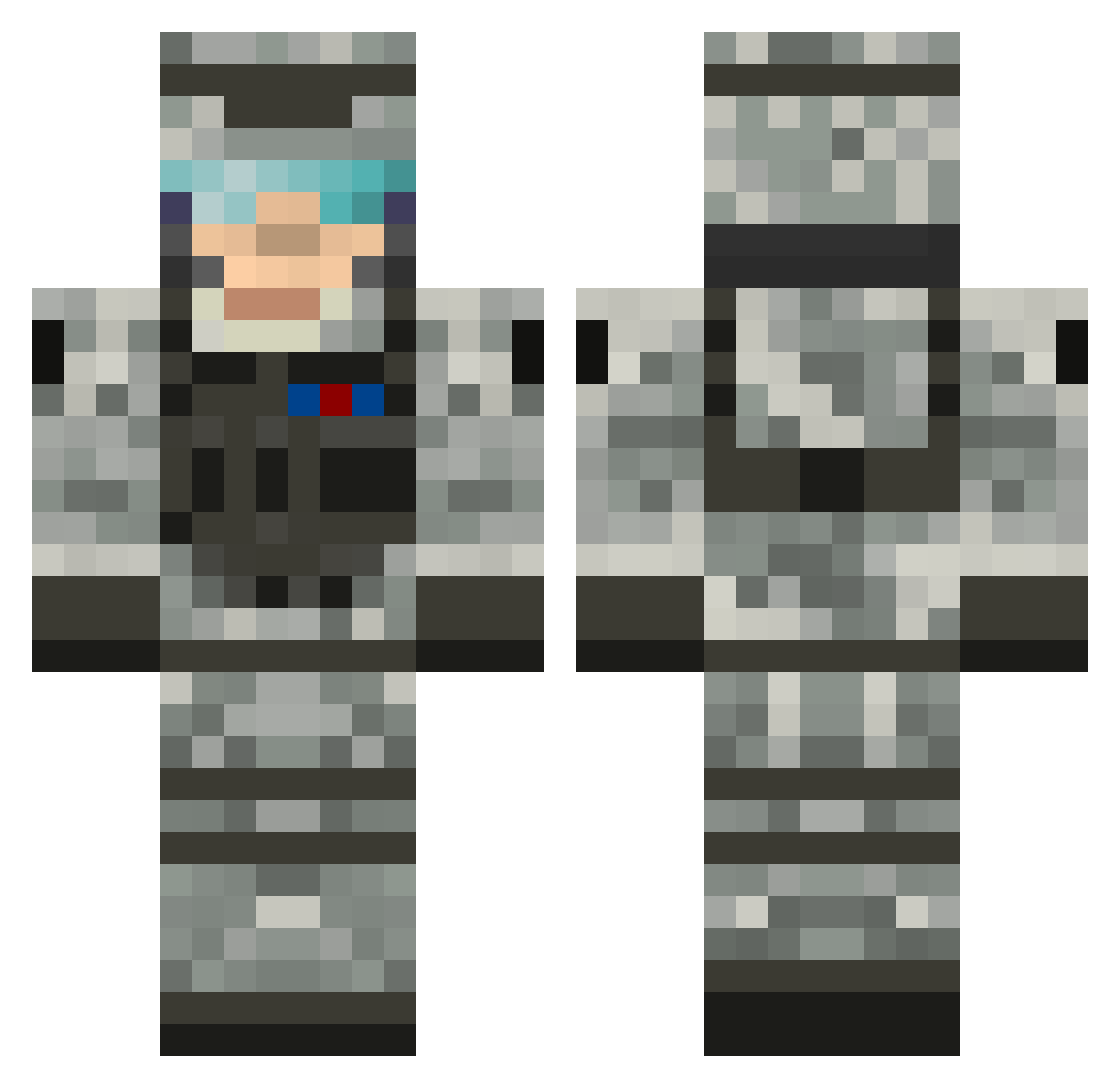
Current Minecraft skin of the player shallowthought, loaded from the official Mojang API. Rotate the 3D model with your mouse or finger, then download the skin as a PNG file and use it in Minecraft: Bedrock Edition or Java Edition for free. When shallowthought changes their skin, this page updates automatically and the old skin stays in the history below.
Other players with this skin (505)
shallowthought was the 123rd player we have seen with this skin, first spotted on 14.08.2026. The same skin was seen on these players. Open a nickname to see their current skin and skin history.
 TarHeel09 Ladestokken Slim_jay MoneyMaster69 mgeo81 bobbyo2001 NPL206 dvogler123 SL1MSHADY01 DKDuVall armyfang55 daratmonkey MajorPropper TooTall17 lord_killer_97 Hauicrafter Nmurari09 Lami_Legend RiverMonster20 skiemer030 WhaQQer Xw__Minecraft MasterRoy Jako7597 kidfisher0 kaids17 LordJarrod bobkylo1234 prbugzdaman7 xLively fart1000 oscar2074 zombievendetta Dav007 alphastyle94 thommo9706 Topher62560 AFTERSHOCK160 arcticwolfbravo CHECKAVAIL soccerjayer KeiranD Salkin1112 0R1AND0 berserker_hunter KrazyKid1 AKucinski Rassov95 StrykerFire5 CaptainDerpy1 Bsk6 LP_mit_hoffel Crusader_Angel DergEnterprises Sebasreina Smilodon68 jacob576699 MortarMex II_AK47_II shadowchaser80
More Camo Minecraft skins
How to install the shallowthought skin
- Press the Download button above to save the skin as a PNG file.
- Minecraft: Bedrock Edition (PE): open the Dressing Room from the main menu (or tap your character → Edit Character), go to Classic Skins → Owned, press the + (new skin) button, choose the downloaded PNG and pick the Classic (Steve) model. Works on PC and mobile; consoles cannot import custom skins.
- Minecraft: Java Edition: open the Minecraft Launcher, go to the Skins tab, click New Skin, load the PNG, pick the Classic (Steve) model and press Save & Use. You can also upload it at minecraft.net → Profile → Change Skin.
The skin does not show up after import - what should I do?
Restart Minecraft and open the Dressing Room again - imported skins sometimes appear only after a restart. Also make sure you selected the imported skin and picked the Classic (Steve) model.
Which model should I choose, Classic or Slim?
This skin is designed for the Classic (Steve) model. If you pick the wrong model, the arms of the skin will look stretched or squeezed.
Is the skin of shallowthought free to download?
Yes. Press Download, save the PNG file and use it in Minecraft: Bedrock Edition or Java Edition - no payment or registration needed. The skin also works on multiplayer servers and Realms.
More skins
Looking for more? Go back to all Minecraft skins and check the top skins of the week, month and all time, or find any player's skin by nickname.